
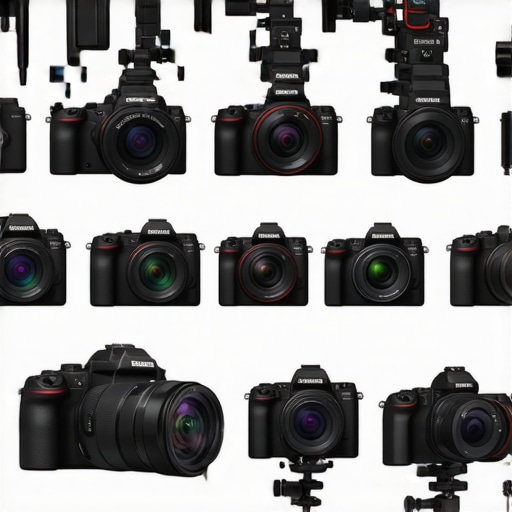
I remember the moment clearly. I was staring at my old camera, frustrated. The footage was grainy, autofocus was slow, and I kept missing shots because of unreliable focus. It hit me—my gear was holding me back. I needed an upgrade, but with so many options out there, especially in 2025, I felt overwhelmed. Have you faced this too? That feeling of being stuck with equipment that no longer meets your needs? Well, you’re not alone. Today, I want to share how I navigated this maze of choices and found the perfect mirrorless and YouTube cameras designed for creators like us.
Why Choosing the Right Camera Matters More Than Ever
In 2025, content creation is more competitive than ever. Whether you’re shooting YouTube Shorts, streaming live, or producing high-quality videos, your camera needs to deliver crisp visuals and reliable performance. The good news? The market has exploded with incredible options tailored for creators. But this also means it’s easy to get lost in specs, hype, and reviews. Trust me, early in my journey, I made a mistake by focusing solely on megapixels and ignoring real-world performance, which led to wasted money and frustration. For a comprehensive look at what to consider, check out this ultimate guide.
Is the Latest Tech Actually Worth the Hype?
One of my biggest fears was investing in the newest, most expensive gear only to find out it wasn’t that much better than older models. I’ve learned that sometimes, sticking with proven technology can be smarter. The key is understanding your specific needs—like whether you prioritize streaming, vlogging, or high-resolution recording. For instance, I initially bought a high-end camera expecting flawless 4K quality, but I overlooked whether my setup could handle the data. The result? Choppy streams and endless troubleshooting. Don’t make that mistake. Want to see how I sorted it all out? Dive into this comparison of top models to make smarter choices.
Set Your Priorities Straight
Before diving into specific models, define what you need. Are you vlogging on the go, streaming live, or producing cinematic content? I once bought a high-end mirrorless camera expecting it to handle everything, only to realize I needed better autofocus for my daily vlogs. Clarify your primary use case to avoid wasting money on features you’ll never use. For a detailed breakdown of features that matter, visit this ultimate guide.
Compare Sensor Sizes Like a Pro
Think of sensors as the brain of your camera—bigger sensors gather more light and produce richer images. For content creators, a full-frame sensor offers excellent low-light performance and cinematic depth, but it can be bulkier and pricier. APS-C sensors are lighter and more affordable but still deliver high-quality results. I experimented with both; initially, I used a compact APS-C, but switching to a full-frame mirrorless camera dramatically improved my low-light shots and background blur. Check out top mirrorless options to see what fits your needs.
Focus on Video Features Like Stabilization and Autofocus
Imagine trying to record a shaky walk-and-talk without stabilization—it’s like filming with a hand-held tornado. Look for cameras with in-body image stabilization (IBIS) and advanced autofocus, especially eye-tracking for smooth, professional-looking videos. I once borrowed a camera for a day, and its excellent autofocus saved my shot during a sudden movement. If you’re streaming or creating dynamic content, I recommend reviewing this guide to pick the right model.
Balance Resolution and Frame Rate
Higher resolution like 4K is tempting, but only if your editing setup can handle it. I initially shot all my videos in 4K, only to find my editing computer struggling. A smart move was to record in 1080p for quick edits and switch to 4K for final renders. Also, ensure your camera can shoot at least 60fps for smooth slow-motion shots or fast-paced vlogs. Check out top 4K streaming cameras for recommendations.
Prioritize Connectivity and Audio Inputs
A great image is useless if your audio is poor or you can’t connect easily. Look for cameras with clean HDMI output, microphone inputs, and Wi-Fi or Bluetooth for easy transfer. I once used a camera without a headphone jack, making it impossible to monitor audio during recording—lesson learned. For live streaming, I now rely on models with strong connectivity options. For more insights, see streaming gear options.
Test Drive and Compare in Real Conditions
Nothing beats hands-on testing. I took my shortlisted cameras to a local park, shooting side by side—daylight, low light, and indoor scenes. My initial choice underperformed in low light, but trying different settings helped me understand each camera’s strengths and weaknesses. Wherever possible, rent or borrow before buying. Use contact us if you need personalized advice or recommendations.
Many creators fall into the trap of believing that the latest tech or the most expensive gear automatically guarantees better results. In reality, this misconception can lead you down a costly path filled with unnecessary upgrades and overlooked nuances. Let’s dig deeper into what most people get wrong about selecting a camera in 2025 and how to sidestep these common pitfalls.
Why Bigger Sensors Don’t Always Mean Better Content
It’s a common myth that full-frame sensors are always the best choice for creators. While they excel in low-light conditions and offer cinematic depth, they also come with heftier price tags and bulkier setups. Many creators assume that a bigger sensor will automatically elevate their videos, but in practice, it’s all about matching your specific workflow. For example, if you mainly shoot on the go or stream frequently, a lightweight APS-C or even Micro Four Thirds camera might serve you better. The key is understanding your primary use—sticking with a sensor size that aligns with your needs can save you both money and frustration. For an in-depth comparison, check out this guide.
Beware the Autofocus Hype
Many assume that autofocus, especially eye-tracking and face detection, will make their videos perfect every time. While these features are impressive, relying solely on autofocus can be a trap. Camera autofocus systems can struggle in tricky lighting or with fast movements, leading to focus shifts or missed shots. I’ve seen creators become overly dependent on autofocus without understanding its limitations, resulting in blurry footage during critical moments. Instead, master manual focus techniques or use focus peaking, especially for cinematic shots or planned videos. Advanced autofocus isn’t a silver bullet—testing and understanding your gear’s behavior is essential. Want to learn how to optimize autofocus settings? Explore this detailed guide.
What about Resolution and Frame Rate?
Many creators get caught up in shooting 4K, believing it’s always necessary. However, higher resolution isn’t a one-size-fits-all solution. If your editing setup struggles with 4K footage, you might end up sacrificing quality or efficiency. I recommend recording in 1080p for quick edits and switching to 4K only for final outputs. Similarly, frame rate matters—shooting at 60fps provides smoother motion, especially for fast-paced content, but it also increases file size. Balance your needs with your hardware capabilities. For more insights, see this comparison of top models.
Have you ever fallen into this trap? Let me know in the comments! Remember, choosing the right camera isn’t about the latest hype but about understanding your unique content style and technical needs. Stay smart, and keep creating!
How do I keep my equipment running smoothly over time?
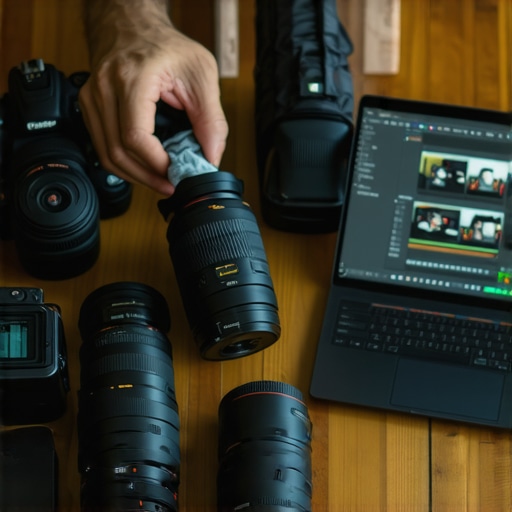
Maintaining your gear is crucial for consistent quality and avoiding costly breakdowns. I personally swear by regular cleaning and firmware updates. For cameras, I recommend using a soft, lint-free cloth to wipe down lenses and body after each shoot—this prevents dust buildup that can affect image quality. Firmware updates are essential; they often fix bugs, improve stability, and add new features. Set a calendar reminder quarterly to check for updates on your camera and streaming gear, especially with the rapid tech evolution in 2025. This comprehensive guide explains how to keep your equipment in top shape.
< >
>
What tools do I rely on for longevity and efficiency?
One game-changer for me has been a portable, high-quality lens cleaning kit. The Magic Fiber microfiber cloth combined with proper lens cleaning solutions ensures my optics stay pristine, which is vital for sharp videos. Additionally, investing in a battery grip or external power banks has extended my shooting sessions without interruptions. For software, I prefer DaVinci Resolve because it offers professional-grade editing and color correction for free, allowing me to deliver consistently high-quality content. These tools save me time and reduce technical hiccups, especially during long shoots or live streams.
Predicting the future of content tools
Looking ahead, I believe AI-driven maintenance apps will become standard. Imagine software that automatically detects hardware issues, suggests fixes, or even orders replacements automatically. The trend is moving toward seamless, intelligent workflows that keep creators focused on content and less on technical troubleshooting. To stay ahead, I recommend trying out advanced auto-maintenance tips like scheduling firmware checks and using software diagnostics regularly. For example, this article discusses how to integrate automated health checks into your setup. Don’t wait—start implementing these routines today to ensure your gear keeps up with your creative ambitions.
Reflecting on my journey, I realized that the biggest breakthroughs came when I stopped chasing the newest tech and started understanding my real needs. One of the hardest lessons I learned was that bigger sensors don’t automatically mean better videos; it’s about how well they integrate into my workflow. I also discovered that autofocus features, while impressive, are no substitute for mastering manual focus techniques—especially when filming cinematic scenes. And, perhaps most importantly, I learned that resolution is a tool, not a rule—shooting in 1080p for quick edits can save time, while reserving 4K for the final cut makes a significant difference in production efficiency.
This post resonated with me deeply, especially the part about not falling into the hype trap. I’ve definitely spent more on gear that looked impressive but didn’t meet my actual needs for mobile vlogging and live streaming. Your emphasis on understanding your workflow and primary use cases is a crucial reminder. I remember times I overlooked autofocus limitations, only to realize it during a shot that needed to be perfect. Mastering manual focus and focus peaking has really improved my cinematic shots, and I think many creators underestimate these skills. Also, investing in good connectivity options, like external mics and Wi-Fi transfer, has made a huge difference during live sessions.
I’m curious—how do others balance choosing between full-frame and crop sensors when working in tight spaces or on the go? Do you find that smaller sensors like Micro Four Thirds significantly limit image quality in real-world scenarios? Would love to hear more insights or personal tips from fellow creators on optimizing such equipment for different shooting environments.