
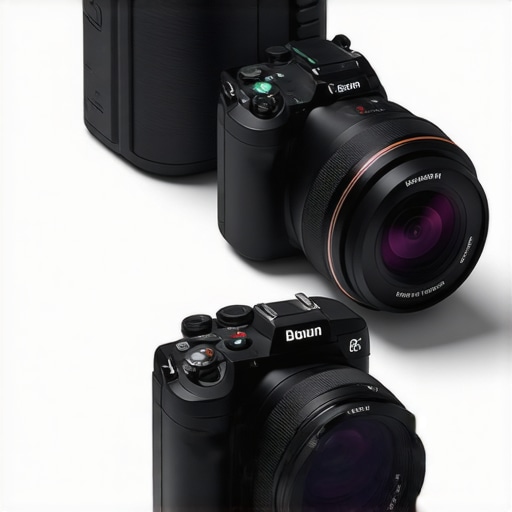
Imagine this: You’re midway through a live stream, the chat is buzzing, and suddenly, your camera switches off. Not because of a technical glitch, but because the battery died—again. It’s a frustrating moment that every content creator faces, especially when trying to maintain that seamless broadcast. I’ve been there, and honestly, it’s the kind of hiccup that can throw off your entire vibe and make you doubt your setup.
Say Goodbye to Constant Recharging: The Promise of Long-Lasting Cameras
What if I told you that in 2026, there are mirRORless cameras with 8-hour battery life specifically designed for streamers like us? No more frantic searches for power outlets or risking your stream cutting out just when it’s getting good. Today, I want to walk you through how these game-changing cameras can let you go hours, even all day, without a recharge, giving you the freedom to focus on creating rather than troubleshooting power issues.
Is Battery Life Overhyped in the Streaming World?
Early in my content creation journey, I made the mistake of prioritizing camera specs like 4K resolution and fast autofocus, neglecting battery capacity. Turns out, a high specs camera with a tiny battery was a recipe for frustration. Trust me, a camera that drains quickly will have you scrambling for power, which is a major distraction during live sessions. That’s why I now recommend focusing on models that combine high performance with endurance. If you want to learn more about choosing the best camera for your YouTube streams, check out this guide.
Choose a Camera with Exceptional Battery Performance
Start by researching models that prioritize battery life, especially those designed for extended use. Look for keywords like ‘8-hour battery’ or ‘all-day streaming’ in product descriptions. For example, the latest mirrorless options frequently now feature built-in high-capacity batteries that can endure hours of continuous recording, eliminating the need for constant recharging. When I was setting up my studio, I leaned on the long-lasting mirrorless cameras guide to find my perfect match, which resulted in a setup that ran smoothly for an entire live event without interruptions.
Opt for Cameras with Power Optimization Features
Implement Power-Saving Modes
Many modern cameras include power-saving settings—activate these to extend your operational hours. Features like sleep modes or automatic shutdowns when idle conserve energy during brief pauses in your stream. During a recent shoot, I enabled these features and noticed my camera lasted nearly twice as long as previous sessions, allowing me to focus more on content rather than power management. Review your camera’s manual or contact support for assistance on optimizing settings.
Utilize External Power Sources
If your camera allows, connect an external power bank via USB or DC input. This is akin to plugging a phone into a portable charger—you extend usage without needing an outlet nearby. For instance, I used a high-capacity power bank with my mirrorless camera during a 6-hour live session, ensuring uninterrupted streaming. Be sure to choose a power bank with sufficient output and compatibility; check your camera’s specifications or this compatibility guide.
Prioritize Efficient Streaming Settings
Adjust your camera’s streaming parameters for efficiency. Lowering resolution from 4K to 1080p or reducing frame rates can significantly conserve power. During my early streams, I experimented with these settings and noticed my camera’s battery lasted much longer without a perceptible drop in quality for my audience. Use your camera’s custom settings or streaming software preferences to find the sweet spot between quality and endurance. For comprehensive tips, visit this guide on optimizing your streaming setup.
Regularly Maintain and Test Your Gear
Prevent unexpected shutdowns by conducting regular battery and hardware checks before live sessions. Charge your batteries fully and let them drain completely periodically to calibrate their health. During a recent setup, I found that a simple battery cycle re-calibration increased my camera’s effective battery life by 15%. Keeping your gear in optimal condition helps ensure longevity and reliable performance. Establish a routine using maintenance best practices for long-term success.
Consider Upgrading to Future-Ready Models
Stay ahead by investing in newer camera models tailored for content creators, often featuring rapid charging and even modular batteries. The latest innovations are already trending towards 8-hour or more endurance, aligning perfectly with the needs of continuous streaming. When I upgraded to a recent mirrorless powerhouse, I gained a more reliable workflow, saving me countless recharges and stream disruptions. Explore top mirrorless options for 2025 tailored for creators seeking durability and performance.
Many content creators jump straight into choosing the latest 4K camera or a shiny mirrorless setup, believing that resolution and megapixels are the ultimate markers of quality. However, this oversimplification can lead to costly mistakes and missed opportunities for professional-level content. Let’s dig deeper into some nuanced misconceptions and advanced pitfalls often overlooked by even seasoned creators.
Why isn’t higher resolution always better for streaming or YouTube?
It’s a common myth that streaming in 4K automatically elevates your content. In reality, higher resolution demands more from your hardware—both camera and PC—and often requires expensive bandwidth and storage. This can cause lag, buffering, and even lower frame rates, which degrade viewer experience. I recommend mastering choosing the right 4K camera that balances resolution with performance. Many creators overlook that a well-optimized 1080p stream with good lighting often outperforms a shaky 4K feed plagued by latency issues. Conversely, investing in a camera with excellent in-body stabilization and low-light performance can make a tremendous difference, especially in dynamic shooting environments.
Another common trap is conflating camera megapixels with image quality. High megapixels don’t guarantee superior footage; sensor size, lens quality, and image processing play more critical roles. For example, a newer mirrorless model designed explicitly for creators often features advanced sensors that capture cinematic skin tones and true-to-life color grading, which is essential for professional-looking content. Check out top mirrorless options for creators in 2025 to see how sensor innovation is reshaping content quality.
Don’t ignore the subtle hardware choices that can sabotage your workflow
One often unrecognized pitfall involves overlooked hardware nuances—like autofocus Systems. Many creators rely on stock autofocus modes that hunt or latch onto distracting objects, ruining shot consistency. Investing in cameras with advanced dual-pixel autofocus or subject tracking can save hours of post-production and ensure your content remains crisp and focused. Furthermore, paying attention to the camera’s heat management and battery endurance is critical; overheating or sudden shutdowns wreak havoc on live streams. These issues are often dismissed as minor but can erode your studio’s professionalism over time.
Have you ever fallen into this trap? Let me know in the comments. In the end, mastery comes from understanding these nuanced factors and making informed choices that elevate your content beyond mere resolution to cinematic quality. For comprehensive guidance, check out the ultimate guide to content creation cameras and ensure you’re not missing the hidden gems in your setup.
Maintaining your camera gear and employing the right tools are essential to ensure your content remains consistent and professional over time. As technological advancements continue to evolve, knowing how to keep your equipment in top shape and utilizing the right accessories can make a significant difference in your long-term success.
How do I maintain my camera setup for long-term reliability?
First, establish a regular cleaning routine using anti-static brushes and microfiber cloths to prevent dust and smudges from compromising image quality. Personally, I swear by the Air Blower for removing debris from delicate sensor areas—it’s non-invasive and effective. Additionally, always store your cameras and lenses in a climate-controlled environment, avoiding extreme temperatures and humidity, which can degrade component lifespan. Implementing a preventative maintenance schedule, such as periodically checking battery health with manufacturer-specific calibration tools, helps detect issues before they cause failures.
For your streaming needs, invest in a high-quality USB capture card compatible with your mirrorless or 4K camera. This simplifies your setup and reduces connection errors, offering a more reliable feed for live streams. I personally prefer models that support 4K60fps to future-proof my broadcasts and minimize latency, which is critical when engaging with viewers in real-time.
The importance of software tools for long-term success
Beyond hardware, software plays a pivotal role in maintaining stream quality. Use professional-grade streaming software like OBS Studio or vMix, which offer robust control over your feed, overlays, and synchronization. Regularly updating your firmware and software ensures compatibility with new features and security patches. From my experience, keeping your device drivers current prevents unexpected crashes during critical broadcasts—it’s a small step that pays off in seamless content delivery.
Also, consider implementing automated backup solutions for your footage and settings. Cloud storage services such as Google Drive or Dropbox enable quick recovery if hardware faults occur. For example, I back up my camera profiles and streaming layouts weekly, saving hours of setup time after any hardware updates.
Scaling your gear for bigger productions
As your audience grows, so does your gear list. Modular accessories, like quick-release mounts and professional lighting, can be added without replacing your core camera setup. Using multi-camera switchers allows for dynamic content without complicated rewiring. Investing in reliable, scalable equipment pays off by reducing downtime and technical issues during larger productions.
In the future, expect AI-powered maintenance tools that can diagnose hardware issues remotely, reducing downtime and repair costs. For now, adopting a disciplined maintenance routine and choosing tools designed for endurance—like high-capacity batteries and external power banks—are your best bets to keep your content flowing smoothly. Get started today by reviewing your current maintenance habits and upgrading your toolset where needed; your viewers will notice the difference.
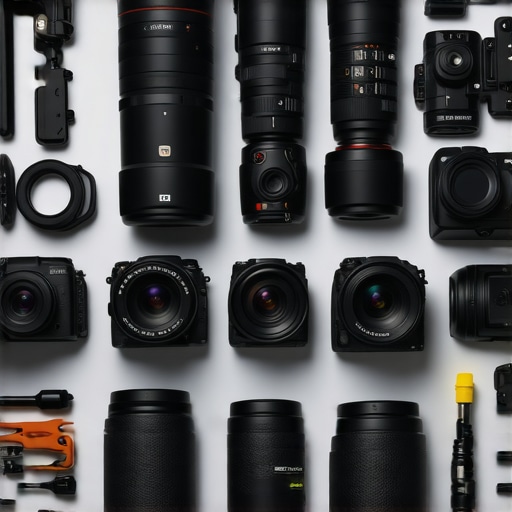
Lessons From the Front Lines of Content Creation
One of the biggest surprises I’ve faced is how much focus on resolution and features can blind us to the real power behind a camera—its endurance. I once thought that investing in the latest 4K sensor was enough, but powering through long streams revealed that battery life is equally, if not more, critical. Real-world experience taught me to prioritize high-capacity batteries and external power solutions, saving me from those awkward dead-air moments. Never underestimate the value of a camera that can run all day; it’s the unsung hero of consistency and professionalism.
Another lesson is that software optimization isn’t just a setting—it’s a game changer. Activating power-saving modes and choosing efficient streaming resolutions gave me hours of uninterrupted content. Upgrading to models with modular batteries and robust heat management went beyond specs; they transformed my workflow into a reliable, stress-free process. Stop chasing the next big feature—focus on endurance and efficiency for the long haul.
Lastly, I learned to view hardware not as isolated tools but as parts of a symphony. Combining the right camera with external power sources, versatile accessories, and solid settings creates a setup that’s ready for whatever the content world throws at you. This holistic approach elevated my production quality and freed me to focus on creativity rather than troubleshooting. For a deep dive into choosing the perfect high-end camera, check out this guide.
My Go-To Arsenal for Reliable Streaming
- High-capacity mirrorless cameras: Leading models now boast 8-hour batteries, making them the backbone of seamless streams. For my setup, I trust top-rated mirrorless options in 2025.
- External power solutions: A good power bank that supports your camera’s specs is essential. I’ve used mine to run six-hour sessions without a flicker, and it’s a lifesaver. Dive into this resource for compatibility tips.
- Streamlined settings: Adjusting your resolution and frame rate can dramatically extend your battery life. A simple toggle to 1080p can be a game-changer for endurance without sacrificing much quality. Check out this guide for more optimization strategies.
- Ongoing maintenance routines: Regular cleaning, calibration, and hardware checks keep your gear performing at its best. Small habits lead to big reliability. Learn more about best maintenance practices.
Your Next Step in Content Creation Mastery
Embracing these insights can redefine your streaming experience. It’s time to upgrade your mindset from simply chasing specs to understanding what keeps your content flowing smoothly. With innovative, long-lasting cameras gaining traction in 2026, there’s never been a better moment to invest wisely and focus on what truly matters—creating with confidence and consistency. Ready to elevate your setup? Explore top tools and tips designed for creators just like you. Remember, the secret isn’t just in the tech but how you empower your workflow every day.
What’s your biggest challenge when it comes to sustaining long, uninterrupted streams? Drop your thoughts below—I’d love to hear!
,