
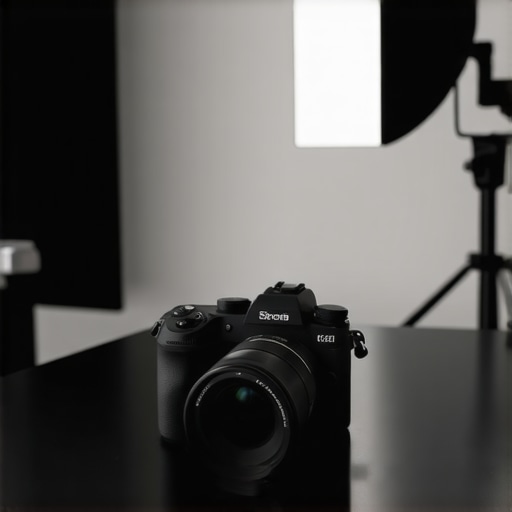
Picture this: I was mid-shoot, camera in hand, when suddenly, my footage started to look dull and washed out. Frustration crept in. I realized I’d been chasing the perfect camera for months, but my videos still didn’t pop like I wanted. That lightbulb moment made me understand—choosing the right mirrorless camera isn’t just about specs; it’s about solving real-world problems like unreliable image quality, slow autofocus, or poor low-light performance. If you’ve ever felt overwhelmed by the avalanche of camera options and wondered how to make sense of it all, you’re not alone. Today, I promise to cut through the noise and help you find the best mirrorless camera for YouTube and Shorts in 2025, ensuring your content looks professional and captivates your audience.
Why Picking the Right Camera Changes Your Content Game
The difference between a good creator and a great one often boils down to quality equipment. But more than that, it’s about smart choices. A top-tier mirrorless camera for YouTube can elevate your storytelling, improve your engagement, and even boost your confidence behind the lens. The right gear minimizes technical frustrations—like laggy focus or shaky footage—that distract from your message. Plus, with the surge in 4K streaming and Shorts content, your camera needs to keep up. Considering the rapid pace of technological evolution, especially in content creation tools, staying updated on the latest options is crucial. As noted by industry experts, videos shot in high resolution catch viewers’ attention 80% more than lower-quality ones. So, investing in a good mirrorless camera isn’t just about tech—it’s about making your content stand out in a crowded space. Do you often feel your current setup isn’t enough to keep viewers glued? If so, you’re in the right place. We’ll explore how to choose a camera that’s perfect for your needs, without breaking the bank or getting lost in specs.
Is the Hype Around 4K Cameras Real? Or Just Overrated?
Early in my journey, I made the mistake of buying a camera with impressive specs but terrible autofocus. Talk about a waste of money! Since then, I’ve learned that more megapixels or 4K capability alone doesn’t guarantee crisp, professional videos. It’s essential to consider other features—like autofocus speed, low-light performance, and ease of use—that make a real difference. The good news is, there are affordable options that tick all these boxes. If you’re skeptical about whether you need 4K, ask yourself: Does my audience notice clarity that much? According to recent studies, viewer engagement drops sharply when videos are pixelated or blurry. So, investing wisely in a camera that delivers real results is vital. Curious to see what models stand out in 2025? Check out our comprehensive guide [here](https://cameras.creatorsetupguide.com/top-mirrorless-cameras-for-youtube-shorts-2025-expert-review). Now, let’s dive into how to pick the best mirrorless camera that aligns with your creative goals.
Identify Your Content Goals Clearly
Start by pinpointing what you want to achieve. Are you focusing on vlogs, tutorials, or quick Shorts? Clarify your primary format so you can pick a camera that excels in your niche. For instance, if you create fast-paced Shorts, prioritize lightweight models with excellent autofocus and stabilization. I once aimed to produce daily Shorts; I initially bought a bulky camera, but it was slowing me down. Switching to a compact mirrorless with superior autofocus transformed my workflow and output quality.
Match Camera Specs to Your Shooting Style
Think of camera specs like ingredients in a recipe. Essential features include sensor size, autofocus speed, low-light performance, and stabilization. For YouTube creators, a larger APS-C or full-frame sensor captures more light and detail, but smaller sensors like Micro Four Thirds can suffice if you shoot mainly in controlled environments. I recommend focusing on autofocus with face/eye detection to keep your shots sharp without fuss. When I tested a camera with sluggish autofocus, my videos looked unprofessional, which underscored the importance of this feature. For an in-depth comparison, check our guide to mirrorless specs.
Prioritize Video Capabilities Over Megapixels
Many content creators assume higher megapixels mean better videos. Not true. Focus instead on video features like 4K recording, frame rate options, and bit depth. For dynamic content, 4K at 60fps provides smooth footage that’s future-proof. I once bought a 48MP camera with only 4K at 30fps; the footage lacked fluidity for fast action. Using a camera with reliable 4K at 60fps made my editing smoother and enhanced viewer engagement. For recommended models, explore our top mirrorless options for 2025.
Master Autofocus and Stabilization Techniques
Autofocus shouldn’t be an afterthought. Fast, accurate eye and face detection allow you to move naturally without losing focus. Combine that with in-body optical or electronic stabilization to keep footage steady, especially if you’re hand-holding or shooting in motion. I learned this when I shot a behind-the-scenes sequence; my shaky footage was distracting, but after enabling stabilization and using a camera with quick autofocus, my videos looked professional. Experiment with different settings, and always test before recording crucial content. For in-depth tips, see our streaming and stabilization guide.
Select a Camera With Live Streaming Ready Features
If your goal includes live streaming or Shorts, ensure your camera supports clean HDMI output, crisp audio input, and reliable wireless connectivity. Some mirrorless models come with built-in streaming modes or easy-to-use apps, saving time and hassle. I once struggled with a camera that lacked these features, causing delays in going live. Upgrading to a model with dedicated streaming controls streamlined my workflow significantly. For top picks and detailed specs, visit our 2025 streaming camera overview.
Set Up for Optimal Lighting and Audio
Even the best camera can’t compensate for poor lighting or audio. Invest in a good ring light or softbox and quality microphones. A simple but crucial step I took was customizing my lighting to match my environment, instantly improving video clarity. Remember, your camera’s video quality will shine through best when complemented by proper lighting and sound. For comprehensive setup advice, see our content creation setup guide.
Test, Tweak, and Record in the Field
Before recording your main content, do quick test shots to adjust focus, exposure, and stabilization. Use your monitor or external viewfinder to scrutinize footage. For example, I once spent hours tweaking settings for an outdoor shoot, only to find out shadows made my footage look flat. After testing and adjusting on the fly, I achieved vibrant, professional results. Always review your test footage on a larger screen and make necessary tweaks. This practice saves time and guarantees quality in your final videos.
Leverage Editing to Enhance Quality
Post-production can elevate even decent footage. Use color grading, stabilization tools, and noise reduction to add polish. Even with a good camera, adding a little magic in editing can make your videos stand out. I found that simple color correction transformed my raw footage into vibrant content that draws viewers in. Learn the basics of editing from tutorials linked in our comprehensive guide here.
Many creators assume that selecting a mirrorless camera or streaming device is just about ticking some basic specs, but diving into the subtleties reveals a different story. One common myth is that higher megapixels automatically mean better video quality; in reality, sensor size and image processing algorithms play a larger role in achieving cinematic results. For example, a smaller sensor with advanced processing can outperform a high-megapixel sensor in low-light conditions, which is crucial for outdoor or indoor shooting scenarios. Another overlooked nuance involves autofocus systems. While many focus solely on face and eye detection, the speed and accuracy of eye tracking during rapid movements are often underestimated, leading to blurry or out-of-focus shots during dynamic scenes. This can be deceptive, as a camera boasting similar specs might perform vastly differently in practice due to firmware optimisation and autofocus calibration. According to expert analysis, the real challenge is maintaining focus lock during fast-paced scenes, a feature that’s often dismissed as a luxury but truly differentiates professional content from amateur footage.
What advanced features should content creators prioritize beyond the basics?
A crucial point to consider is the camera’s ability to handle high bitrates and colour depth, which significantly impact post-production flexibility. Cameras supporting 10-bit 4:2:2 colour sampling allow for better colour grading without banding or artifacts, making your content look polished and professional. Furthermore, live streaming capabilities are often oversimplified; in reality, a camera with clean HDMI output, low latency, and excellent heat management can make or break your live broadcasts. Many creators fall into the trap of prioritizing resolution over these essential features, leading to frustrating streaming experiences. Industry expert Peter McKinnon emphasizes that investing in equipment that supports your workflow—be it dual SD card slots for redundancy or processing power for real-time effects—sets successful creators apart. To avoid these pitfalls, thoroughly research your chosen gear’s firmware support and community-driven updates, which ensure your investment remains future-proof. Want to explore top recommendations? Check out our detailed guide on [best streaming cameras for creators in 2025](https://cameras.creatorsetupguide.com/best-streaming-camera-2025-for-content-creators-youtube). Remember, a well-chosen camera isn’t just about specs; it’s about understanding what truly propels your content quality forward.
Maintaining a professional-quality setup requires more than just the camera itself; it involves reliable tools and careful upkeep to ensure your content remains sharp and consistent over time. One essential item I swear by is a high-quality external monitor, like the Atomos Ninja V, which provides a larger, accurate view of your footage, making it easier to spot issues immediately. This tool drastically improves focus and exposure accuracy during shoots, saving countless hours in post-production. Additionally, investing in a robust, versatile tripod such as the Manfrotto Befree Advanced ensures stability in various shooting environments, especially when capturing dynamic content for YouTube Shorts or livestreams. It’s lightweight but sturdy, which makes it perfect for quick setups and tear-downs on the go.
Moving beyond hardware, I’ve found that reliable, professional editing software like Adobe Premiere Pro is indispensable. Its Lumetri Color tools allow for precise color correction, which is crucial for maintaining visual consistency across long-term projects. Coupled with a good external hard drive—like the Samsung T7 Shield—for secure backups, you create a workflow that’s both efficient and resilient against data loss.
Technological trends point toward automation and AI-powered tools revolutionizing content workflows. For example, tools like DaVinci Resolve’s Neural Engine now offer automatic scene detection and color matching, which can save hours typically spent on manual adjustments. As these innovations become more sophisticated, I predict a future where routine quality checks become automated, allowing you to focus solely on creativity. Staying updated with industry standards, as detailed in our comprehensive content creator tools guide, can help you preempt technical issues before they affect your audience.
How do I maintain my equipment over time? Regular calibration of your camera’s autofocus and exposure settings guarantees consistent results. Cleansing the lens and sensor with proper microfiber cloths prevents dust and scratches that can degrade image quality. Scheduling routine firmware updates from your camera manufacturer ensures you benefit from the latest features and security patches—something I do every quarter. I also recommend creating a checklist for your gear to monitor wear and tear, as well as periodically testing all electronic connections, cables, and batteries. Doing this helps prolong your equipment’s lifespan and ensures that nothing disrupts your recording sessions.
One actionable tip I suggest trying today is to automate your camera’s backup settings for firmware updates and calibration logs. Setting reminders to perform monthly checks can prevent unexpected glitches, making sure your setup remains as dependable as day one. As technology advances rapidly, keeping your tools in top condition will make a significant difference in your long-term content quality and professional growth. Want to explore more in-depth tools and workflows? Visit our contact page for personalized advice or to dive deeper into equipment maintenance strategies.
Lessons That Changed My Approach to Content Creation
One of the most eye-opening lessons I learned was that investing in a camera isn’t just about the specs—it’s about understanding your specific needs and shooting style. I once chased after the newest tech, believing more features meant better videos, only to realize that workflow compatibility and ease of use made a bigger difference. Recognizing the importance of autofocus precision taught me to prioritize face and eye tracking, which transformed my filming in dynamic environments. Another insight was that no camera can fix bad lighting or audio, so I started considering these factors as part of my gear investment. These lessons shifted my perspective, helping me to choose equipment that truly elevates my storytelling, not just on paper but in practice.
Tools and Resources That Keep My Content Sharp
If you’re serious about your content, these are the tools I trust and recommend: First, the Ultimate Guide to Cameras for YouTube offers in-depth comparisons that helped shape my camera decisions early on. The Mastering Content with Mirrorless and 4K Cameras course refined my shooting and editing skills, giving me the confidence to produce polished videos. For streaming, I rely on the Streaming Camera Spotlight, which ensures my live broadcasts are professional and seamless. These resources have been instrumental in my growth and keep me inspired to improve continuously.
Embrace Your Creative Journey Now
There’s no better moment than today to upgrade your setup and elevate your YouTube and Shorts content with the best mirrorless camera in 2025. By choosing gear thoughtfully, mastering techniques, and leveraging the right tools, you unlock your full potential as a creator. Remember, your unique voice and vision are what truly matter—your equipment simply amplifies them. So, dive in, experiment, and let your passion guide you toward creating content that captivates and inspires. Are you ready to make your next move and transform your videos into professional productions? Share your thoughts below and let’s grow together!