
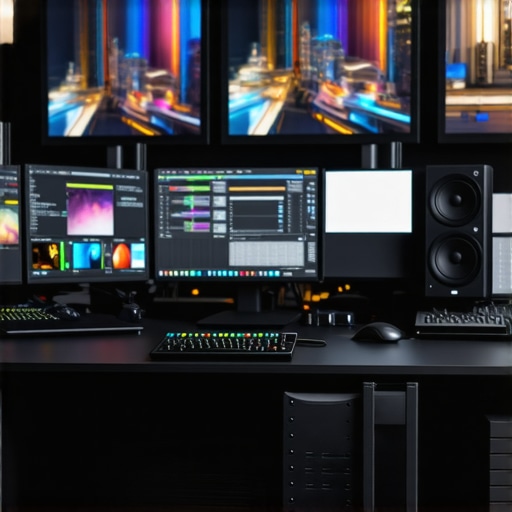
I remember the exact moment I realized my streaming setup was holding me back. Sitting in front of my old, grainy webcam, I watched my live viewers drift away, frustrated with the poor quality and shaky image. It hit me hard — if I wanted to grow as a content creator, I needed a serious upgrade. Not just better camera gear, but a complete overhaul of how I approached streaming and content creation. That lightbulb moment led me down the rabbit hole of researching top-tier cameras and gear for 2025, and let me tell you, the landscape has changed dramatically. Today, I want to share what I’ve learned and help you avoid the costly mistakes I made early on.
Why Upgrading Your Streaming Camera Matters More Than Ever
In 2025, the quality of your video content can make or break your growth. With viewers expecting crisp, vibrant visuals, a subpar camera can make your channel look amateurish—even if your content is excellent. Plus, with the rise of YouTube Shorts, live streams, and 4K content, your gear needs to keep pace. The good news? There’s a huge selection of high-quality, affordable options now that can elevate your production without draining your wallet.
But here’s the thing: choosing the right camera isn’t just about megapixels or fancy features. It’s about understanding your specific needs—whether you’re streaming on Twitch, recording YouTube videos, or doing both. Trust me, I once bought a high-end mirrorless camera without considering that I needed a reliable, easy-to-use setup for daily streaming. That mistake cost me time, money, and a lot of frustration. Learning from those early blunders, I now prioritize gear that’s practical, future-proof, and tailored to content creation.
If you’ve ever felt overwhelmed by the endless options or unsure whether investing in a 4K camera is worth it, you’re not alone. The truth is, with the right tools, you can dramatically improve your content quality and viewer engagement. And that’s exactly what we’ll explore today—how to pick the best streaming cameras and gear for 2025, so you can confidently level up your content game.
Is 4K Streaming Really Worth the Hype?
When I first looked into 4K streaming, I was skeptical. It sounded great in theory, but did it truly make a difference? Early on, I made the mistake of investing in a 4K camera without considering your actual internet bandwidth or the streaming platform’s capabilities. Turns out, if your setup isn’t optimized, 4K can cause lag and buffering instead of enhancing your content. According to a recent study by Streaming Media, viewers prefer higher resolutions because they feel more immersed and engaged—so yes, 4K can boost your credibility and professionalism, but only if your entire setup supports it properly.
If you’ve faced doubts or fears about making the switch, I want you to know that with careful planning and the right gear, 4K streaming can be a game-changer. Ready to dive into the nuts and bolts of choosing your perfect camera? Let’s go!
For a comprehensive overview of the best gear and detailed reviews, check out this guide.
Select the Right Camera for Your Content
Start by identifying your primary platform—whether it’s YouTube, Twitch, or TikTok—and your content style. For example, if you’re creating fast-paced Shorts, a compact mirrorless camera like the ones reviewed in top mirrorless cameras for Shorts can be ideal due to their lightweight design and quick autofocus.
Know Your Needs and Budget
Determine whether you need a camera that excels in low light, offers 4K or higher resolution, or provides advanced autofocus. For beginners, an entry-level 4K camera such as the best 4K streaming camera for beginners can deliver professional quality without overwhelming complexity. For experienced creators, investing in premium mirrorless options like those listed in top mirrorless cameras in 2025 provides future-proofing and advanced features.
Optimize Your Internet and Streaming Setup
High-quality video is useless if your internet can’t handle it. Aim for at least 20 Mbps upload speed when streaming in 4K. Use a wired Ethernet connection to stabilize your stream, reducing latency and buffering issues that can ruin viewer experience. When I upgraded my setup, I realized that my Wi-Fi was bottlenecking my high-res streams, causing lag. Switching to Ethernet and optimizing my network made a noticeable difference in stream stability.
Adjust Your Camera Settings for Best Results
Set your camera to 4K resolution with a high bit rate—around 50 Mbps—to ensure crisp detail. Use manual focus to prevent hunting during live streams. Adjust ISO and shutter speed to match your lighting; for example, if you’re streaming in a well-lit room, keep ISO below 800 to minimize noise. I once left my camera on auto settings, which caused flickering and focus shifts. Switching to manual and fine-tuning the settings gave my stream a professional look.
Lighting and Audio Matter Just as Much
Invest in proper lighting—softboxes or ring lights—to ensure your face is well-lit. Good audio quality is non-negotiable; use a dedicated microphone instead of relying on camera audio. For example, I added a shotgun mic and upgraded to a dedicated audio interface, which dramatically improved my sound clarity and viewer engagement.
Test Before Going Live
Always do a dry run, recording some test footage to check framing, lighting, and audio. Watch the playback critically and adjust. During my first live test, I realized my camera’s field of view was too tight, cutting off part of my setup. Adjusting the framing and reshooting fixed the issue. This step saves you from embarrassing surprises during your actual stream.
Stay Updated and Keep Improving
Technology advances fast. Regularly check guides like best 4K cameras for YouTube streaming in 2025 and top mirrorless streaming gear for the latest recommendations. Upgrading your camera and gear periodically keeps your content fresh and competitive, helping you grow your audience and brand.
Many content creators assume that more expensive or feature-rich cameras automatically translate to better videos, but this is a misconception that can lead you astray. Let’s dig deeper into what most people get wrong about selecting a camera for YouTube, streaming, or content creation, especially when it comes to mirrorless, 4K, or high-end options. Contrary to popular belief, the right camera isn’t always the priciest or the newest model. Instead, it’s the one that best fits your specific needs, workflow, and environment.
One common myth is that you need a camera with the highest resolution or most advanced autofocus to produce professional content. While these features are beneficial, they won’t matter if your lighting or audio quality is poor. For example, a camera with excellent low-light performance can outperform a high-megapixel sensor in a poorly lit room. Many creators overlook this crucial aspect, focusing solely on specs rather than real-world performance.
Another mistake is investing in the latest mirrorless camera without considering your actual setup. A high-end camera paired with a cheap lens, poor lighting, or unstable internet won’t deliver the results you expect. Additionally, some creators buy cameras that require complex configurations or heavy post-production to look good on stream. Instead, focus on an easy-to-use model that integrates seamlessly into your workflow. For instance, models highlighted in top mirrorless cameras for content creators are often more reliable for daily use than overly complicated gear.
How does your camera’s autofocus impact your content creation?
This is a nuanced area many overlook. While autofocus can be a lifesaver for dynamic shooting, it can also cause distracting focus hunting or shifts during live streams. Advanced autofocus systems, like eye-tracking, are useful but require proper setup and lighting to work flawlessly. If your autofocus is inconsistent, it can make your streams look amateurish. A better approach might be to manually set focus or use models with reliable autofocus systems tailored for streaming, such as those discussed in best 4K streaming cameras.
Furthermore, many creators underestimate the importance of codec and bit rate settings. A camera capable of 4K recording is useless if your streaming setup can’t handle the data. Properly configuring your camera and streaming software ensures your footage looks sharp without lag or buffering. I recommend reading the detailed guides on how to choose the best 4K camera for your needs.
In summary, avoid the trap of equating higher specs with better results. Focus on your environment, workflow, and what features truly matter for your type of content. Remember, the best gear is the gear that works best for you. Have you ever fallen into this trap? Let me know in the comments.
How do I maintain my streaming gear over time?
Keeping your camera, microphone, and accessories in top shape requires a combination of regular maintenance and smart tool choices. Personally, I rely on a few key practices and tools that have helped me extend the lifespan of my equipment and ensure consistent quality for my content creation.
First, regular cleaning is crucial. For cameras, I use a microfiber cloth and a gentle lens cleaner to prevent dust and smudges from affecting image quality. I avoid harsh chemicals that could damage sensitive coatings. For microphones and audio gear, I recommend using compressed air and soft brushes to remove dust, which can accumulate over time and degrade sound quality.
Second, use appropriate storage solutions. I keep my gear in padded cases when not in use—never leaving cameras or lenses exposed to humidity or sudden temperature changes. This simple step prevents moisture buildup and condensation, which can cause damage to electronic components and lenses. Investing in silica gel packs for storage containers further reduces humidity risks.
Third, stay updated with firmware and software updates. Manufacturers release updates that fix bugs, improve stability, or add features. For example, I regularly check my camera manufacturer’s website or app, like those recommended in this guide, to ensure my gear is running the latest firmware. This not only enhances performance but also patches security vulnerabilities.
Fourth, invest in reliable tools. I personally use a static-free cleaning kit, a portable tripod, and a dedicated surge protector. These tools help me set up quickly, protect against power surges, and keep my workflow smooth. For software, I prefer OBS Studio with plugins for stream optimization, and I keep a backup of my settings and recordings periodically to prevent data loss.
Looking ahead, I believe the trend in content creation gear will shift towards more integrated, smart maintenance features. Future cameras might include self-cleaning sensors or AI-powered diagnostics. As technology advances, staying proactive with maintenance will become even more critical.
One tip I challenge you to try today is setting up a routine firmware check and cleaning schedule. It’s a straightforward step that can save you hours of troubleshooting and costly repairs. Just a quick monthly check can keep your gear performing at its best and help you focus on creating, not fixing.
Get your setup ready for the long haul and watch your content quality soar!
The Hardest Lesson I Learned About Camera for YouTube, Streaming Camera, Mirrorless Camera, 4K Camera, Content Creator
One of my biggest realizations was that even the most advanced camera won’t fix fundamental issues like poor lighting or unstable internet. I once invested in a top-tier mirrorless camera, expecting professional results, only to find that my shaky hands and bad lighting sabotaged my footage. It taught me to prioritize environment and workflow over specs. Now I know that a balanced setup—good lighting, reliable internet, and a camera that fits my style—is what truly elevates content.
3 Myths About Camera for YouTube, Streaming Camera, Mirrorless Camera, 4K Camera, Content Creator That Held Me Back
Myth one: You need the newest, most expensive camera to succeed. Myth two: Higher megapixels mean better quality. Myth three: Autofocus is a must-have for live streaming. These misconceptions led me to overspend or overlook the features that actually matter. For example, a camera with excellent low-light performance and manageable autofocus was more beneficial than chasing 8K resolution or cutting-edge autofocus systems that caused focus hunting during streams. Focus on what enhances your actual content environment.
What Experts Won’t Tell You About Camera for YouTube, Streaming Camera, Mirrorless Camera, 4K Camera, Content Creator
Many professionals keep quiet about the importance of a seamless workflow. The right camera is useless if your streaming software isn’t configured properly or your internet can’t handle the data. I learned that investing in a good encoder, optimizing your bitrate, and testing your setup regularly can make a huge difference. Experts also emphasize the importance of audio—good video is pointless without clear sound. Trust me, pairing a quality mic with your camera setup creates a more engaging experience.
Curated Recommendations for Content Creators
My Essential Toolkit for Content Creation includes the best streaming cameras of 2025 that balance quality and ease of use. I also rely on the comprehensive camera reviews to stay updated. For lighting, I swear by softboxes and ring lights, and for audio, a dedicated shotgun mic paired with a small audio interface has transformed my streams. Lastly, I keep firmware updated through the manufacturer’s official channels to ensure peak performance.
Your Turn to Try Making a Difference
Don’t let outdated gear or misconceptions hold you back from creating top-quality content in 2025. Test your setup, focus on the fundamentals like lighting and audio, and choose gear that fits your workflow. As technology evolves, so should your skills and confidence. Remember, the best camera is the one that helps you tell your story most effectively. What’s one upgrade you’re planning to make in your streaming setup this year? Share your plans below and let’s grow together!