
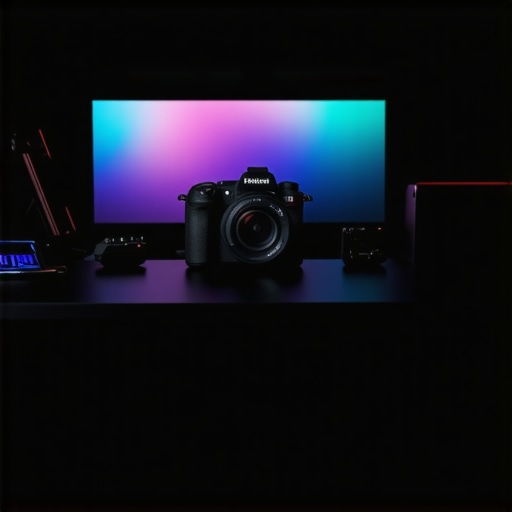
Ever spent hours trying to get that perfect shot, only to realize your camera just doesn’t cut it? I’ve been there, staring at a blurry, awkwardly lit video, thinking, “This isn’t what I envisioned.” It’s frustrating. The breakthrough came when I finally upgraded to a quality 4K camera, and honestly, it changed everything. But choosing the right one can feel overwhelming with so many options out there. If you’re tired of shaky footage and dull images holding back your content, I promise this guide will help you level up your game.
Why Finding the Right Camera Matters More Than Ever
In 2025, the competition on YouTube and streaming platforms is fiercer than ever. Viewers expect high-quality visuals — crisp, clear, vibrant videos that keep them hooked. The difference between a good video and a great one often boils down to your camera gear. An upgrade here isn’t just about aesthetics; it’s about making your content stand out, building trust, and growing your audience. Better visuals mean your message comes across more professionally, and that can open doors to collaborations, sponsorships, and even monetization opportunities.
But here’s the thing: investing in a top-tier 4K camera isn’t just about chasing the latest tech. It’s about understanding your own needs — do you stream live, record in a studio, or vlog outdoors? Are you after portability or maximum control? I made a mistake early on by choosing a camera that was too complicated for my setup, and it slowed me down. Trust me, avoid that pitfall by knowing what features truly matter for your style.
Today, I’ll walk you through how to pick the best 4K camera for your content, whether you’re a beginner or looking to refine your setup. We’ll cover essential features, budget considerations, and real-world tips to ensure you get the most bang for your buck. Ready to stop guessing and start creating with confidence? Let’s dive in!
Is a pricey camera actually worth the hype?
This is a common concern. I once splurged on a high-end mirrorless camera, only to realize I overlooked some simpler, more affordable options that suited my needs just fine. The key is understanding that more expensive doesn’t always mean better for what you do. I learned this the hard way, and now I recommend focusing on what features will boost your workflow without breaking the bank. For a detailed comparison, check out our comprehensive guide.
Set Clear Priorities Before Buying
Think of selecting a camera like shopping for a car. Are you after speed, comfort, or style? For content creation, define what features matter most—resolution, autofocus, portability, or low-light performance. For example, I once bought a hefty DSLR because I thought bigger was better, but I quickly realized I needed something lighter for outdoor vlogs. Clarifying your needs saves time and money.
Compare Key Camera Features
Focus on essential specs that impact your videos. Look for a camera with good autofocus, reliable image stabilization, and decent low-light performance. Think of these features as the steering wheel, brakes, and headlights—crucial for smooth, professional footage. I once overlooked stabilization and ended up with shaky videos, which hurt my engagement.
Evaluate Budget and Value
Set a realistic budget. Remember, a high price tag doesn’t guarantee better results for your specific needs. Check out options in different tiers and read reviews. I found that a mid-range mirrorless camera offered the perfect balance between cost and quality. Use comparison guides like top mirrorless options for 2025 to narrow your choices.
Test Before You Commit
If possible, visit a store or watch hands-on reviews. I visited a local shop and tested a few models. Even if it’s just watching demo videos, pay attention to how the camera handles autofocus and low-light scenes. This helped me avoid buying a camera that looked great online but underperformed in real life.
Consider Future-Proofing
Invest in a camera that can evolve with your channel. Features like 4K recording, HDMI output, and good battery life are worth the extra bucks. I upgraded to a mirrorless camera with 4K and realized it was a game-changer for editing flexibility. Check out the top picks for 2025 in our comprehensive guide to stay ahead of trends.
Leverage Resources and Community
Join online forums, watch YouTube reviews, and read articles. Connecting with other creators helped me understand what gear truly makes a difference. For instance, I learned that a good microphone is just as important as a good camera—don’t overlook audio quality. Explore expert reviews like top mirrorless reviews for 2025.
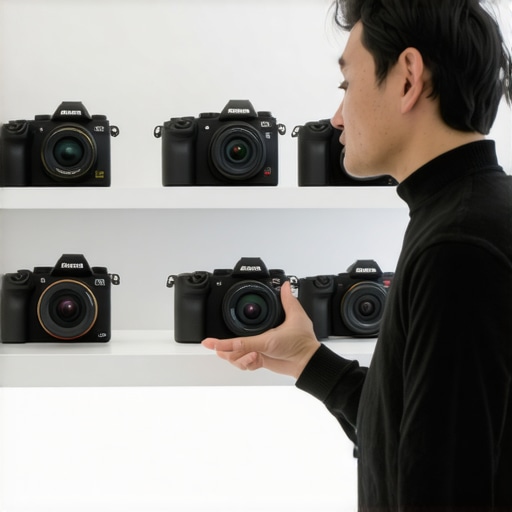
Many content creators fall into the trap of oversimplifying what makes a great camera, especially when it comes to 4K models. The misconception that a higher price tag guarantees better results is widespread but often misleading. Instead, I’ve found that focusing on nuanced features and understanding common pitfalls can make all the difference. Let’s dig deeper into what most people get wrong about selecting a 4K camera for their content creation journey.
Why Believing Price Equals Performance Can Backfire
It’s tempting to think that shelling out for the latest flagship camera will instantly elevate your videos. However, numerous tests and reviews, like those found in our guide to 4K cameras for streaming, show that mid-range models often match or even outperform expensive options in real-world scenarios. The key is matching the camera’s capabilities to your specific needs—such as autofocus speed, low-light performance, or stabilization—rather than chasing high megapixels or brand prestige. For example, a highly-rated mid-tier mirrorless camera can provide crisp, professional footage without the hefty price tag, freeing you up to invest in accessories like better lighting or audio gear.
Don’t Overlook the Power of Proper Settings and Accessories
A common mistake is assuming that the camera alone will produce stellar content. In reality, optimal settings, like correct exposure, frame rate, and color profiles, are vital. Many creators neglect to customize these, leading to footage that looks dull or inconsistent. Additionally, accessories such as external microphones, stabilizers, and proper lighting can dramatically improve video quality, sometimes more so than a pricey camera. I learned this firsthand when I upgraded my camera but continued to record with poor lighting—my videos still looked amateurish. Check out mastering content with mirrorless and 4K cameras for advanced tips on settings and gear.
Advanced Question: How Can I Maximize 4K Footage Without Overloading My Workflow?
Great question. Shooting in 4K offers incredible detail, but it also demands powerful hardware and efficient editing workflows. Many creators believe that simply recording in 4K is enough; however, without proper post-production practices, your footage can become unwieldy. To truly leverage 4K, consider investing in a robust editing setup, using proxies for smoother editing, and understanding compression techniques to maintain quality while reducing file sizes. According to industry experts, such as those featured in top mirrorless cameras for 2025, the key is balancing resolution with workflow efficiency. Have you ever fallen into this trap? Let me know in the comments.
Once you’ve invested in high-quality gear, the next step is ensuring it stays reliable and performs at its best over time. Proper maintenance and the right tools can make a significant difference in extending the lifespan of your cameras, microphones, and accessories. In this section, I’ll share my personal favorite tools and proven methods to keep your setup running smoothly, so you can focus on creating without technical hiccups.
Why Regular Maintenance Keeps Your Gear in Top Shape
Think of your content creation equipment as an investment—neglecting maintenance can lead to costly repairs or replacements down the line. Regular cleaning, firmware updates, and careful storage help prevent common issues like dust buildup, firmware bugs, or corrosion. For example, I make it a habit to clean my camera lens with a microfiber cloth after every shoot and check for firmware updates monthly. This simple routine has prevented many performance issues and kept my footage crisp and stable.
Tools I Rely On for Equipment Care
One indispensable tool I always have on hand is a compressed air canister. It’s perfect for removing dust from delicate parts like microphone ports or camera sensors without risking damage. I also use a lens cleaning kit that includes specialized wipes and a blower, ensuring my optics stay clear and scratch-free. For firmware management, I stick to the manufacturer’s official software, which I download from trusted sources. Regularly updating firmware not only adds new features but also fixes bugs that could impair performance. For a comprehensive approach, I recommend checking out this guide for maintaining your mirrorless or 4K gear effectively.
How do I keep my gear working reliably over time?
The key to long-term reliability is consistency. Schedule monthly maintenance sessions where you clean, update, and inspect your equipment. Keep your gear in a dedicated, dust-free storage case, ideally with silica gel packs to control humidity. Additionally, using high-quality power supplies and surge protectors prevents electrical damage. I’ve learned that investing in a good external hard drive for backing up your footage and settings can also save you from data loss if something unexpected happens. As technology evolves, staying updated with the latest maintenance practices will ensure your gear remains a dependable partner in your creative journey.
Future Trends in Equipment Maintenance
Looking ahead, I predict that smarter, AI-powered diagnostic tools will become more accessible, helping creators identify potential issues before they occur. For instance, firmware analysis apps could alert you to performance degradation or compatibility problems automatically. Meanwhile, cloud-based firmware management might streamline updates across multiple devices, saving time and reducing errors. Embracing these innovations early will give you a competitive edge and keep your content flowing smoothly.
Now, I challenge you to try one advanced tip: set up a regular firmware check schedule and stick to it. Keeping your gear updated not only enhances performance but also ensures compatibility with the latest streaming platforms and editing software. Trust me, a little effort here goes a long way in maintaining a reliable, professional setup for years to come. For more detailed maintenance routines tailored to your gear, visit our contact page for expert advice.
The Hardest Lesson I Learned About Choosing a 4K Camera
One of the biggest surprises I encountered was realizing that the most expensive camera isn’t always the best fit. I once bought a high-end mirrorless model, expecting flawless footage, only to find it complicated and overkill for my needs. It taught me that understanding your specific style—whether outdoors, live streaming, or studio shoots—is crucial. Focus on features that enhance your workflow, like reliable autofocus and good low-light performance, rather than just megapixels or brand prestige.
My Essential Toolkit for Content Creators
Over time, I’ve curated a set of tools that keep my camera gear in top shape. A microfiber cloth and lens cleaning kit ensure crisp visuals, while firmware update software from manufacturers guarantees stability. External power banks and high-quality SD cards prevent interruptions. These tools, combined with regular maintenance routines, have saved me countless headaches and kept my content flowing smoothly. Check out this guide for more insights into maintaining your gear effectively.
What Drives Me to Keep Improving My Setup
Creating content in 4K pushes me to stay ahead of the curve. I believe that investing time in understanding your camera’s settings—like color profiles and exposure—can make a huge difference. It’s not just about the gear but how you use it. Seeing my videos become sharper and more professional motivates me to experiment with new accessories and workflows. If you’re serious about elevating your content, remember that consistent maintenance and learning are your best friends. Now, it’s your turn—what’s the next upgrade you’re considering for your setup? Drop your thoughts below!