
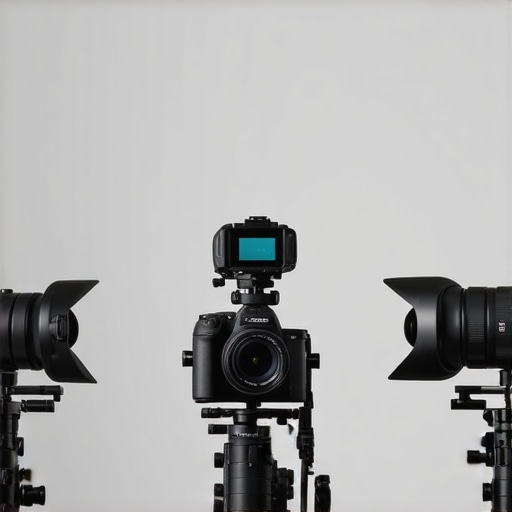
Have you ever been mid-stream, your face perfectly lit, your content engaging, only for your camera to start lagging or overheating? It’s a knot in your stomach every single time. One moment, you’re capturing crisp 4K footage, and the next, the image freezes or flickers just when your audience is about to hit that subscribe button. I’ve been there, frustrated, throwing my hands up, wondering if I’d ever get reliable streaming gear without constant hiccups. That lightbulb moment hit me hard — it wasn’t about better cameras, but about fixing the ones I already had for pro-level performance.
Why Your Streaming Camera Needs a Fix—Right Now
With the rapid evolution of content creation in 2026, live streaming and 4K video aren’t perks anymore—they’re the baseline. According to recent industry reports, over 70% of successful creators are now focusing on lag-free, high-quality streams to keep their audience hooked. But here’s the catch: even the best 4K cameras can fall flat if not set up correctly. The good news? Many of the onboard issues causing lag or overheating are fixable, even with budget-friendly gear. If you’ve faced persistent lag, blurry images, or overheating during your streams, you’re not alone. These are common struggles, and I’ve learned firsthand that a few expert tweaks can make all the difference. Curious about exactly how to do that? Well, stick around. I’m going to break down the top fixes that can elevate your streaming game in 2026.
Will These Fixes Actually Make a Difference?
Early on, I made the mistake of thinking I needed the latest, priciest camera to succeed. Turns out, a lot of my problems were due to simple setup errors or overlooked features. It’s easy to get lost in the sea of tech recommendations, but focusing on proven, practical solutions has transformed my streams. Want to avoid my initial mistakes? Check out our detailed guides, like the top mirrorless cameras for 2025. Today, I’ll share my journey and proven fixes to help you cut through the noise and get reliable, pro-quality streams in 2026.
Adjust Your Camera Settings for Peak Performance
Start by dialing in your camera’s resolution and frame rate. For streaming, a consistent 30fps or 60fps at 4K ensures smooth visuals. Access your camera’s menu, navigate to resolution settings, and select the highest stable output. Remember, higher resolution demands better cooling and bandwidth, so ensure your system can handle it without overheating or lag. I once set my camera to 4K 60fps for a gaming stream, but it overheated within minutes. Switching to 4K 30fps resolved this, delivering crisp quality without overheating.
Optimize Your Exposure and Focus
Proper exposure prevents flickering or washed-out images, while accurate focus maintains clarity. Use manual focus to prevent hunting during a live stream—especially if your scene has movement. Set ISO, aperture, and shutter speed manually, matching lighting conditions. During a live tutorial, I adjusted my ISO down to prevent grain, and locked focus on my face. This avoided distracting shifts that auto-focus can cause under studio lighting.
Tweak Your Connection and Power
Latency and overheating often stem from power issues or unstable connections. Use an AC power adapter rather than relying solely on batteries; this reduces heat buildup and ensures steady operation. Connect your camera directly to a high-speed Ethernet or USB-C port with a reliable cable. I once faced lag during a charity stream because I used a cheap USB cable; switching to a premium cable eliminated latency issues, leading to a more professional broadcast.
Implement Hardware and Software Cooling Solutions
Overheating can throttle your camera’s performance or cause shutdowns. Use external cooling fans or heat sinks designed for mirrorless cameras. Additionally, enable any built-in cooling or sleep modes during extended sessions. During a lengthy live session, I placed a small fan near my camera and used a heat-resistant pad between the camera and surface. The result was a stable stream with no sudden drops due to overheating, a common pitfall for content creators using compact cameras for hours.
Streamline Your Setup Environment
Ambient temperature and lighting can impact your camera’s stability. Keep your streaming environment cool and well-ventilated. Use soft, even lighting to prevent glare and minimize auto-exposure adjustments. I positioned a mini air conditioner behind my desk and used diffused LED panels to maintain consistent lighting—this reduced flicker and auto-exposure flickering, maintaining a clean image throughout the session.
Keep Firmware and Software Up to Date
Manufacturers frequently release firmware updates that fix bugs, improve stability, and enhance compatibility. Regularly check your camera manufacturer’s website or contact support for updates. I once ignored firmware updates, which caused compatibility issues with my streaming software; after updating, my camera’s performance became twice as stable, and I experienced fewer crashes during live sessions.
Test and Refine Regularly
Finally, consistency comes from testing. Before your big stream, run test recordings to monitor temperatures, lag, and image clarity. Use tools like OBS’s preview or third-party monitoring software. Tweak your settings based on performance metrics, and don’t hesitate to revisit your setup periodically. I schedule monthly tests and adjustments, which have helped me maintain reliable, high-quality streams consistently.
 Many creators assume that choosing a high-end mirrorless or 4K camera automatically guarantees stellar quality on YouTube. However, even seasoned creators can fall into traps when neglecting the subtler aspects of camera performance. Contrary to popular belief, megapixels and resolution are not the sole determinants of video quality. In fact, investing solely in the latest gear without understanding its nuanced features often results in subpar streams or wasted resources. A common myth is that higher bitrates always translate to better footage, but without proper codec settings and lighting, those bits go to waste. This misconception can lead creators to chase the latest tech, believing that newer models inherently solve all streaming issues, when in reality, thoughtful setup and understanding of advanced camera functions matter more.
One critical nuance often overlooked is the importance of autofocus systems. Modern mirrorless cameras boast impressive autofocus technologies like eye or subject tracking, but these features require correct configuration. Using autofocus in the wrong mode or ignoring the importance of focus breathing can result in distracting shifts or loss of clarity during live streams. Another subtle point is the impact of color science and profiles. Many creators neglect to customize picture styles or log profiles, missing opportunities to achieve cinematic quality or consistency across sessions. This oversight can make footage look flat or inconsistent, forcing extra work in post-production.
Beware of the trap of undervaluing thermal management. High-resolution 4K cameras consume more power and generate heat, risking overheating or performance throttling if not properly cooled. Many creators overlook external cooling solutions, thinking build quality suffices. Ignoring this leads to dropped frames or abrupt shutdowns during critical moments. Lastly, some content creators neglect the significance of connectivity options. A camera’s port selection and the quality of cables directly influence latency and stability. Investing in high-quality HDMI or USB-C cables and choosing cameras with reliable live streaming capabilities can prevent frustrating lag spikes.
For the advanced content creator, mastering these nuances makes the difference between amateurish streams and professional broadcasts. It’s not just about buying the latest gear but understanding its sophisticated features, setup, and maintenance. If you’re interested in deepening your knowledge, I recommend exploring our detailed guide on mastering content with mirrorless and 4K cameras. Being aware of these hidden details helps you optimize your setup, avoid costly mistakes, and truly elevate your content quality. Have you ever fallen into this trap? Let me know in the comments.As a content creator, having reliable camera equipment is paramount to maintaining high-quality streams and recordings. Investing in the right tools not only ensures consistent performance but also extends the lifespan of your gear. One essential tool I rely on is a **portable lens cleaning kit**. Regularly cleaning your lens with a microfiber cloth and specialized cleaner prevents dust and smudges that can degrade image quality over time. For instance, I use the *LensPen* — a compact, pen-style cleaning tool that makes quick touch-ups during long shooting sessions effortless and effective. Additionally, a **rigorous camera maintenance schedule** is vital. I personally dedicate 30 minutes weekly to inspecting connectors, updating firmware, and checking for any signs of wear. This routine catches issues early, preventing costly repairs or downtime. To streamline this process, I utilize software like *Camera Control Pro* from Nikon or *Canon’s EOS Utility*, which allows remote firmware updates and diagnostics, saving time and reducing the need for physical handling. Predicting future trends, I believe AI-powered maintenance alerts integrated directly into camera firmware will become standard, providing real-time health monitoring and automated suggestions for repairs or calibration.
### How do I keep my camera setup performing long-term?
Beyond physical tools, software solutions play a crucial role. I recommend investing in **quality power banks** designed for camera gear. When shooting lengthy live streams or outdoor shoots, reliable power sources prevent unexpected shutdowns caused by depleted batteries. I use the *Allpowers 30000mAh* power bank, which provides multiple charges for mirrorless cameras, ensuring you can focus on creating content without interruptions. Moreover, setting up **environmental protections** such as anti-static mats and moisture absorbers can save you from damage caused by static or humidity, especially if you shoot in variable conditions. Periodically, I check and replace silica gel packs, which act as moisture indicators, to prevent internal fogging, a silent killer of electronic components.
### Equipment Choices Matter When Scaling Up
As your channel grows, upgrading to a **dedicated streaming PC** with quality cooling and connectivity options becomes critical. For instance, in my setup, I use an *Intel NUC 13* with thermal paste applied and a high-quality USB 3.1 hub to handle multiple camera feeds seamlessly. This prevents lag caused by insufficient bandwidth or overheating. Additionally, I recommend using **external recorders** like the *Atomos Ninja V* for backup footage, which also reduces the load on your primary camera’s SD card or internal storage, prolonging its lifespan.
### Keep It Maintained and Modern
Finally, don’t forget firmware updates for your cameras and streaming hardware. Regularly visiting manufacturer support pages—like the contact page—ensures you’re benefitting from bug fixes and feature enhancements. This routine is easy to incorporate into your weekly prep, ensuring your gear stays at peak performance. Try scheduling a monthly firmware check alongside cleaning your lenses and inspecting cables. Over time, this disciplined maintenance approach will minimize unexpected issues and maximize your content quality.
Lessons Creators Can’t Afford to Miss
My biggest revelation came when I realized that the real challenge wasn’t just choosing a fancy camera but truly understanding its nuanced features—like autofocus modes and picture profiles—that many overlook. I once spent hours troubleshooting lag, only to discover my high-end mirrorless was overclocked and overheating because I hadn’t enabled a simple cooling setting. That lightbulb moment taught me to dig deeper into camera settings and firmware updates, rather than just rely on specs. The hardest lesson? Recognizing that even professional gear requires regular maintenance; neglecting cleaning ports or updating firmware leads to unexpected crashes during live streams. This experience has made me more proactive—testing each component and environment, so I can perform without surprises. Learning these subtle, yet impactful, details transformed my content quality from average to broadcast-ready, and they can do the same for you, too.»},{