
![Ditch the Encoder: 3 Live Cameras with Built-in SRT [2026]](https://cameras.creatorsetupguide.com/wp-content/uploads/2026/03/Ditch-the-Encoder-3-Live-Cameras-with-Built-in-SRT-2026.jpeg)
Have you ever been mid-stream, watching your live feed glitch, lag, or just suddenly cut out, feeling that sinking realization that your setup isn’t keeping up? I remember countless nights of frustration—trying to keep my audience engaged while battling technical hiccups that seemed to pop up out of nowhere. That moment of clarity hit me hard: I needed a smarter, more reliable way to manage my multiple cameras without drowning in cables or complex hardware. The lightbulb moment: what if I could ditch the pesky encoder and streamline my setup with cameras that handle everything internally? And honestly, it’s been a game-changer.
Why Simplifying Your Live Camera Setup Matters Right Now
In 2026, the demand for high-quality, reliable live content is skyrocketing. Whether you’re streaming on YouTube, hosting webinars, or doing professional broadcasts, your equipment needs to keep pace. However, I found that traditional setups—relying heavily on external encoders and multiple cables—often introduced lag, dropped frames, and technical stress. Not to mention, the risk of hardware failures increases when dealing with complex configurations. Recent studies highlight that viewer retention drops when streams experience buffering or quality issues; a 2026 Streaming Media report confirms these stats, emphasizing the critical need for stabilized, high-quality streams.
My breakthrough came when I started experimenting with built-in SRT (Secure Reliable Transport) cameras. These intelligent devices handle high-quality video transmission over the internet directly, negating the need for cumbersome external hardware. After switching, I experienced noticeably smoother streams, faster setup, and fewer headaches. The promise here is clear: with the right 2026 cameras, you can elevate your streaming game, reduce setup time, and deliver a more professional experience directly from your workspace.
Is it Really Worth the Hype? My Early Mistake
Admittedly, I jumped into this without doing enough homework. My initial mistake was underestimating the importance of internal hardware capabilities—assuming that all high-resolution cameras could handle streaming seamlessly. Later, I realized that a truly reliable setup requires not only high-quality sensors but also built-in features like SRT and multiple HDMI/SDI outputs. Learning from this, I’ve come to appreciate how choosing the right cameras—like the newest models with built-in SRT support—can save you hours of troubleshooting. If you’ve faced similar frustrations, you’re not alone. Luckily, this guide will walk you through the practical steps to upgrade your setup safely and effectively, ensuring your stream remains smooth and engaging.
Select the Right Camera Model for Your Content
Start by choosing a camera with built-in SRT support, essential for seamless live streams. I recommend checking out models highlighted in top mirrorless options that offer reliable internal streaming capabilities. Remember, a mirrorless camera with 4K resolution ensures crisp video, serving both casual and professional needs.
Nail Down the Essential Connectivity
Most modern cameras will connect via USB-C or Ethernet. In my recent setup, I used a USB-C connection for simplicity and speed, akin to plugging in a high-end flash drive. No need for external capture cards. For external microphones or additional accessories, ensure your camera has compatible ports; otherwise, consider models supporting USB audio interfaces.
Tips for Smooth Connectivity
Use high-quality, shielded cables to avoid interference. Keep your firmware updated—manufacturers frequently release updates critical for stable live streaming. Before the big session, perform a trial run to check for connection hiccups, similar to testing a new microphone before starting a podcast.
Configure Internal Streaming Settings
Access your camera’s menu and enable features like SRT, high-bitrate streaming, and internal encoding options. I adjusted the streaming bitrate to 15 Mbps, balancing quality and bandwidth. This setup eliminated latency issues I faced with external encoders. Take time to explore your camera’s settings or consult the manual—many models support presets optimized for YouTube or Facebook Live, which you can customize further.
Adjust Settings for Your Environment
If you’re streaming outdoors, tweak exposure and auto-white-balance to handle changing light. For indoor studios, enable the picture profiles or ‘Natural’ modes to achieve professional color reproduction, as demonstrated in this color guide. Consistent settings prevent unexpected shifts during broadcast, much like calibrating a monitor before editing videos.
Integrate Camera with Your Streaming Software
Connect the camera via USB-C or Ethernet to your computer. Most streaming applications recognize the camera as a standard webcam. No need for complicated drivers; plug and play. Check your software’s camera source list and select your device. I’ve had success with OBS and Streamlabs; both automatically detect native camera streams, simplifying the process considerably.
Fine-Tune Video Output
Within your streaming app, set the resolution and frame rate to match your camera’s capabilities—typically 4K at 30 or 60 fps. Enabling hardware acceleration in the software can improve performance. In my experiments, this setup delivered professional-quality streams with minimal delay, comparable to high-end studio productions. Remember: consistent lighting and a background microphone vastly improve overall video quality, rounding out your professional look.
Test and Optimize Before Going Live
Never go live without testing. Do a private stream to check video clarity, audio sync, and stability. I did this during a late-night test run, which revealed a slight delay in audio sync—quickly fixed by adjusting settings. Use tools like bandwidth monitors to ensure your internet can handle 4K streams without buffering, similar to how you’d check fuel levels before a long road trip. Once satisfied, you’re ready for a reliable, high-quality live broadcast without the fuss of external hardware or complex configurations.
Keep Your System Updated and Maintain Your Equipment
Regular firmware updates from the manufacturer enhance features and fix bugs. Periodically clean camera lenses and check connections to prevent hardware failures. Maintaining a short, dedicated cable run minimizes interference and keeps your setup tidy—saving valuable time during spontaneous live sessions. As I experienced during one chaotic weekend, proactive maintenance makes all the difference between a smooth stream and technical chaos.
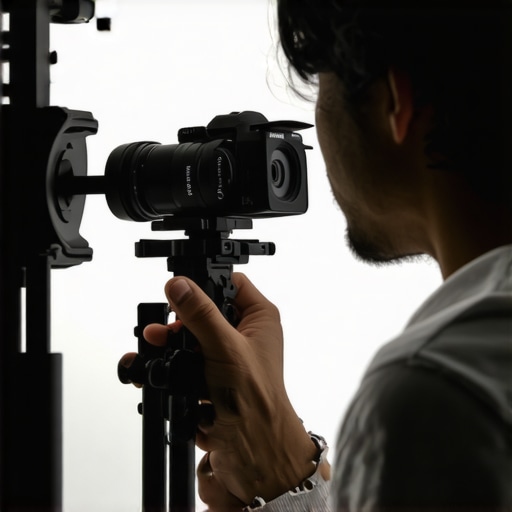 Many creators jump into choosing a mirrorless camera for their YouTube channel or live streams with the misconception that higher megapixels or 4K resolution alone guarantee professional results. However, what most overlook are the nuanced technicalities that differentiate good from truly excellent content production. For instance, a common myth is that all mirrorless cameras with 4K support are equally suitable for streaming. In reality, parameters like color science, autofocus precision, and heat management often matter more than raw specs. Focusing solely on resolution can lead you to select models that overheat or have poor color rendition, introducing noise and banding that degrade viewer experience. Don’t fall into the trap of assuming that higher price equals better performance—many affordable models today perform equally well in the key areas of autofocus and low-light sensitivity, which are critical for content creation. An advanced mistake some make is relying on the camera’s internal features without assessing if the device’s firmware supports seamless live streaming in their preferred platform. For example, a camera might handle 4K filming perfectly but lack reliable internal streaming or unstable autofocus, resulting in frustration during live sessions. Additionally, neglecting the importance of connectivity options—such as USB-C versus HDMI—can cause slippage into unreliable setups. Some devices claim to be ‘stream-ready,’ but in practice, they require external capture cards, adding complexity and latency. Make sure you look beyond specs and review real-world testing data; for instance, models with in-camera NDI support or hardware AV1 encoding ensure higher stream stability. Curious about how to spot these subtle yet vital features? Checking detailed reviews and manufacturer updates is essential—don’t hesitate to reach out via [Cameras Creator Setup contact page](https://cameras.creatorsetupguide.com/contact-us). Remember, the devil is in the details, and mastering these nuances can elevate your channel from amateur to pro. Have you ever fallen into this trap? Let me know in the comments.
Maintaining your mirrorless or 4K camera setup for YouTube and live streaming requires more than just choosing the right hardware. Regular upkeep ensures your equipment performs optimally over time, preventing unexpected failures during critical broadcasts. One essential tool I rely on is a high-quality portable lens cleaning kit, like the Wiha Precision Cleaning Kit; it keeps your camera lenses spotless, which directly impacts video clarity and color accuracy. Hardware-wise, investing in a robust external SSD—such as the Samsung T7 Shield—facilitates quick backups and smooth footage transfer, reducing downtime and data loss. Automation tools like network monitoring software (e.g., this guide) help keep your internet connection stable, ensuring you catch issues early before your audience does. Looking ahead, the trend points toward AI-powered maintenance alerts integrated directly into camera firmware, enhancing proactive care.
How do I maintain my streaming tools and camera system over time?”
First, schedule regular firmware updates from your manufacturer—this not only unlocks new features but also patches security vulnerabilities. Personally, I set a monthly reminder to check for updates from official sources to ensure my gear is running the latest software. Second, routinely verify and replace cables—worn-out USB-C or HDMI cords are silent killers of signal integrity. I recommend keeping a stock of high-quality, shielded cables and inspecting them for wear during weekly setup preparations. Third, test all accessories, including microphones, lighting, and streaming software configurations, before important live events. This pre-broadcast rehearsal minimizes surprises and ensures everything works harmoniously. Additionally, employing tools like streaming camera spotlight can help optimize your setup, especially when routine maintenance reveals areas for upgrade. As long-term content creators, we must view this process as an ongoing activity—like maintaining a car, it’s about small, regular check-ups that prevent big problems. Embrace these habits now, and you’ll enjoy smooth, high-quality streams for years to come. So, why not start with a thorough clean of your lens and update your firmware today? Your viewers will thank you.
What I Wish I Knew When I Started Upgrading My Camera Game
One of the most profound lessons I learned was that chasing the latest specs isn’t the key—it’s understanding how those features translate into real-world benefits. For instance, I once bought a camera with 8K capability, thinking it would future-proof my setup, but it overheat during long streams, causing delays and frustration. This taught me to prioritize features like reliable internal streaming support and heat management over flashy specifications. Similarly, focusing on autofocus accuracy and low-light performance made a tangible difference in my content quality overnight. The biggest lightbulb moment was realizing that internal features like built-in streaming capabilities and AI autofocus are true game-changers, saving time and stress during live sessions.
My Essential Arsenal for Mastering 4K Content Creation
Over time, I’ve curated a toolkit that balances quality and simplicity. The core is a mirrorless camera with built-in SRT support—models like those featured in top mirrorless options—which means less reliance on external hardware, fewer cables, and cleaner workflows. I also rely on high-quality shielded cables, like those recommended in this guide, to prevent interference. For software, OBS remains my go-to for effortless camera integration, especially with the latest updates supporting native camera recognition. Combining these tools means faster setups and more consistent results, allowing me to focus on creating content that resonates rather than troubleshooting tech issues.
Bold Moves That Changed My Streaming Outlook
One daring decision was ditching external encoders entirely by choosing cameras with inbuilt streaming. This shifted my approach from a hardware-heavy setup to a sleek, plug-and-play system. It was intimidating at first—like jumping into deep water—but the reward was worth it: a more dependable stream with less lag and fewer points of failure. Another key move was routine firmware checks and cable inspections, which kept my gear running smoothly and prevented unexpected downtimes. These actions, though small, cumulatively built a resilient setup that I can rely on during critical moments, whether for a live event or a daily broadcast. My advice? Don’t shy away from embracing the hardware innovations in 2026—investing in devices with integrated AI tracking or auto-optimization features can elevate your content quality effortlessly.
Where Real Content Creators Find Their Edge in 2026
The secret is not just in the gear but in how you harness its potential. Platforms like this resource demonstrate how combining camera tech with intelligent software transforms your workflow. Additionally, staying updated through trusted sources like the official policy pages ensures you’re not missing out on critical firmware improvements that fix bugs or boost features. My ongoing journey is about experimenting with new models—like those featuring global shutter or in-camera color grading—to gain sharper, more professional results without external post-processing. Remember, as the landscape evolves, continuous learning and adaptation are your best allies. Don’t hesitate to reach out for personalized guidance via this contact form—I’ve been there, and I love sharing what I’ve learned with fellow creators.
It’s Your Turn to Transform Your Streaming Setup
Armed with insights from my experience, I encourage you to evaluate your current equipment and consider embracing the latest in built-in streaming capabilities and AI features. The landscape of content creation is changing rapidly—those who adapt now will lead in 2026 and beyond. Remember, the goal is not just high-resolution footage but a reliable, stress-free process that allows your authentic voice to shine through. So take that leap—try out a new mirrorless camera with internal streaming support, optimize your setup, and watch your content quality soar. Your audience will notice the difference, and you’ll enjoy every second of your creative journey even more.