
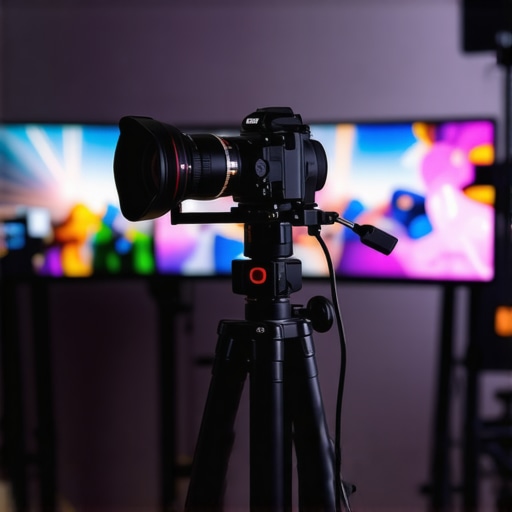
I remember sitting in front of my laptop after a long livestream, frustration bubbling up. My face looked washed out, details lost in the shadows, and the overall image just didn’t feel professional. That was my lightbulb moment—realizing that my outdated camera wasn’t just a minor hiccup but a significant barrier to growing my audience. If you’ve ever felt like your content deserves more but your gear isn’t cooperating, you’re not alone. Choosing the right camera, especially a top-tier 4K streaming camera in 2025, can make all the difference between looking amateurish and delivering crisp, captivating content. Today, I’m here to help you avoid the pitfalls I stumbled into and guide you toward the best options that will elevate your streams and videos.
Why the Right Camera Can Transform Your Content Game
In the world of online streaming and content creation, quality matters more than ever. Viewers expect sharp visuals, smooth motion, and professional presentation—partly because we’ve been conditioned by Hollywood, but mostly because the competition is fierce. A recent study found that 73% of viewers are more likely to stay engaged with videos that have high production quality, with clear visuals ranking at the top (source: Wistia). That’s a powerful reason to invest in a camera that truly delivers 4K resolution for streaming. It’s not just about looking good; it’s about building credibility and standing out in a sea of creators. When I first started, I underestimated how much my camera quality impacted viewer perception. I cut corners with cheaper models, only to realize that my content was competing against creators who looked like pros. That mistake slowed me down. Don’t make the same error. Check out our comprehensive guide to the best 4K streaming cameras for 2025.But how do you choose the right camera in this rapidly evolving landscape? That’s exactly what we’ll explore next—so you can make an informed decision that aligns with your goals and budget. If you’ve ever felt overwhelmed by the myriad options, this is your moment to clear the confusion and step up your content game.
Choose the Right Camera Type for Your Needs
Identify whether a dedicated streaming camera or a versatile mirrorless camera suits your workflow. Mirrorless options often offer better autofocus and image quality, making them ideal for dynamic streams. To get a sense of top models, review the best mirrorless cameras for creators in 2025. Picking the right type lays the foundation for a professional-looking stream.
Assess Your Budget and Technical Skills
Determine how much you’re willing to invest. High-end cameras provide crisp 4K quality and better low-light performance but require more setup knowledge. If you’re a beginner, consider more user-friendly options listed on top 4K streaming cameras for 2025. Balancing budget and expertise helps streamline your choice and ensures smoother integration into your setup.
Connect Your Camera for Smooth Streaming
Use an HDMI capture card—think of it as a bridge linking your camera’s output to your computer—especially with mirrorless models. For example, models compatible with the best 4K cameras for YouTube streaming are popular choices. Connect via HDMI, then select your camera as a video source in your streaming software. Test the connection and ensure the video feed is stable before going live.
Optimize Your Camera Settings for Live Content
Configure the camera’s settings to prevent flickering and ensure clarity. Set the exposure manually to avoid auto adjustments that cause fluctuations. Use a high frame rate (30 or 60 fps) for smooth motion. Adjust white balance to match your lighting conditions—think of it as calibrating your camera’s eye to see true colors. Refer to the content creator guide on streaming camera settings for detailed advice.
Set Up Proper Lighting and Background
Good lighting can make a mediocre camera look professional. Use soft, diffused light sources positioned at 45-degree angles to your face. Avoid harsh shadows or overly bright spots. Your background should be clean and uncluttered—consider adding overlays or branding elements for a customized look. Remember, even the best camera can’t fix poor lighting or messy backgrounds.
Practice and Troubleshoot Frequently
Before your first big stream, run multiple tests. Check focus, lighting, and angle. Use software like OBS or Streamlabs to preview your feed. During practice, simulate different lighting conditions and troubleshoot potential issues such as lag, noise, or focus problems. Recording test streams helps identify and fix issues proactively, ensuring your live broadcasts are flawless.
Many creators believe that selecting the latest 4K camera or a high-end mirrorless model automatically guarantees professional results, but the truth runs much deeper. A common myth is that more megapixels or higher resolutions inherently lead to better streams, yet this overlooks vital factors like sensor size, color science, and autofocus reliability, which significantly impact image quality. For instance, investing in a top-tier 4K camera without understanding its low-light performance or dynamic range can result in subpar footage, especially in fluctuating lighting conditions. This is why deep technical knowledge is essential—simply present with sharp 4K resolution isn’t enough. Instead, mastery involves optimizing camera settings, such as custom white balance and manual exposure, to match real-time environments, something many overlook. Additionally, there’s the misconception that mirrorless cameras are universally better for streaming. While they offer flexibility, not all models are optimized for continuous live use; factors like overheating, autofocus consistency, and clean HDMI output vary widely. For example, some popular mirrorless options require firmware updates or additional accessories to perform optimally during long sessions. Critics often emphasize resolution, but a more advanced understanding considers bandwidth and compression artifacts—compressing 4K footage heavily can introduce noise and degrade image clarity, counteracting the benefits of higher resolution. Thus, selecting the right camera for YouTube or live streaming is a nuanced decision that balances hardware capabilities with environmental compatibility and user expertise. If you’re considering upgrading, I recommend reviewing comprehensive guides like the ultimate guide to cameras for YouTube content creation or streaming camera spotlight for tailored advice. Remember, mastering these subtleties can be the difference between a good stream and a truly professional broadcast. Have you ever fallen into this trap? Let me know in the comments.To ensure consistent quality in your streaming and video content, maintaining your camera equipment and having the right tools at hand is crucial. I personally rely on a few key software and hardware solutions that streamline my workflow and extend the lifespan of my gear. First, I use **Obsidian** as my primary video editing and management software because its layer-based editing system allows for precise adjustments and quick revisions—saving me time during post-production. For hardware, I swear by a **small, portable toolkit** containing microfiber cloths, lens cleaning solutions, and basic screwdrivers—these help me keep my mirrorless camera lenses spotless and free of dust, which is vital for crisp 4K footage.
What’s the best way to keep your equipment running smoothly? Regular calibration and cleaning are non-negotiable. I set a bi-weekly schedule to check for firmware updates, which often include performance improvements and security patches. Firmware updates are critical; for instance, Sony regularly releases updates for their mirrorless lines to enhance autofocus reliability, as detailed in their official technical documentation.Another valuable tool is a **power bank** with a high capacity, which I carry during long shoots. It ensures that I never run out of power unexpectedly, especially when filming in locations without easy access to power outlets. Additionally, I recommend investing in a **hardware monitor** like the Atomos Ninja V, which provides real-time feedback on your video signal quality and helps catch issues before they reach your audience. This proactive approach prevents those embarrassing moments of flickering or poor focus during live streams and recordings.Looking ahead, I think the trend of integrated maintenance apps will grow—enabling creators to track device health and schedule updates automatically. Some camera manufacturers are already experimenting with IoT-connected devices that can send alerts about potential issues before they become critical.To get started, try implementing a regular cleaning routine with quality tools and ensure your firmware is up to date. Small habits like these can drastically improve your long-term results and reduce costly repairs. If you haven’t already, check out our comprehensive guide on restoring and maintaining your cameras for optimal performance. Remember, keeping your gear in top shape doesn’t just save money—it ensures that your content looks professional and engaging every time you go live or hit record.
After years of experimenting, I realized that the most overlooked secret to professional-quality streaming isn’t just about *lighting* or *sound*—it’s about choosing a camera that truly complements your content creation journey. That eye-opening moment taught me to focus on equipment that empowers me rather than hinders my creativity. As I transitioned to a top-tier 4K camera, my audience noticed the difference, and my confidence soared. Remember, your gear is an extension of your passion—invest in what elevates your unique voice and style, and watch your content resonate more deeply than ever before.
Lessons That Changed How I Approach Camera Selection
- The Myth of Mega Megapixels: I once believed more pixels automatically meant better quality. Turns out, sensor size and color science matter far more for streaming clarity in real-world conditions. Don’t chase numbers; chase quality that adapts to your environment.
- Auto Focus Can Be a Double-Edged Sword: Relying solely on auto might seem convenient, but manual settings give you control over focus and exposure, especially in dynamic scenes or fluctuating lighting. Mastering this balance transformed my streams from good to outstanding.
- Overheating Is a Silent Killer: I underestimated how much heat a mirrorless camera could generate during long live sessions. Proper cooling setups and selecting models with better thermal management saved me from unexpected shutdowns and image degradation.
- Lighting Is Still King: No matter how expensive your camera is, good lighting makes everything pop. Investing in diffusers and softboxes was the best upgrade I ever made, dramatically improving image quality without additional camera expenses.
Tools and Resources That Keep Me at the Top
- Obsidian: For seamless editing and organizing my footage. Its layer-based system makes post-production feel intuitive and efficient, which is vital when managing high-resolution content.
- Cleaning Kit: A microfiber cloth and lens cleaner keep my camera lenses spotless, ensuring each shot remains crisp and professional-looking. Clean lenses make a visible difference, especially in 4K.
- Firmware Updates: Regularly checking Sony or Canon’s updates improves autofocus and stability—sometimes, a simple firmware upgrade unlocks new features and performance tweaks.
- Power Banks and Monitors: Extended shoots demand reliable power sources and real-time feedback. They prevent surprises and help me stay focused on creating, not troubleshooting.
Seize the Moment and Elevate Your Content
Embarking on a serious upgrade with a 4K streaming camera isn’t just a technical decision—it’s a commitment to your craft. The right gear, combined with consistent practice and a passion for storytelling, can transform even casual streams into compelling experiences. Never underestimate how small improvements—like mastering camera settings or investing in proper lighting—compound into a professional finish. Your audience awaits your next level of excellence—dare to make that leap today, and let your authentic voice shine through every pixel.