
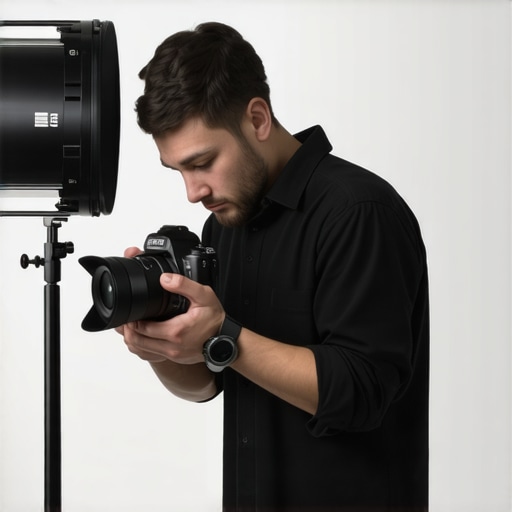
It was a moment I won’t forget. I was live streaming, trying to nail that perfect YouTube tutorial, when suddenly my webcam decided to freeze—again. Frustration bubbled up. Despite all the hype about high-res webcams and fancy studio setups, nothing beats the clarity and professionalism that a good mirrorless camera can provide. But why are so many content creators stuck with subpar visuals, and how can we fix that once and for all?
Beyond the WebCam: Elevating Your Content with Pro Cameras
For years, many of us relied on built-in webcams or entry-level streaming cams. We told ourselves it was good enough. But when I switched to a mirrorless camera, everything changed. Crisp details, accurate colors, and—most importantly—confidence. If you’re tired of grainy footage, lag, or constant technical hiccups, you’re not alone. And the good news? Some simple, proven fixes can turn your setup into a powerhouse for 2026.
Is Investing in a Mirrorless Camera Really Worth the Hype?
Early on, I made a rookie mistake: I thought any DSLR or mirrorless would do the job. But tech is nuanced. The right camera makes all the difference, especially when it comes to live streaming or creating high-quality YouTube content. According to recent industry insights, more creators are leaning toward mirrorless over traditional cams because of their compact size and superior autofocus capabilities—ideal for solo creators. If you’re hesitant, I get it. It seems complicated and costly, but it doesn’t have to be.
If you’re wondering how to ditch the lagging, lackluster webcam for something that makes your content pop, stay tuned. We’ll cover four essential fixes that can help you leverage the full potential of a professional mirrorless camera in just a few steps. Want to explore more about this? Check out our comprehensive guide on [mastering content with mirrorless and 4K cameras](https://cameras.creatorsetupguide.com/mastering-content-with-mirrorless-and-4k-cameras-today), designed to fast-track your setup and streamline your workflow.
Choosing the Right Camera Model
Start by selecting a camera that fits your needs and budget. Focus on a model with good autofocus and low-light performance, like the top picks in top mirrorless cameras for YouTube. I once bought a budget model expecting it to be a simple upgrade, but I quickly realized that investing in a reputable camera drastically reduced post-production corrections, saving me hours of editing.
Setting Up Your Camera Properly
Configure Video Settings
Navigate your camera’s menu to set the recording resolution to 4K at 30 or 60 fps, depending on your content style. Ensure your bit rate is high enough for crisp footage. Remember, a higher bit rate preserves detail but demands better storage and processing. I experimented with different settings, and the optimal balance was 4K at 60fps with a bit rate of 100 Mbps. This setup delivered smooth, professional-looking videos without overloading my system.
Adjust Exposure and Focus
Use manual exposure to avoid flickering caused by auto-exposure adjustments during your stream. Set your aperture to create a flattering depth of field—often a wider aperture like f/2.8 or f/4 works well. Enable face or eye autofocus, especially useful when you move slightly or have multiple people on-screen. I initially relied on auto-focus, but calibrating it manually on my model made a noticeable difference in clarity and focus consistency.
Linking Your Camera for Live Streaming
Simplify your setup by using a camera with clean HDMI output, allowing you to connect directly to your encoder or streaming software. Many mirrorless models support this via an HDMI port, which is essential for professional quality streams. I once tried to stream using a webcam with an HDMI capture card, but swapping in my mirrorless camera with a clean HDMI feed instantly elevated my visual quality and reduced latency. For more detailed guide on connecting high-performance cameras, visit this article.
Optimizing Lighting and Audio
Pair your camera with proper lighting—soft, diffuse light minimizes shadows and highlights your features. Use a ring light or softboxes, depending on your space. Microphone choice impacts perceived video quality even more than camera resolution; invest in a good USB or XLR mic to complement your visuals. I learned this lesson when my audience complimented my clear audio, making my content more engaging and professional.
Final Checks Before Going Live
Perform test recordings to verify visual quality, focus, and audio levels. Make adjustments to ISO and white balance to match your environment. I made the mistake of going live without testing, resulting in overexposed footage, but consistent prep saved me from embarrassment and re-shoots. For comprehensive tips, check our guide on best cameras for YouTube.
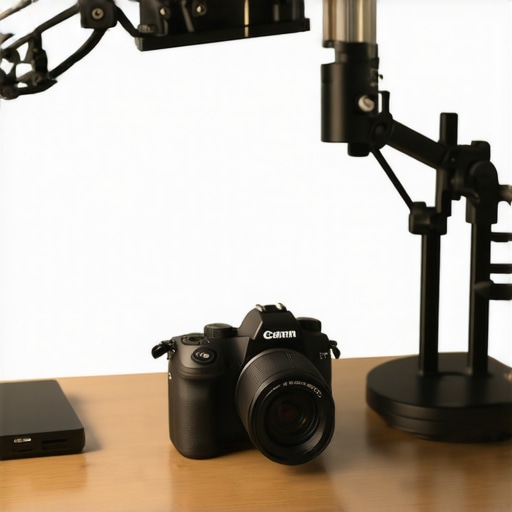 Many creators assume that simply owning a 4K camera automatically guarantees professional-quality content, but let’s dig deeper into what actually makes a difference. A common myth is that higher resolution alone will solve all visual issues; however, manufacturers often promote high pixel counts while neglecting crucial factors like sensor sensitivity and color science. This can lead to ugly noise in low-light conditions or oversaturated tones that distort your natural look. Furthermore, some believe that any mirrorless camera will do for streaming, but neglecting features like clean HDMI output, autofocus reliability, or overheating prevention can sabotage your stream quality. Advanced setups demand detailed attention—something many overlook until they face sluggish performance or technical glitches. For example, a recent industry survey reveals that improper color calibration causes significant post-production delays, even when footage is captured in 4K. This highlights the importance of understanding nuanced settings and compatibility, rather than just focusing on megapixel specs. Are you aware of how your camera’s sensor size influences depth of field and low-light performance? Small sensors may seem convenient but often result in less flattering background blur and increased noise—crucial considerations for natural-looking YouTube videos. When choosing a streaming camera, ask yourself: am I sacrificing image quality for portability? That’s a trap many fall into, buying compact models with limited video capabilities. To avoid this, check out our guide to the best 4K streaming cameras that balance size, performance, and features. Remember, the technical nuances behind your camera’s performance—like color depth, bit rate support, and heat dissipation—are what separate amateur from pro-level production. If you want to master these details, explore our comprehensive articles, which dig into mastering content with mirrorless and 4K cameras. Have you ever fallen into this trap? Let me know in the comments.Investing in top-tier camera equipment is just the beginning; maintaining it over time ensures your content remains professional and reliable. Regular cleaning of your camera lens and sensor with compressed air and microfiber cloth prevents dust buildup that can degrade image quality. Keep firmware updated through manufacturer websites, like Sony or Canon, to unlock new features and patch security vulnerabilities, thereby extending your camera’s lifespan. Using a dedicated, surge-protected power strip guards against voltage spikes, which can damage sensitive electronics during sudden outages or storms. Additionally, moisturizing and cleaning your microphone’s windshields and cables preserve audio clarity, complementing the high-quality visuals from your mirrorless or 4K camera.
To streamline your maintenance routine, I recommend setting a quarterly schedule—mark it on your calendar. This habit helps catch issues early before they escalate into costly repairs or significant downtime. For example, if your camera supports it, enable automatic firmware updates; this small step ensures you’re always running the latest system for optimal performance. An often-overlooked but crucial tool is a dedicated dry box or camera bag with silica gel packs, which reduces moisture-induced corrosion or fungus over months of storage.
Prediction for the future? As content creation continues to evolve, manufacturers will likely integrate AI-driven diagnostics within camera firmware, alerting you immediately to potential mechanical or software issues. Embracing such intelligent tools now can prevent unexpected failures, saving both time and money.
**How do I maintain my camera gear over time?** Implementing simple, consistent habits—like cleaning after shoots, updating firmware, and protecting against power surges—can significantly extend your equipment’s life and preserve image quality. For detailed insights and recommended tools, check out our guide on mastering content with mirrorless and 4K cameras. Plus, for specialized maintenance tips on streaming setups, visit 7 fixes for lag-free 4K streams. Don’t overlook the value of a simple but effective cleaning kit—try incorporating regular maintenance into your workflow, and notice how your content quality sustains or even improves over time.
Throughout my journey as a content creator, I realized that the true game-changer isn’t just owning a high-spec 4K camera—it’s understanding and leveraging its hidden potential. Sometimes, the most subtle adjustments can elevate your videos from decent to professional-grade, saving you countless hours in post-production and frustration during live streams.
Lessons That Changed How I Use My 4K Camera
- Trust the sensor, not just the specs: I used to believe higher megapixels meant better quality, but focusing on sensors with larger sizes and better low-light performance truly made a difference. Knowing this helped me avoid grainy footage during evening shoots or low-light streaming sessions.
- Calibration is your best friend: It took me ages to realize that spending time on color calibration and white balance settings in-camera prevents hours of color grading later. This simple step ensures consistent, vibrant visuals that look natural and engaging.
- Learning to think in LUTs: Incorporating a pre-set LUT (Lookup Table) during shooting, rather than fixing exposure or color in post, sped up my workflow and kept my videos visually appealing right out of the camera.
- Connectivity matters more than you think: A reliable clean HDMI output, good cables, and proper frame rate settings aren’t just technical details—they’re essential for smooth streaming. Skipping this cost me viewers’ patience and credibility.
- Continuous maintenance is key: Regular sensor cleaning, firmware updates, and careful storage extend your camera’s lifespan and keep image quality top-notch. Small habits, like protecting your gear from moisture, prevent costly mishaps.
Tools and Resources I Swear By for Content Mastery
- Mastering mirrorless and 4K cameras guide: This is my go-to resource for in-depth setup tips and understanding camera nuances that make a difference on camera for creators like us.
- Streaming camera setup tips: I use this to fine-tune my live streams and ensure crisp, lag-free footage that keeps viewers engaged without distractions.
- Top mirrorless models for YouTube: Choosing the right camera model is half the battle won, and this guide helps me select gear that balances features with budget.
- Ultimate camera buying guide: Whenever I consider an upgrade, I reference this comprehensive resource for the latest and most relevant models tailored for creators.
Keep Pushing Your Creative Boundaries
Mastering your 4K camera isn’t just about technical tweaks; it’s about embracing a mindset of continuous improvement. Every small lesson, from calibration to maintenance, compounds over time, transforming your content and inspiring your audience. Remember, technology evolves rapidly, and staying curious will keep you ahead of the curve. You’ve got this—your next level of content awaits when you start applying these insights today.
What’s the biggest challenge you’ve faced with your camera setup? Share your story below—let’s grow together!
,