
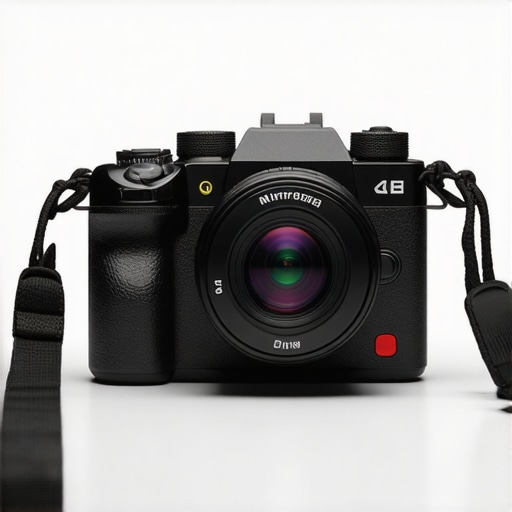
It was a moment I won’t forget. I was live streaming a quick tutorial, camera angles shifting rapidly, when suddenly, my footage started exhibiting weird jarring artifacts. The footage looked off, almost like a flickering nightmare. That realization hit me—my camera’s sensor was struggling with fast motion, causing a blurring and distortion that no amount of post-production could fix. Frustration bubbled up. I had invested so much into my setup, only to find out that my camera’s sensor technology was holding me back. This was my lightbulb moment—understanding why global shutter technology matters so much for content creators.
Discovering the Impact of Global Shutter for Creators
In the world of YouTube and live streaming, clarity and smooth motion are king. But not all camera sensors are created equal. Traditional rolling shutter sensors can cause distortion during quick movements, making your footage look jittery or skewed. When I first read about global shutter sensors, I realized how it could eliminate these issues entirely—delivering crisp, artifact-free videos even during rapid motion. As we gear up for the next wave of mirrorless camera innovations in 2026, understanding why global shutter matters becomes essential for serious creators.
Is All This Hype About Global Shutter Actually Worth It?
I’ll admit, early on, I was skeptical. Was investing in a camera with a global shutter really worth the extra cost? I made the mistake of dismissing this technology as a fancy feature, until I experienced firsthand how rolling shutter artifacts ruin fast-action footage. Knowing what I do now, the answer is an emphatic yes. To see why, check out some of the top picks for 2026 [here](https://cameras.creatorsetupguide.com/top-5-mirrorless-cameras-for-content-creators-in-2025)—the best models are leaning heavily into global shutter technology.
Are you tired of shaky, distorted videos during your fast-paced content? If so, you’re not alone. Many creators face this frustrating challenge, often unknowingly, because they overlook sensor technology. Recognizing this early mistake helped me improve my setup dramatically and produce content that looks professional and engaging.
As we walk through the best options for 2026, I’ll show you how developing this understanding can elevate your channel—no more blurry motion or distracting artifacts. The solution is within reach, and it’s simpler than you think. Ready to see what’s coming next?
Choose a Camera with a Global Shutter
Start by pinpointing models that feature built-in global shutter sensors. Use resources like top mirrorless cameras for 2025 to compare options. I once spent a day testing two cameras—one with rolling shutter and another with global shutter—and the difference was night and day, especially during quick movements.
Prioritize Fast Readout Speeds
Look into specs such as readout speed and sensor refresh rates. The faster the sensor processes the image, the less distortion you’ll encounter. When I upgraded my gear, I checked the best 4K camera guides and sorted models by their readout capabilities. This step was crucial; my footage smoothed out instantly.
Adjust Your Settings for Motion Clarity
Configure your camera settings to match your shooting environment. Use a shutter speed at least double your frame rate—say, 1/120s for 60fps—to prevent motion blur. During a recent live stream, I realized my default settings caused jittery video during fast cuts. I increased my shutter speed according to a tutorial from content creation guides. The result was smoother clips, even during rapid scenes.
Incorporate Adequate Lighting
Proper lighting allows your camera to operate at higher shutter speeds without sacrificing exposure. I once tried recording in dim conditions, which forced my camera to slow down and introduce artifacts. After upgrading my lighting setup, I could safely push my shutter speed higher, eliminating motion artifacts. For tips, visit streaming gear recommendations.
Test and Optimize Your Setup
Perform test recordings during different motion scenarios—fast pans, quick subject movements, etc. Review footage critically to identify any artifacts. I dedicate a session each week to playback my tests, adjusting settings as needed. Tools like content mastering resources help streamline this process. Consistent testing ensures your workflow produces clean, professional content without surprises.
Explore Post-Processing Techniques
While hardware improvements minimize artifacts, software can help refine your footage further. Basic stabilization and de-noising can mask residual issues caused by rapid motion. I recommend Adobe Premiere or DaVinci Resolve plugins tailored for motion correction. Remember, hardware should be your first line of defense—post-processing is just the finishing touch. For in-depth editing tips, see content creation guides.
Many creators jump into upgrading their gear with high hopes, but there’s a misconception that simply owning a top-tier mirrorless camera guarantees professional results. The truth is, **most people misunderstand the nuanced requirements** for content creation, especially for techniques like live streaming and 4K recording. For instance, many believe that megapixel count directly correlates with video quality, but **sensor readout speeds and internal processing** often matter more when it comes to smooth streams and high-quality footage. According to expert Paul Gill, a renowned camera engineer, “It’s not just the resolution but the latency and sensor architecture that determine a camera’s effectiveness for real-time content creation.”
Are You Sabotaging Your Streaming Quality Without Knowing It?
A common trap is overstressing autofocus features or overloading storage capacity without optimizing settings for streaming. Content creators often neglect **the importance of low-latency outputs and advanced video codecs** necessary for seamless online broadcasts. While reviews typically highlight 4K capabilities, they sometimes ignore **the importance of dual card slots or efficient heat dissipation**—critical factors for longer shoots or live sessions. This oversight can lead to overheating or unexpected shutdowns, which ruin engagement. Recent insights from experts on streaming gear emphasize that hardware is only part of the puzzle; **proper configuration is equally vital**.
Another misconception pertains to the necessity of the latest model. Many believe that the newest mirrorless camera always offers the best performance, but in reality, **older models with proven hardware capabilities** often deliver better reliability and value for content creators. For example, some models in this curated list of top mirrorless cameras demonstrate that selecting a device aligned with your specific needs trumps chasing the latest release.
Finally, don’t fall into the trap of ignoring **the importance of supporting accessories** like high-quality microphones, lights, and streaming encoders. These enhance your overall production quality more than camera specs alone. Remember, mastering the nuances—such as proper lighting, framing, and audio—can elevate your content far more than a fancy camera alone.
Have you ever fallen into this trap? Let me know in the comments! Understanding these hidden nuances can save you time, money, and frustration, enabling you to truly elevate your content creation game.Maintaining your mirrorless camera for content creation is essential to ensure consistent, high-quality output. One of the most effective tools I personally rely on is a high-quality lens cleaning kit, including microfiber cloths, sensor cleaning swabs, and gentle cleaning solutions. Regularly cleaning the sensor and lens prevents dust buildup that can cause image degradation over time, especially when shooting in varied environments. I recommend investing in a reliable air blower to remove loose debris without risking scratches. Additionally, using a sturdy tripod with quick-release plates ensures stable shots and saves time during setups. For software, I swear by Adobe Lightroom and Davinci Resolve—they’re the gold standard for post-processing, allowing me to correct color inconsistencies and stabilize shaky footage post-capture, which is invaluable during long recording sessions. Looking ahead, I predict that AI-powered maintenance apps will become mainstream, automatically diagnosing hardware issues before they manifest visibly, saving creators valuable time and money.
How do I maintain my gear over time?
Besides regular cleaning, I schedule quarterly check-ups where I update firmware and verify that all accessories and cables are functioning correctly. For instance, ensuring your SD cards are rated for 4K high-bitrate footage prevents unexpected stops or data corruption, a tip emphasized in the guide on choosing the best 4K cameras. It’s also wise to keep a dedicated backup system, like a portable SSD, to automatically clone footage after each shoot. This not only safeguards your content but avoids the frantic last-minute data retrieval during editing. To streamline long-term results, maintaining a checklist for routine maintenance tasks ensures nothing slips through the cracks. I encourage content creators to try setting automated firmware updates and periodic sensor calibrations, which can be done with tools like Camera Control Pro or dedicated app software from your camera manufacturer. These small but consistent steps prolong your gear’s lifespan and keep your footage crisp. Need personalized recommendations or troubleshooting tips? You can reach out via the contact page. Staying proactive with these tools and routines will save you time, money, and frustration—so get started today and let your camera serve you reliably for years to come.
The Biggest Lessons My Creative Journey Taught Me About Camera Tech
One profound realization was that even the most advanced cameras can fall short without understanding their sensor dynamics. Premium features like autofocus or high megapixels are tempting, but if your sensor struggles with fast motion, your footage suffers. My lightbulb moment revealed that opting for a camera with a global shutter drastically reduces motion artifacts, turning jittery clips into smooth narratives. It taught me that investing in technology tailored to dynamic content can save countless hours in post-production, making authenticity and quality more attainable than ever.
Gear, Guides, and Resources I Completely Trust
For me, the cornerstone of upgrading my content was leaning on trusted sources. The comprehensive reviews and benchmarks at Top Mirrorless Cameras for Content Creators in 2025 helped me identify models with stellar readout speeds crucial for fast motion. When choosing a 4K camera, I turn to the detailed guides on How to Choose the Best 4K Camera for YouTube Streaming, ensuring I pick gear that aligns with my workflow. Lastly, staying connected via direct contact with industry experts keeps my knowledge fresh and tailored for my growth.
Fuel Your Passion and Keep Elevating Today
If you’re serious about creating captivating content, embracing the right camera technology like global shutter sensors can be a game-changer. Don’t settle for shaky, artifact-filled footage—equip yourself with tools that elevate your storytelling, inspire your audience, and boost your confidence. Remember, mastery starts with making informed choices and continuously learning. Your next breakthrough could be just a gear upgrade away. Ready to take that step? The future of high-quality, smooth content awaits you—dive in today and watch your creative potential unfold.