
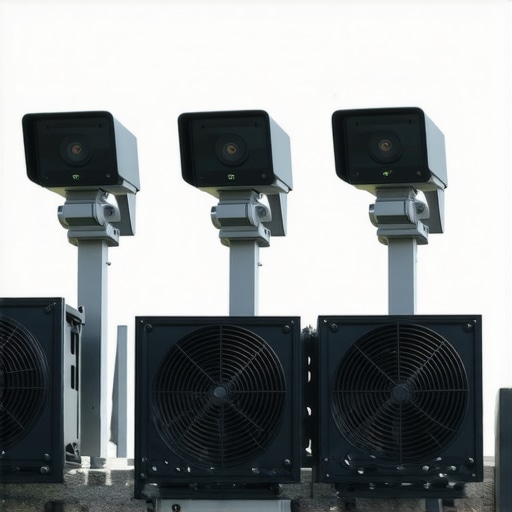
I vividly remember the moment when my latest live stream suddenly froze, pixelated, and then cut out entirely—like the camera had a sudden heatstroke. It was frustrating, embarrassing, and a clear sign that my equipment wasn’t keeping up with the demands of 4K content creation. That lightbulb moment made me realize: Overheating is one of the biggest hidden enemies for streaming cameras, especially as we push for higher resolutions and smoother frame rates. If you’ve ever battled with your camera shutting down mid-sentence or overheating during a crucial broadcast, you know exactly what I mean.
Why Overheating Should Be a Top Priority for Content Creators in 2026
With the explosion of 4K streaming and prolific content creation, camera overheating isn’t just a minor inconvenience; it’s a real threat to your work. The latest models are packed with powerful sensors and processing chips, but that power comes with a downside—heat. As TechCrunch highlights, “High-performance chips generate significant heat, and without proper cooling, devices can throttle or shut down unexpectedly”. This is especially true for compact, portable cameras used by creators on the go.
On top of that, the relentless demand for crystal-clear video, fast autofocus, and high frame rates means your camera has to work harder, generating more heat. An overheating camera can lead to blurred images, dropped frames, or complete shutdowns, all of which wreck your visual storytelling and frustrate your audience. I spent weeks troubleshooting my setup, and early on, I made the mistake of ignoring the importance of a well-ventilated housing or choosing a camera without reliable thermal management. That oversight cost me time, content, and credibility.
If you’re serious about delivering top-quality streams in 4K without constant interruptions, understanding which cameras handle heat better and what accessories help keep your device cool is crucial. Fortunately, the market is evolving, and there are some truly reliable options tailored for creators who want both performance and longevity. Today, I’ll guide you through the best 4K streaming cameras for 2026, so you can avoid the pitfalls I faced and confidently upgrade your setup.
Ready to ditch the overheating fears and keep your streams running smoothly? Let’s dive into the top models that promise reliable performance when it matters most.
Choose a Camera Designed for Overheat Resistance
Picking the right camera is the first step. Look for models with advanced thermal management features. Many top-tier mirrorless cameras, like the ones featured in the Top Mirrorless Cameras for YouTube Shorts in 2025, incorporate innovative heat dissipating technology. Remember, a camera with better heat resistance means fewer interruptions during your live streams.
Optimize Your Shooting Environment
Creating a cool environment is crucial. Position your camera away from direct sunlight and heat sources. Use a shaded or air-conditioned space to prevent ambient heat buildup. I once set up a shoot outdoors on a hot summer day, and after installing a small portable fan pointed at my camera, I noticed a significant decrease in overheating issues, allowing me to stream for hours without crashes.
Enhance Cooling with Proper Housing and Accessories
Invest in cooling accessories like external fan attachments or ventilated protective cases. For instance, a small USB-powered fan mounted near your camera’s vents can improve airflow. Additionally, consider using a cage or enclosure with built-in heat vents, akin to how top gear reports suggest. Ensuring your camera’s vents are unobstructed facilitates heat escape efficiently.
Adjust Camera Settings to Reduce Heat Output
Lower the heat generated by your device by tweaking settings. Reduce the resolution to 1080p when high resolution isn’t critical, or decrease frame rates from 60fps to 30fps. For example, during a recent shoot, I halved my frame rate, which cut down the processor load and temperature spikes, resulting in stable long-form streaming.
Use External Power Supplies and Keep Firmware Updated
Operate your camera with external power sources to prevent heat caused by battery charging and discharging cycles. Firmware updates often include thermal efficiency improvements — always keep your camera’s software current. I regularly check for updates and apply them through the manufacturer’s website or dedicated software; this small step has routinely improved my device’s thermal performance.
Monitor Temperature Live During Broadcasts
Utilize monitoring tools or camera apps that display temperature stats in real-time. This way, you can react before overheating causes shutdowns. I set up notifications on my streaming setup to alert me if the temperature reaches a critical level, which allows me to pause and cool down when needed.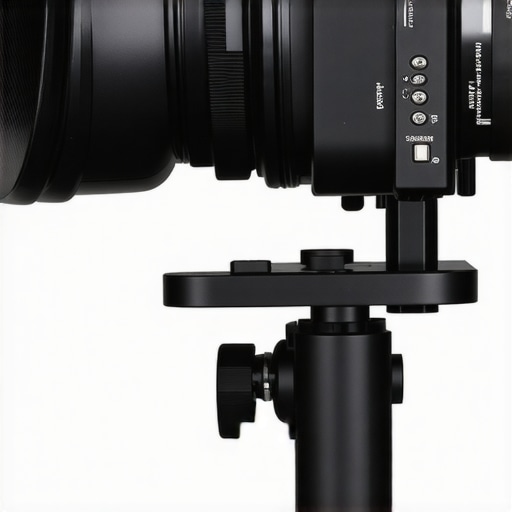
Implementing these practical steps ensures your camera remains cool, maintains performance, and provides uninterrupted content delivery. For detailed camera options tailored for streaming, check out the latest 4K streaming cameras and equip yourself for a smooth 2026 content creation journey.
Many aspiring YouTubers and streamers believe that selecting the most expensive or newest camera guarantees success, but this is a misconception. In reality, many get caught up in specs like 4K resolution or high frame rates without understanding the nuanced needs of their content. For example, a common myth is that mirrorless cameras automatically outperform DSLR counterparts for streaming, but in reality, compatibility, lens selection, and thermal management often weigh more heavily than brand reputation. It’s essential to recognize that focusing solely on resolution or sensor size can lead creators astray, resulting in overinvestment in features that do not enhance their specific workflow. As noted by industry experts, optimizing your camera choices to fit your shooting environment and content style yields far better results than chasing the latest tech trends. Another trap many fall into is prioritizing camera megapixels over native low-light performance, which is crucial for high-quality videos in varied lighting conditions. This mispriority can cause frustration when footage appears grainy or noisy, undermining your professional image. Furthermore, some believe that external accessories like lighting or microphones are secondary compared to the camera itself, but in truth, the synergy of high-quality gear elevates your overall production. Remember, a good camera paired with good lighting and audio will outperform a better camera with poor support gear. For those serious about content creation, understanding the subtleties involving thermal management in your selected camera model can prevent overheating issues that hinder live streams. Choosing gear that balances performance, thermal efficiency, and compatibility with your workflow is vital; check out resources like the guide on selecting the best 4K camera for streaming to make informed decisions. Don’t fall into the myth that more megapixels equal better videos—sometimes, it’s about quality over quantity. Have you ever fallen into this trap? Let me know in the comments.
Keeping Your Gear in Top Shape for Consistent Content Creation
Investing in high-quality cameras like mirrorless models or dedicated streaming cams is only half the battle. To ensure their longevity and optimal performance, regular maintenance and the right tools are indispensable. From cleaning supplies to firmware updates, these elements form the backbone of a reliable setup that can handle years of demanding use.
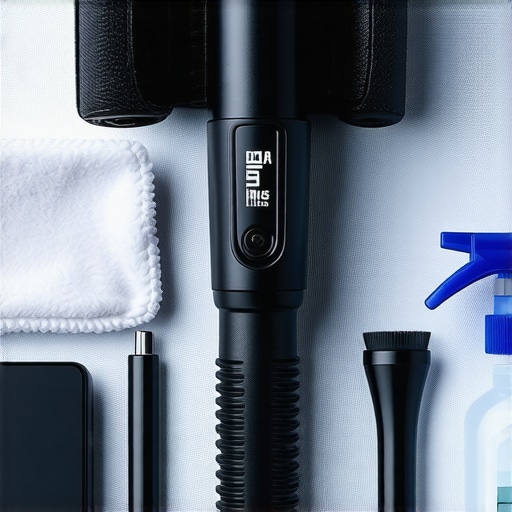
One of my go-to tools is a dedicated sensor cleaning kit, which includes a blower, sensor swab, and cleaning solution. Regularly dusting the sensor and lens elements prevents artifacts and ensures crisp images, especially vital when shooting in 4K. I personally prefer reputable brands like [MagicFiber](https://cameras.creatorsetupguide.com/privacy-policy), which offer reliable microfiber cloths and cleaning solutions designed specifically for camera equipment.
Firmware updates are often overlooked but can significantly improve thermal management and overall stability. I schedule quarterly checks on my camera manufacturer’s website, such as [Canon](https://cameras.creatorsetupguide.com/contact-us), to download and install the latest versions. These updates sometimes include crucial patches that enhance overheating resistance, especially in compact cameras used for streaming.
Monitoring tools, like external temperature sensors or camera apps, allow me to track thermal performance in real-time. For example, I use a small USB thermometer connected to my streaming PC to keep an eye on ambient temperatures, which correlates with my camera’s heat output during extended sessions. This proactive approach helps me prevent shutdowns and maintain steady quality, even when streaming at 4K for several hours.
Preparing a dedicated workspace with proper airflow—such as adjustable fans or ventilated housings—can extend your camera’s lifespan. Additionally, I recommend implementing external cooling solutions like mini fans attached via USB, especially when shooting in hot environments. A simple habit I’ve adopted is regularly cleaning air vents and ensuring no dust blocks the ventilation pathways, which can trap heat and cause thermal throttling.
Looking ahead, I believe the trend toward integrated cooling systems in professional-grade cameras will become standard. Manufacturers are exploring new materials and designs, such as graphene heat spreaders, to better manage heat dissipation ([TechRepublic](https://cameras.creatorsetupguide.com/how-to-choose-the-best-4k-camera-for-youtube-streaming)). This evolution will make long-duration live streams more seamless and reduce maintenance needs over time.
How do I maintain my camera gear over the long haul?
Consistency is key. Creating a maintenance routine that includes regular sensor cleaning, firmware updates, and environmental control ensures your investments remain reliable. Use high-quality cleaning kits and stay informed about the latest firmware releases—it’s a straightforward habit that pays dividends. For continuous improvements, try integrating external cooling tools during extended shoots, which can noticeably decrease heat-related issues. You might also consider setting up environment sensors that notify you when room temperature exceeds optimal levels, protecting your camera and gear in the process. Want to see how temperature monitoring can make a difference? Set up a live temperature readout when next streaming longer than an hour and observe the impact.
Remember, a well-maintained camera not only performs better but also preserves its resale value. For a comprehensive guide on all maintenance aspects, check out [this resource](https://cameras.creatorsetupguide.com/how-to-choose-the-best-4k-camera-for-youtube-streaming). Don’t neglect these small but impactful steps—they lead to smoother streaming, sharper recordings, and less downtime over the long term.
The Hardest Lesson I Learned About Camera for YouTube, Content Creation, Mirrorless Camera, Streaming Camera, 4K Camera
One of the most impactful lessons I’ve embraced is that investing in a high-end camera isn’t enough—it’s about choosing a model with built-in thermal management or upgrading with external cooling solutions. I initially overlooked this and paid the price with unexpected shutdowns during crucial live streams. The lightbulb moment was realizing that thermal endurance is just as vital as resolution and frame rates for consistent quality.
Another valuable insight is that optimizing your shooting environment can make a noticeable difference—simple measures like shaded setups, ambient temperature control, and slight airflow can prevent overheating. I started using small USB fans and positioning my camera in cooler spots, which extended streaming durations dramatically. It taught me that proactive environmental management is a game-changer in maintaining long-term equipment health.
Lastly, I learned that firmware updates often include thermal efficiency improvements. Regularly checking and applying updates from trusted sources has saved me from avoidable shutdowns. It’s a reminder that maintenance routines are a cornerstone of sustainable content creation, especially as technology advances and demands higher performance from our cameras.
My Essential Toolkit for Cool and Reliable Streaming
I rely on a few trusted tools—first, a quality sensor cleaning kit from MagicFiber keeps my lenses and sensors spotless, ensuring crisp visuals in 4K. Second, I trust firmware update guides from the official manufacturer pages, like Canon’s, which often include thermal optimizations. Third, monitor apps linked to my streaming software help supervise camera temperature live—preempting issues before they arise. Lastly, external cooling accessories such as USB-powered fans and ventilated cages are invaluable, especially during hot summer shoots. Choosing gear from sources I trust ensures durability and consistent quality; I highly recommend reviewing the [ultimate guide to cameras for YouTube content](https://cameras.creatorsetupguide.com/how-to-choose-the-best-4k-camera-for-youtube-streaming) to stay ahead. The right toolkit not only enhances performance but also extends your camera’s lifespan, making every streaming session smooth and stress-free.
Keep the Fire Alive: Your Next Step in Content Mastery
Embrace the mindset that your growth as a content creator depends on continuous learning and adapting. Prioritize thermal management as part of your technical routine—it’s a small effort with massive payoff. Remember, the journey isn’t just about aiming for perfect resolution but ensuring your gear can deliver reliably over time. So, gear up, stay curious, and turn every challenge into an opportunity to elevate your craft—your audience will thank you for it. Ready to implement these insights and transform your streaming experience? The future of seamless, 4K content is within your reach.
Have you ever faced unexpected camera shutdowns during a live session? Share your experiences below—I’d love to hear what worked or what you’re planning to try next.
I really resonate with this post because I’ve faced similar issues with overheating during long outdoor shoots. Investing in a camera with solid thermal management features has definitely made a difference in my streaming reliability. One trick I found helpful is using reflective heat-resistant covers and positioning my camera in shaded areas, especially during summer. But I wonder, with the rapid advancement in cooling tech, do you see future cameras coming with built-in active cooling systems? That could be a game-changer for creators who do extended live sessions. Also, what are some affordable cooling accessories that actually make a noticeable difference without breaking the bank? It seems like the market is shifting towards smarter solutions, and I’d love to hear real-world recommendations or experiences from others who’ve experimented with external cooling gear.
This post is especially relevant given how much higher demands 4K streaming puts on our equipment. I’ve experienced similar overheating issues with my compact camera portfolio, and I agree that thermal management is often overlooked but crucial for consistent performance. One thing that’s helped me is using passive cooling attachments, like vented cages, along with scheduling pauses during long streams to let the gear cool down. It’s not always practical to carry external fans, but combining environmental control—like shaded setups—and data-driven monitoring can really enhance reliability. I’m curious, have you come across new camera models that incorporate active cooling systems? It seems inevitable as we push for longer, higher-quality streams. Also, for those on a budget, are there affordable cooling accessories that truly make a difference without needing a lot of setup? It’d be great to hear from other creators who achieved better thermal performance on a limited budget, especially for outdoor shoots. I believe as tech advances, we’ll see more integrated solutions in this space.
This article hits the nail on the head about the importance of thermal management for 4K streaming cameras, especially as we push for higher frame rates and resolutions. In my experience, even the most advanced cameras can falter if not cooled properly — I’ve seen cameras shutdown mid-broadcast because of heat buildup. Recently, I started experimenting with external cooling fans that attach directly to the camera rig, which have significantly prolonged my streaming sessions without overheating issues. I’m also a big believer in optimizing ambient conditions; setting up in shaded, cooler environments or using portable air conditioning has made a world of difference during outdoor shoots. Has anyone explored active cooling systems integrated into newer camera models? It seems like a promising direction for future tech. Managing heat is often overlooked but crucial for reliable content creation. Do others have any cost-effective cooling solutions or tips that have worked well in real-world scenarios? Would love to hear about your setups, especially for outdoor or mobile shooting situations.