
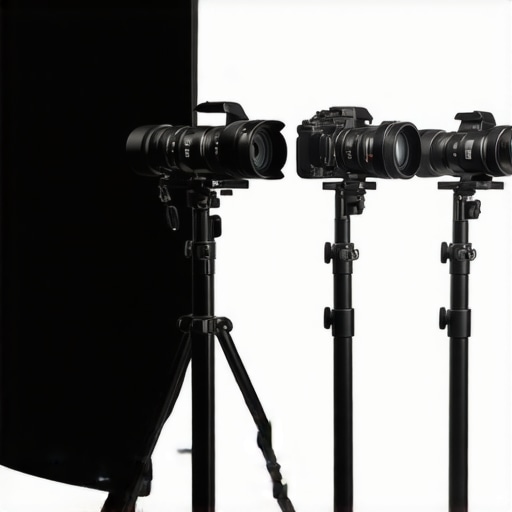
I remember sitting in front of my camera, about to start a live stream, only to realize that the video quality was downright embarrassing. The images looked dull, pixelated, and honestly, it was sabotage for my credibility. That was the day I had my lightbulb moment: my equipment — especially my camera — was limiting my growth as a content creator. If you’ve ever faced similar frustration, where your visuals just don’t match the effort you put into your content, you’re not alone. Many creators struggle with outdated gear that hampers their ability to produce professional-looking videos and live streams.
Why Upgrading to 4K Streaming Cameras Is a Game-Changer in 2025
Fast forward to today, and I can confidently say that investing in a high-quality 4K streaming camera has transformed my content. Not only does it elevate my visual clarity, but it also makes my streams look crisp and engaging on any device. According to a recent report, viewers are 35% more likely to watch a video through to the end if it features premium video quality, emphasizing how crucial good visuals are for audience retention. This is particularly true in 2025, where streaming quality has become an expected standard rather than a luxury.
Is the Latest Tech Actually Worth the Hype?
I recall making the mistake early on of chasing after the newest gadget without fully understanding whether it suited my specific needs. I splurged on a high-end mirrorless camera, thinking more megapixels meant better streaming. In reality, I neglected factors like frame rate, autofocus, and connectivity—which are just as vital. More importantly, I ignored the importance of choosing a camera designed for live content creation, not just photography. If you’re questioning whether investing in a state-of-the-art camera is worth it, trust me, it’s all about matching the device to your unique workflow and goals. For guidance on making the right choice, check out our comprehensive guide.
Now that I’ve learned from my mistakes, I’ll walk you through the practical steps to find the perfect 4K streaming camera for YOUR content in 2025. Ready to upgrade and take your streams to the next level? Let’s dive in and discover the best options tailored for creators like you.
,
Narrow Down Your Content Needs First
Before jumping into technical specs, clarify what kind of content you create—vlogs, tutorials, live gaming, or interviews. For example, I realized during a recent liveQ&A session that my focus on facial expressions required a camera with excellent autofocus and skin tone reproduction. Pinpointing your content style will help you prioritize features like autofocus speed, color accuracy, and lens flexibility. For detailed insights on matching your workflow with the right gear, explore our comprehensive guide.
Match Your Budget with Essential Features
Set a realistic budget by considering both initial cost and ongoing expenses like lenses or accessories. Think of it as assembling a toolkit—you want the right tools, not just the most expensive ones. When I was choosing my first camera, I initially thought I needed top-tier gear, but I ended up saving money by picking a mid-range mirrorless camera with excellent 4K capabilities, which I later upgraded with a better lens. This approach allowed me to start streaming right away without breaking the bank. For curated recommendations, check out our list of top mirrorless options.
Select the Right Sensor and Video Quality
The sensor is the camera’s heart—think of it as the camera’s lungs that breathe life into your footage. A larger sensor captures more light and produces cleaner images, especially in low-light settings. I learned this firsthand when experimenting with different cameras; my older model struggled in dimly lit rooms, but switching to a camera with a larger sensor improved my face brightness and reduced noise significantly. For detailed sensor comparisons, review our ultimate comparison guide. Ensure your chosen camera can deliver true 4K resolution at 30 fps or higher, which is the industry standard for crisp, fluid streaming. If you’re unsure how to evaluate these specs, visit our section on selecting the best 4K camera.
Assess Connectivity and Compatibility
Imagine trying to stream with a camera that doesn’t connect easily or requires complex setups—that’s a quick recipe for frustration. Focus on cameras that support USB-C, HDMI, or built-in Wi-Fi for seamless connection to your streaming setup. I personally struggled connecting an older camera via HDMI until I switched to a model that offers a clean HDMI output, allowing me to stream directly without cluttered cables or software workarounds. Check if your camera is compatible with your streaming software—most modern cameras work well with OBS or Streamlabs. To see the top models in this category, visit our latest top picks.
Prioritize User-Friendly Controls and Ergonomics
If you spend hours streaming, ergonomics and easy controls matter—think of it as choosing the right pair of shoes for a long walk. I learned this when I found myself frustrated with a camera with complicated menus that made quick adjustments impossible during live sessions. Opt for models with intuitive interfaces, customizable buttons, and tilt-swivel screens if needed. This way, you can make rapid focus or exposure tweaks without losing your composure. For examples of user-friendly cameras, see our expert reviews.
Test and Fine-Tune Before Going Live
Once you’ve narrowed your options, obtain the selected camera and perform real-world tests—set up a mock stream to evaluate image quality, autofocus, and latency. I recall setting up my new camera in a small corner of my room, adjusting settings repeatedly until I achieved the crisp, vibrant look I wanted for my audience. Small tweaks in exposure, white balance, or frame rate can make a huge difference. Keep refining until the video feed looks natural and professional. For troubleshooting tips, check our dedicated live broadcast setup guide.When it comes to choosing the right camera for YouTube, many creators latch onto the idea that more megapixels or the latest tech automatically guarantees better quality. However, this widespread belief is a common misconception that can lead you astray. In my experience, one overlooked aspect is how the camera’s color science and processing capabilities impact the final output. A high-resolution sensor is useless if the in-camera color rendering is off, resulting in dull or unnatural-looking footage even in perfect lighting conditions. This is why studying a camera’s color profile and how it handles skin tones and dynamic range is crucial, especially for content creators aiming for professional results. According to industry expert Mark Rittman, “A camera’s processing pipeline and color science often have a more significant impact on perceived image quality than resolution alone” (source: professional cinematography insights).
Once you’ve selected the perfect mirrorless camera or 4K streaming device, the next crucial step is ensuring it stays in optimal working condition over time. Proper maintenance not only prolongs your investment but also keeps your content consistently studio-quality. I personally dedicate time weekly to clean my lens with a microfiber cloth and use compressed air to clear dust from vents and ports, which helps prevent overheating and connectivity issues. Investing in a high-quality camera also means choosing the right tools for longevity—using protective filters and sturdy tripods are simple but effective ways to shield your gear from damage. Going forward, advancements in AI-driven calibration tools are making auto-maintenance easier than ever, allowing your camera to self-correct color balance and focus over time, as highlighted in industry reports. Predicting future trends, I believe smart modular components will become standard, enabling creators to upgrade parts as needed without replacing the entire system.
How do I maintain my content creation tools over time?
Maintaining your streaming and filming equipment daily involves a mix of routine cleaning, proper storage, and using the right software updates. I rely on specific software like OBS Studio for streaming, which I keep updated to benefit from the latest performance improvements and security patches. Regularly calibrating your camera with tools like the ultimate guide to camera calibration ensures consistent color accuracy and focus. Additionally, I utilize a dedicated software for firmware updates, ensuring my camera features remain current and compatible with streaming platforms. To streamline maintenance, I schedule bi-weekly checks for software updates, and I set reminders for hardware cleaning sessions. This systematic approach prevents unexpected downtimes and keeps my channels running smoothly. In the long run, using robust tools like Capture One for image processing or regular firmware audits, as recommended by camera manufacturers, will safeguard your investments and enhance output quality. You should try implementing a monthly hardware check combined with automatic firmware updates—it’s a game-changer for long-term reliance on your gear.
What I Wish Someone Told Me Before Picking My Camera
One of the most profound lessons I learned was how vital it is to consider the nuances that often go unnoticed—like color science and autofocus responsiveness—when searching for a streaming camera. I used to chase high megapixels thinking bigger meant better, but I underestimated how much these hidden factors influence the final quality. It took trial and error, but understanding these details has allowed me to craft content that truly resonates with my audience. Remember, the best gear is the one aligned with your unique style, not just the latest hype. For a comprehensive understanding, check out our ultimate guide.
My Secret Weapon for Staying Ahead in Content Creation
Over time, I discovered that staying in tune with the latest advancements in camera technology—like AI-driven calibration tools—has been a game changer. These tools automate complex tasks such as focus and color correction, freeing me to concentrate on my content rather than technical glitches. They’re a testament to how innovation continually elevates creator workflows. Incorporating such tools into my setup ensured my production quality remained consistent, even during long streams or intense recording sessions. If you’re looking to leverage emerging tech, our content mastery resource offers valuable insights.
The Most Valuable Lessons From Fellow Creators
Connecting with fellow content creators has exposed me to diverse perspectives—like choosing gear that balances performance with ergonomics. For instance, a tilt-swivel screen seemed trivial until I needed quick framing adjustments during live sessions. Practical experience taught me that prioritizing usability can significantly improve your content quality and workflow happiness. Sharing these lessons has reminded me that investing in user-friendly equipment benefits your creative process far more than just chasing the newest specs. For tailored recommendations, explore our curated list of top gear for creators.
Building the Confidence to Upgrade Without Regret
One of the toughest hurdles was overcoming the fear of investing in premium gear that might feel outdated tomorrow. I learned to focus on adaptable, future-proof features rather than fleeting trends—like modular components and compatibility with AI tools. Taking small, strategic upgrades helped me build confidence without financial stress, knowing each step was aligned with my evolving needs. Remember, the right camera is an investment in your passion and growth, not just a purchase. For guidance on selecting gear that grows with you, our expert tips can steer you in the right direction.
This post really hits home for me, especially the part about focusing on camera features that matter for live streaming. I too initially believed that more megapixels automatically meant better video quality, but I learned the hard way that factors like autofocus, low-light performance, and color science are crucial. I remember upgrading to a mid-range mirrorless camera last year, and the difference in image quality was astonishing, even with a modest budget. One challenge I often face is balancing my desire for high-quality visuals with limited space and good lighting at home. Has anyone found particular camera models that excel in low-light environments while still being compact and easy to set up? I’m eager to hear how others are managing these constraints without sacrificing too much on quality.
Great insights here, especially about matching the camera to your specific needs rather than just chasing trends. I completely agree that factors like autofocus responsiveness and color science often matter more than megapixel count for live streaming, which is something I learned after some trial and error. I’ve found that compact, mirrorless cameras with good low-light performance can be a real game changer for creators with limited space or lighting setups. One such model I’ve been experimenting with is the Sony Alpha a6600 — it’s relatively small, handles low light well, and offers solid autofocus. Have others here found reliable options that balance size, quality, and low-light capability? I’d love to hear more recommendations from the community because, like many, I want to upgrade my setup without taking up too much room. Also, are there affordable accessories that can further boost low-light quality, such as portable lighting or lens choices? Looking forward to your experiences and tips.
This post really resonates with me, especially the emphasis on matching a camera’s features to your specific content needs. I’ve learned through trial and error that a camera’s autofocus and color science truly make the biggest difference in actual streaming quality, not just resolution or megapixels. Personally, I’ve been using a compact Sony ZV-1 for my vlogs and live sessions, and its portability combined with excellent low-light performance has been a game-changer. It’s surprisingly versatile for a small camera, and I find the flip-out screen particularly helpful for framing. For others working with tight spaces or softer lighting, do you have recommendations for compact, budget-friendly models that excel in low-light situations? I think investing in the right accessories like portable lights or lenses can also compensate for environmental limitations, which might be worth discussing here.