
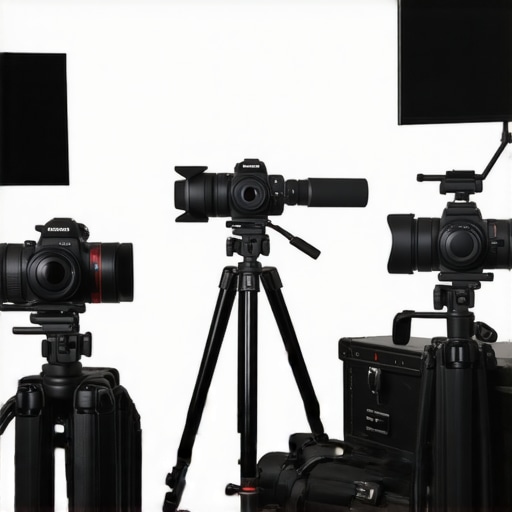
I vividly remember the night I realized my setup was holding me back. After countless late-night streams, I finally caught a glimpse of my video feed—and cringed. The image was blurry, the lighting was off, and my camera’s autofocus kept hunting like it was lost. It hit me hard: I had invested in the latest microphone and lighting gear, but my camera still looked amateurish. That lightbulb moment changed everything. If you’re tired of feeling frustrated with your camera quality—despite spending hours trying to tweak settings—you’re not alone. This is a common issue among creators, and today, I’ll help you navigate the often-overlooked world of streaming camera gear to elevate your live broadcasts.
Why Your Camera Might Be Sabotaging Your Content Quality
Many creators underestimate how crucial good camera gear is. It’s tempting to focus on content ideas or audience engagement, but your visual quality often makes or breaks first impressions. I’ve seen creators with great personalities lose viewers because their camera feeds look washed out or unsharp. Early on, I made the mistake of choosing a budget *4K camera* without researching its streaming capabilities. The result? Frames dropped, poor autofocus, and a choppy image that made viewers tune out faster than I expected. Turns out, more expensive or high-end cameras aren’t automatically the best choice for streaming; compatibility and features matter just as much. According to a report from StreamingMedia, quality visuals significantly increase audience retention—a reminder that visuals are worth investing in. So, how do you avoid these pitfalls?
First things first, assessing your actual needs and setup is essential. Are you using the right camera for live streaming, or just a regular photo camera? Do you know if your current gear supports 4K streaming without stuttering? If these questions sound familiar or overwhelming, don’t worry. I’ll walk you through the key considerations to choose the best gear suited for your content creation goals.
But before diving into the nitty-gritty, ask yourself—have you faced similar frustrations? Drop your experiences or questions in the comments or contact us. Sharing your specific challenges can help me provide tailored advice. Now, let’s get into the core of this guide—unlocking the secrets to selecting streaming-friendly camera gear that truly makes a difference.
Pick the Right Camera for Streaming
Start by choosing a camera designed for live broadcasts—look for models labeled as streaming-friendly or with clean HDMI output. I once underestimated this step and used a standard mirrorless camera for my first streams; the result was lag and poor image quality. A dedicated streaming camera helps eliminate this, providing consistent, high-quality video. Check out the article on how to choose the best 4K camera for YouTube streaming to find options that suit your needs.
Understand Your Camera’s Core Features
Resolution Matters
Opt for at least 1080p, but 4K cameras offer greater detail and flexibility for cropping or zooming in post. I upgraded from a 1080p to a 4K model, which instantly improved the clarity of my streams and made my content appear more professional. Remember, higher resolution requires better processing power and bandwidth, so ensure your PC and internet can handle it. To pick the right model, explore top 4K cameras for YouTube content creation.
Frame Rate Will Keep Things Smooth
A frame rate of 60fps creates smooth motion, essential for gaming or fast-paced content. I once streamed at 30fps, and the choppy motion distracted viewers. Testing your camera’s settings for optimal frame rate minimizes motion blur and jitter. Check out the guide on best 4K streaming cameras for content creators.
Optimize Your Camera Settings for Streaming
Adjust exposure, ISO, and white balance manually to avoid flickering or color shifts during your live sessions. Use a consistent setup; automatic settings often fluctuate when lighting changes—even slightly—leading to inconsistent video quality. I set my camera to manual mode and saved the settings as a profile, which made my streams look consistent and professional. For detailed insights, see mastering content with mirrorless and 4K cameras.
Ensure Compatibility with Your Streaming Setup
Verify that your camera outputs a clean feed without overlays or icons—this often requires a clean HDMI output. You’ll also need a capture card, like the Elgato 4K60, especially for high-resolution models. I once purchased a high-end mirrorless camera but neglected to check if it supported clean HDMI, which resulted in unwanted UI overlays in my stream. Testing your setup before a live session prevents surprises. Read more about streaming camera fundamentals.
Additional Tips for Better Live Visuals
Proper lighting and camera placement are crucial. Use soft, diffuse lighting to reduce shadows and glare. I moved my camera closer and added a ring light, which dramatically improved video quality without changing my camera. Experiment with different angles and distances to find the most flattering and engaging shot. For more advice, review top mirrorless cameras for YouTube Shorts.
Many content creators believe that simply picking a high-resolution camera guarantees professional-looking videos. However, this misconception masks a complex web of nuanced factors that can make or break your streaming quality. For instance, while 4K cameras are tempting for their crisp detail, many overlook the importance of sensor size and lens quality, which significantly influence low-light performance and depth of field. A small sensor in a budget 4K camera might produce noisy footage in dim environments, no matter its resolution. Reviewing expert insights, such as those from authorities in content creation gear, reveals that sensor size, lens aperture, and dynamic range often matter more than megapixel count.
Contrary to popular belief, autofocus speed and accuracy are equally pivotal—especially for dynamic content like gaming or live tutorials. Many assume that autofocus systems are ‘just a feature,’ but advanced models use AI-driven eye tracking or face detection that can prevent embarrassing focusing mishaps mid-stream. Skipping this consideration can lead to blurred shots and distracted viewers. An infamous mistake many make is investing in an expensive mirrorless camera without verifying its compatibility with streaming hardware, leading to serious frustrations. For example, some cameras require proprietary capture cards or firmware updates to output clean HDMI, which is a critical aspect for professional-quality streams. Be aware of the importance of clean HDMI output when selecting gear.
Security and privacy are often underestimated in this decision process. High-end cameras with embedded Wi-Fi or Bluetooth might inadvertently expose your feed to unauthorized access if not configured correctly. A popular misunderstanding is that more expensive equals better security, but many professionals prefer dedicated, wired setups for safety and stability. Additionally, choosing the wrong mount or improper lighting setup can introduce jitter and instability, which even the best camera can’t compensate for. Proper placement and lighting are surprisingly impactful—here’s a simple guide to optimize your camera’s environment.
Now, for advanced content creators: How can you leverage camera settings to maximize quality without investing in new hardware? Adjusting parameters like aperture, shutter speed, and white balance manually—rather than relying on auto modes—can dramatically enhance your visual consistency and professionalism. Moreover, integrating your camera with professional lighting and audio setup ensures your image quality stands out. Remember, a holistic approach yields the best results.
Have you ever fallen into this trap of oversimplifying camera choices? Let me know in the comments. In my experience, understanding these nuances—sensor size, autofocus technology, and setup environment—can be the difference between amateurish streams and captivating content. Keep learning, keep experimenting, and your audience will notice the difference.Maintaining your camera equipment over time is crucial for preserving its performance and ensuring consistent quality. One of the most effective strategies I employ is investing in high-quality cleaning tools, such as anti-static microfiber cloths and sensor cleaning swabs, which gently remove dust and smudges without scratching delicate surfaces. Regularly updating your firmware—especially for mirrorless cameras—can unlock new features and fix bugs. I make it a point to check for updates monthly through the manufacturer’s official website or dedicated software, as manufacturers like Sony provide detailed instructions for firmware upgrades that often enhance autofocus and image stabilization. Additionally, using a controlled environment for storage reduces exposure to humidity and extreme temperatures, which can degrade sensitive electronic components over time.
For long-term results, I recommend integrating a dedicated camera maintenance kit into your workflow. This kit should include lens cleaning solutions and air blowers, which help in removing particles from hard-to-reach places without damaging the optics. Routine inspections and calibration checks—preferably every six months—ensure your autofocus and white balance settings remain accurate, preventing image quality issues during critical live sessions.
Scaling your camera setup also involves choosing versatile tools that grow with your content creation journey. An external test pattern generator, for example, allows you to calibrate your color profiles and exposure settings more precisely, especially when working with advanced equipment like 4K mirrorless cameras. As technology advances, expect the trend to shift towards AI-powered maintenance tools that monitor your camera’s health remotely, alerting you to potential problems before they affect your streams.
### How do I maintain my camera equipment over the long haul?
A practical tip is to schedule monthly calibration routines using professional tools like a colorimeter or waveform monitors. These tools help verify that your camera captures accurate colors and luminance, vital for professional content. Also, consider investing in a specialized camera hard case with moisture absorbers for safe storage between sessions, especially if you shoot in varying environments. This preventative approach can extend the lifespan of your gear significantly.
Don’t hesitate to try out these maintenance routines—simple yet powerful steps that can make a visible difference in your streaming quality over time. By prioritizing regular upkeep and using top-tier tools, you’re setting yourself up for long-term success and smoother content creation experiences. Want to dive deeper? Check out the detailed strategies in our comprehensive guide on mastering mirrorless and 4K cameras and start implementing these tips today!
What I Learned the Hard Way About Camera Choices for Content Creators
One of the most eye-opening lessons I encountered was realizing that spending more on a fancy camera didn’t automatically mean better streaming quality. I once invested in a high-end mirrorless camera without checking if it supported clean HDMI output or if my PC could handle 4K streams smoothly. That oversight led to frustrating live sessions with overlays or dropped frames. Now, I understand that matching your camera’s capabilities with your computer’s processing power and streaming setup is crucial for professional-looking streams. Remember, quality gear is only part of the equation; compatibility and proper configuration make all the difference.
My Go-To Tools for Elevating Streaming Video Quality
Over time, I’ve curated a set of tools that truly transform my content. For instance, the Elgato 4K60 Capture Card became indispensable for capturing clean signals from my 4K mirrorless camera. I trust this because it provides reliable high-resolution output without lag. Additionally, investing in a white balance calibration tool helped me maintain consistent color accuracy across different lighting conditions. For detailed insights, I often refer to resources like the ultimate guide to cameras for YouTube—it’s a treasure trove for serious creators looking to upgrade.
Embrace the Journey: Your Content Growth Starts Today
The world of camera gear for YouTube and streaming can seem overwhelming, but the key is to start where you are and improve gradually. Every little tweak—like adjusting white balance, experimenting with lighting, or refining camera angles—brings you closer to professional-quality content. Don’t let fear of making mistakes hold you back; every creator has been there. With patience and the right mindset, you’ll find your unique style and your audience will grow along with your skills. Remember, your camera is just a tool—your passion and dedication truly set your content apart. Are you ready to take the next step in your streaming journey? Let me know what you’re most excited to improve in your setup below.