
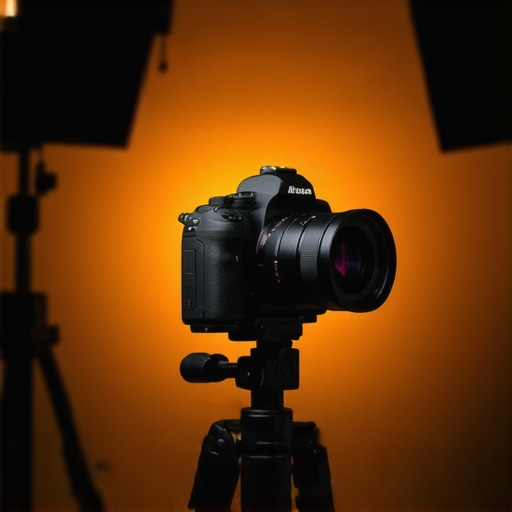
I’ll never forget the moment I clicked the record button for my first YouTube video. Instead of the crisp, vibrant footage I envisioned, I was greeted with a blurry, washed-out mess. It was a sobering reminder that even the most passionate content creator needs the right gear. That experience was my lightbulb moment—realizing that choosing the best 4K camera isn’t just a technical detail; it’s the foundation of how your audience perceives your content. If you’re like me, you’ve faced similar frustrations, wondering if your equipment is holding you back or elevating your game.
Why Investing in the Right 4K Camera Matters More Than Ever
In 2025, the demand for top-tier video quality continues to skyrocket. Audiences expect cinematic visuals and seamless streams, and platforms like YouTube are favoring creators who deliver that experience. According to a recent report by Pew Research, a majority of viewers say they’re more likely to engage with content that offers high-quality visuals, especially in formats like 4K. But here’s the catch—not all 4K cameras are created equal. Many content creators make the mistake of focusing solely on megapixels or brand names, neglecting features critical to their unique needs. Early in my journey, I splurged on an expensive mirrorless camera only to realize it lacked reliable autofocus for my on-the-fly shots, making my videos more stressful to produce than enjoyable. That misstep taught me that choosing a camera involves more than specs; it demands understanding your workflow, shooting environment, and goals. Ready to discover how to find that perfect fit? We’ll explore practical tips and real-world insights to help you make an informed decision and elevate your content quality.
Is the Hype About 4K Cameras Overblown? Here’s What You Need to Know
One of my biggest skepticisms was whether investing heavily in the latest 4K tech was truly worth it. I feared I’d be wasting money on features I wouldn’t use. Turns out, our early assumptions can be misleading. A common mistake I made was believing that higher resolution alone guaranteed better content, but in reality, sensor quality, low-light performance, and autofocus matter just as much—if not more. If you’re feeling overwhelmed by options, you’re not alone. Fortunately, there are reliable guides to help streamline your search and avoid costly pitfalls, such as making sure your chosen camera offers seamless live streaming capabilities and is suitable for your shooting style. For example, you might find it helpful to consider options highlighted in our comprehensive review of the top mirrorsless and DSLR cameras for YouTube in 2025. Want to learn more? Explore our dedicated article on [how to choose the best 4K camera for YouTube streaming](https://cameras.creatorsetupguide.com/how-to-choose-the-best-4k-camera-for-youtube-streaming) to discover expert tips and recommendations. Now, let’s get into the practical steps you can take today to select a camera that truly fits your creative ambitions and budget, transforming your viewer experience from amateur to pro.
Select the Perfect Camera for Your Needs
Start by identifying your primary content style—are you vlogging, streaming, or filming tutorials? This decision guides your choice between mirrorless cameras, DSLRs, or dedicated streaming cams. When I revamped my setup, I watched reviews on top mirrorless options and shortlisted those fitting my budget and needs. Remember, a camera that excels in low-light performance benefits indoor creators, while autofocus speed is critical for dynamic shooting. Prioritize features aligned with your content’s demands.
Prioritize Key Features Over MegaPixels
While high resolution is tempting, focus on sensor size and quality—larger sensors capture more light and produce better images in varied conditions. For example, I once opted for a 4K camera with a tiny sensor thinking more megapixels meant better quality. During a shoot, I noticed poor performance in dim settings. After switching to a model with a larger sensor, my footage improved dramatically. This taught me to weigh sensor characteristics over raw resolution alone. For comprehensive insights, check out our guide on best 4K cameras.
Choose a Camera With Smooth Autofocus and Low-Light Capabilities
Imagine filming a live unboxing when the focus constantly flicks or the image dims unexpectedly—frustrating, right? I learned this firsthand when my first camera lacked reliable autofocus. Transitioning to a model with advanced eye-tracking autofocus transformed my workflow, avoiding blurry shots. For YouTube or streaming, autofocus speed and accuracy are non-negotiable; they keep your presentation sharp and engaging. Research models with strong low-light performance, especially if you plan to record indoors or at night. For more options, visit our mirrorless streaming camera reviews.
Assess Your Shooting Environment for Optimal Gear Choices
Your dedicated space influences your camera setup. If you operate in a small, brightly lit room, a lightweight mirrorless camera might suffice. Conversely, outdoor or dimly lit environments benefit from cameras with better stabilization and high ISO performance. I once tried to shoot outdoors with my indoor-focused camera, and despite being portable, it struggled with glare and autofocus. Upgrading to a weather-sealed model with a wide aperture lens made a real difference. Think about your environment and choose a camera that complements it, helping you minimize extra gear or lighting. For tailored advice, explore top camera picks for varied settings.
Invest in Reliable Mounts, Lights, and Audio Equipment
Your camera doesn’t work alone. Proper mounts stabilize your shots, while good lighting and audio capture enhance viewer experience. I once shot a video with shaky footage and muffled audio, leading to low engagement. Upgrading my tripod and adding an adjustable ring light transformed my videos into professional-looking content. Complement your camera with accessories that match your shooting style—whether it’s a compact tripod for mobility or a ring light for clarity. For more comprehensive gear guidance, see our recommended streaming gear.
Test and Tweak Before Going Live
Set up your camera in your typical shooting space and record test footage. Review focus, exposure, and framing—then adjust settings or reposition as needed. I once overlooked the importance of proper framing and only realized during a livestream, resulting in distracting shots. Investing time in test runs saves you from technical issues during your actual content creation. Also, ensure your connection and streaming settings are solid; a stable setup prevents interruptions. For tips on optimizing your live setup, visit our streaming setup tips.
Many enthusiasts believe that choosing the most expensive, feature-packed mirrorless camera automatically elevates their content quality. However, this assumption overlooks nuanced details that truly determine success. For instance, a prevalent myth is that higher megapixels lead to better videos. In reality, sensor size and sensor technology play a more critical role in image quality, especially in low-light conditions. A larger sensor can provide a shallower depth of field and better dynamic range, which are vital for professional-looking content. Furthermore, some creators fall into the trap of obsessing over 4K resolution without considering bit depth, color accuracy, or compression codecs—factors that significantly impact video clarity and editing flexibility. As noted by industry expert Peter McKinnon, “Resolution is just one piece of the puzzle; sensor quality and color science make or break your final image.”
Another common misconception involves the necessity of the latest streaming cameras. Many think that an expensive dedicated streaming cam, with fancy features, is essential for quality live content. However, a more practical approach involves selecting a camera with reliable autofocus, decent low-light performance, and compatibility with streaming software, regardless of its marketing labels. For example, many mirrorless models can switch seamlessly between recording and live streaming, provided they have clean HDMI output. It’s also vital to understand the importance of proper framing, lighting, and audio—these often overshadow camera specs. You can explore some of the best budget-friendly options, suitable for streaming and YouTube, in our comprehensive guide.
Now, consider the hidden complexity behind some seemingly straightforward choices. The more advanced creators ask: “How can I optimize my setup to ensure my evolving workflow doesn’t become a bottleneck?” A typical mistake is neglecting ergonomics and compatibility with accessories like gimbals, tripods, or external microphones, which are crucial for professional production. For example, investing in a camera with a robust selection of mounting points and future-proof connectivity options can save headaches later. For deeper insights, our article on [how to choose the best 4K camera for YouTube streaming](https://cameras.creatorsetupguide.com/how-to-choose-the-best-4k-camera-for-youtube-streaming) offers valuable tips.
Failing to factor in the entire content creation pipeline can lead to costly errors and stagnant growth. Advanced content creators recognize that the camera is only part of a broader ecosystem that includes lighting, audio, and editing. Remember, the goal isn’t just to buy the latest gear but to create a cohesive, efficient system that supports your unique style. Have you ever fallen into this trap? Let me know in the comments.
For more detailed strategies and expert recommendations, check out our master guide on mastering content creation with mirrorless and 4K gear. Understanding and avoiding these common pitfalls will help you build a setup that is both future-proof and aligned with your creative goals.
Keep It Running: Tools I Recommend for Longevity and Quality
As a seasoned content creator, maintaining your camera setup is crucial for producing consistent, professional content. One tool I personally rely on is the Sensor Cleaning Kit by Zeiss. It has saved me countless hours and prevented costly repairs. Regular sensor maintenance prevents dust artifacts that can appear even after changing lenses, especially when shooting in different environments. Additionally, I use a professional-grade lens cloth for cleaning lenses without scratches, ensuring image clarity remains sharp over time.
For software, I swear by Adobe Premiere Pro’s Auto Reframe. It automates aspect ratio adjustments, saving me hours during editing, especially when repurposing content for Shorts or different platforms. To streamline my workflow, I set up hotkeys tailored to my most-used editing functions. This tiny tweak significantly boosts my efficiency, allowing me to focus more on content creation rather than technical fiddling.
Long-Term Results: Building a Reliable Setup
Investing in high-quality accessories pays off in the long run. I recommend a durable, universal HDMI capture card for smooth live streaming without glitches. My preference is the Elgato Cam Link 4K, which provides reliable, clean HDMI output compatible with most mirrorless cameras. Pair it with a good tripod, like the Manfrotto BeFree, which offers portability without sacrificing stability. As trends shift toward higher resolutions and better streaming quality, maintaining a robust hardware ecosystem ensures your content remains sharp and reliable for years to come.
The Future of Content Creation Equipment
Looking ahead, I predict increased integration of AI-powered camera firmware that automatically adjusts exposure, focus, and color grading based on scene analysis. Manufacturers are beginning to embed intelligent features that ease the burden of technical adjustments, freeing creators to focus on storytelling. To stay ahead, I recommend experimenting with current autofocus tools like Canon’s Dual Pixel AF in your mirrorless setup, as they already demonstrate how intelligent focus can enhance your workflow. Applying these tools today positions you for easy adaptation when smarter, automated features become standard.
How do I maintain my equipment over time?
Proper maintenance begins with scheduled cleaning, using recommended tools like sensor swabs and lens cleaning solutions. I also keep a detailed log of usage, noting any irregularities to catch potential issues early. Regular firmware updates from camera manufacturers improve stability and add new features—make it a habit to check for updates monthly. Additionally, protecting your gear with padded cases and environmentally-rated covers extends its lifespan, especially if you shoot outdoors frequently. Remember, equipment that’s well cared for produces better results and lasts longer, saving you money and headaches later.
Finally, I encourage you to try one advanced maintenance tip: set up a recurring reminder to check firmware updates and conduct a quick sensor inspection before big shoots. Staying proactive not only preserves your gear but also ensures seamless content delivery, helping your audience experience your work at its best. For more tailored advice or to discuss specific maintenance challenges, don’t hesitate to reach out via our contact page.
What I Wish I’d Known to Accelerate My Content Journey
Early on, I underestimated how much a camera’s autofocus speed could make or break my filming experience. The moment I upgraded to a model with eye-tracking autofocus, my shots became sharper, and my editing hours reduced dramatically. Another lesson was realizing that lighting equipment isn’t just accessory gear—it’s a partner in quality. Investing in a reliable softbox kit transformed my indoor videos from dull to engaging. These insights taught me that behind every impressive content piece is often a hidden gear upgrade or a change in technique that unlocks new possibilities.
One of the most pivotal lessons was understanding that resolution alone isn’t enough; sensor size, low-light performance, and color science are equally critical. I once chased higher megapixels, only to find my footage lacked character in dim settings. Switching to a camera with a larger sensor and better color rendition made my visuals more vibrant and professional. Remember, optimizing your gear isn’t just about buying the latest tech but about choosing tools that genuinely fit your creative style and shooting environment.
I’ve also learned that building a community of trusted advice sources accelerates growth. Following expert reviews and tutorials helped me avoid costly mistakes and discover hidden gem gear. For instance, subscribing to recommended gear guides on content creation with mirrorless cameras provided invaluable insights tailored to my evolving needs. The right knowledge, combined with hands-on testing, is the secret sauce to making confident gear decisions.
My Go-To Resources That Keep Me Ahead in Content Creation
- Creator Setup Guide: Their comprehensive reviews and tutorials—like the one on best 4K cameras for YouTube—help me stay updated on industry-changing gear.
- Industry Leaders on YouTube: Creators like Peter McKinnon and Matti Haapoja share real-world insights that cut through marketing hype, helping me focus on what truly improves my content quality.
- Professional Forums and Communities: Platforms like Reddit’s r/videography offer peer feedback and troubleshooting tips that can save hours during production or editing.
- Official Manufacturer Firmware Pages: Regular updates from brands ensure my gear stays optimized for performance and new features, crucial for staying competitive.
Your Next Step Starts Now—Embrace the Potential of Your Gear
The future of content creation gear is bright, with smarter, more intuitive features becoming standard. There’s an exciting opportunity to harness AI-driven autofocus, enhanced low-light capabilities, and seamless streaming integrations to elevate your videos effortlessly. Remember, mastering your gear isn’t just about equipment—it’s about unlocking your creative potential and telling your story with clarity and impact. Don’t wait for perfect conditions; start experimenting today, and watch your confidence grow alongside your content quality.
What’s one piece of tech you’ve been hesitant to try but know could improve your content? Share below—I’d love to hear your stories and help you make that leap!