
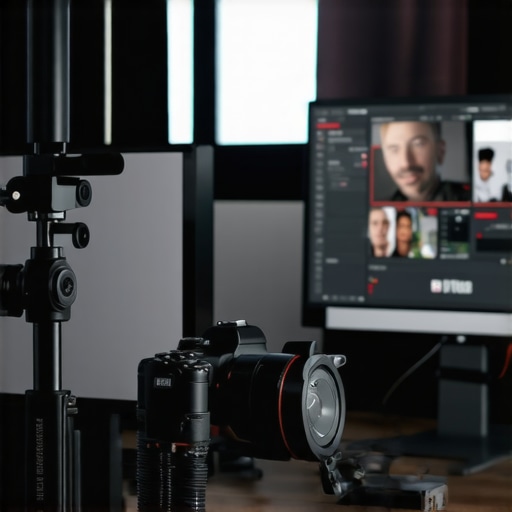
I remember the exact moment I realized my streaming setup was holding me back. It wasn’t a technical glitch or a broken mic—no, it was the *camera*. I had been busting my hump creating content for months, but my viewers kept commenting on how flat and lifeless my video looked. I knew I needed a upgrade, but I was overwhelmed by the options. Every time I considered a new camera, I’d get lost in specs, reviews, and confusing jargon. It felt like trying to decode an alien language. Frustration mounted. Until one day, I stumbled upon a simple truth: not all cameras are created equal, especially when it comes to streaming in 4K. That was my lightbulb moment.
Why Upgrading Your Streaming Camera Is More Critical Than Ever
In 2025, the landscape of content creation has become fiercely competitive. Viewers demand crisp, professional-quality visuals. If your camera doesn’t deliver sharp 4K resolution, you’re telling your audience you’re not serious about your craft. But beyond just resolution, the right camera can dramatically improve your streaming quality, boost viewer engagement, and even grow your subscriber base faster. I learned this the hard way—by making a few costly mistakes early on. For example, I initially chose a budget camera that promised 4K but delivered fuzzy images because of poor autofocus and low bitrate support. Remember, streaming isn’t just about the specs; it’s about how the camera performs in real-time. If you’re like I was, wondering whether investing in a new camera is worth it, I promise: the right choice can transform your content creation journey.
Is Better Camera Gear Actually Worth the Hype?
Here’s the thing—I’ve made the mistake of buying a flashy camera just because everyone said, “It’s the best.” Spoiler: It wasn’t. It sat on my desk most of the time because I didn’t understand its settings, or it didn’t mesh well with my streaming setup. Early on, I thought more megapixels automatically meant better quality, but that’s not true for streaming. According to a report by Creator Setup Guide, selecting a camera with good autofocus, decent low-light performance, and reliable live streaming features is far more important than just megapixel count. This mistake taught me to focus on real-world performance rather than flashy specs. So, if you’ve ever felt skeptical about spending on a new camera, rest assured—you’re not alone, and the right gear makes all the difference.
Are you tired of blurry streams or feeling like your content isn’t as sharp as it could be? Keep reading—I’m about to share proven tips to help you choose the perfect 4K streaming camera for your needs in 2025, based on my personal experience and the latest industry insights.
,
Select the Ideal Camera Type for Your Needs
Start by identifying whether a mirrorless camera or a dedicated streaming cam suits your style. I once switched from a bulkier DSLR to a lightweight mirrorless, which improved my mobility on camera and simplified setup. For content creators focusing on YouTube, a mirrorless camera with good autofocus and low-light performance can be a game changer. Dive into models recommended in Top Mirrorless Cameras for Content Creators in 2025 to find options that blend quality with portability.
Match Camera Resolution and Frame Rate to Your Content
Ensure your camera can shoot in 4K at 60fps to maintain sharpness during quick movements. I struggled initially with a 4K camera limited to 30fps, resulting in choppy visuals during fast-paced gaming. For smoother streams, confirm your camera’s capabilities align with your streaming style. Check out Best 4K Cameras for YouTube Streaming in 2025 for insights on models supporting higher frame rates.
Optimize Your Camera Settings for Streaming
Use manual focus, set the ISO low, and adjust exposure to prevent flickering. I initially relied on auto settings, which caused inconsistent focus and flickering in low light. Experimenting with settings based on the environment, as recommended in How to Choose the Best 4K Camera for YouTube Streaming, turned my streams crisp and professional. Regularly testing and calibrating your settings before live sessions ensures optimal visuals.
Set Up Proper Lighting and Positioning
Even the best camera needs good lighting. Use softboxes or ring lights to illuminate your face evenly, avoiding harsh shadows. Position your camera at eye level for natural engagement. Remember, a well-lit scene not only improves image quality but also enhances viewer experience. Check out Best Streaming Camera 2025 for Content Creators for setups that maximize visual clarity.
Integrate the Camera into Your Streaming Workflow
Connect your camera to your streaming software using a capture card if necessary. I used an Elgato Cam Link and noticed a significant reduction in latency and improved stability. Ensure your computer can handle 4K streaming—investing in a powerful CPU and GPU pays off. Once connected, run test streams to troubleshoot any issues and fine-tune your settings, as outlined in Streaming Camera Gear and Equipment for 2025.
Enhance Your Presence On Camera
Finally, practice framing, eye contact, and body language to create a compelling on-stream presence. A clear, steady picture makes it easier for viewers to connect. Remember, the camera is your second face—the more natural and confident you appear, the more your audience will engage. Explore techniques in Mastering Content with Mirrorless and 4K Cameras Today to elevate your on-camera game.
Many content creators assume that merely owning a high-end 4K camera guarantees professional-quality streams. However, this belief overlooks several nuanced factors that can sabotage your setup. For instance, the myth that higher megapixels automatically translate to better streaming quality is widespread, but in practical terms, excessive megapixels can actually hinder real-time performance, leading to increased latency and slower autofocus—issues that are detrimental during live broadcasts. According to research from Creator Setup Guide, optimal stream quality balances sensor size, processing speed, and lighting conditions over raw resolution alone.
Another common misconception centers around mirrorless vs. DSLR cameras. While many believe that DSLRs offer superior image quality, the truth is, modern mirrorless cameras often outperform their DSLR counterparts in autofocus speed, weight, and versatility, especially for streaming scenarios. Overlooking this nuance can lead creators to invest in outdated equipment, missing out on significant benefits offered by newer mirrorless models recommended in Top Mirrorless Cameras for Content Creators in 2025.
Spotting the pitfalls before they bite
One of the trickiest pitfalls many fall into is neglecting to properly calibrate camera settings for live streaming environments. Relying solely on auto-focus and auto-exposure may seem convenient, but it often results in inconsistent image quality, flickering, or focus shifts during a broadcast. This is especially true in low-light settings where auto modes may struggle. My advice? Invest time in mastering manual controls and conducting thorough test runs, as emphasized in guides on optimal calibration. Remember, the way your camera handles dynamic scenes can make or break viewer engagement.
Furthermore, many content creators overlook the importance of proper lighting and physical placement, mistakenly believing that a premium camera compensates for poor setup. A high-quality mirrorless camera can look mediocre if the subject is poorly lit or the framing is off. To avoid this, I recommend investing in affordable lighting solutions like ring lights or softboxes and placing your camera at eye level for natural engagement. For more detailed tips, check out lighting and placement strategies here.
Have you ever fallen into this trap of oversimplifying technology or overlooking fundamental setup principles? Let me know in the comments—I’d love to hear your experiences. Remember, mastering the nuances of your streaming gear is what separates casual amateurs from highly engaging content creators.
How Do I Maintain My Streaming Camera Over Time?
Keeping your camera in top shape requires a combination of regular maintenance, the right tools, and staying informed about evolving technology. First, regularly clean your camera lenses with a microfiber cloth and a proper lens cleaner to prevent dust and smudges from degrading image quality. Avoid touching the sensor directly; instead, use compressed air or specialized sensor cleaning kits designed for mirrorless cameras. Implement a routine of updating your camera’s firmware—most manufacturers release updates that enhance performance, fix bugs, and add features. You can check https://cameras.creatorsetupguide.com/contact-us for support or guidance on firmware updates and general maintenance.
Invest in protective gear such as UV filters for your lens to safeguard against scratches and dust, ensuring they can be easily replaced if damaged without risking the actual lens glass. Calibration tools, like spyderX or X-Rite calibration kits, help maintain accurate color profiles over time, especially important as environmental lighting conditions change. Using a dedicated portable storage device can also help backup your settings, calibration data, and even camera profiles, allowing quick restoration if needed.
What Tools Do I Recommend to Keep My Camera Running Smoothly?
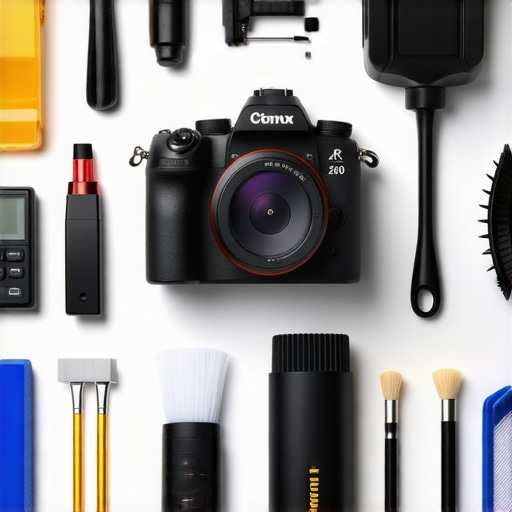
Personally, I swear by a few specific tools to minimize downtime and extend my equipment’s lifespan. A reliable sensor cleaning kit, such as the visible Dust-Off Sensor Clean Kit, helps me remove stubborn particles without risking damage. For firmware updates, I keep a dedicated USB drive formatted with the latest firmware files, ensuring I can update even when internet connectivity is patchy. Additionally, I use a sturdy camera cage or protective case—these not only shield against physical shocks during travel but also prevent accidental dislodging of accessories.
To monitor your camera’s health, I recommend using software such as Capture One or Adobe Lightroom with tethered shooting capabilities; these tools allow you to quickly spot issues like focus drift or exposure inconsistencies over time. For long-term results, maintaining a shooting log detailing settings, ambient conditions, and maintenance activities can reveal patterns and help predict when components might need replacement.
Why Is Regular Maintenance Critical for Content Creators?
In my experience, neglecting routine upkeep can lead to costly repairs or replacement, which disrupts your content schedule. As technology advances rapidly, staying updated with the latest tools and methods ensures you aren’t left behind or struggling with outdated equipment. I’m excited to see how future advancements—like automated cleaning systems integrated into mirrorless cameras—will make maintenance even easier. Until then, dedicating a few minutes each month to cleaning, calibration, and firmware updates will pay off in clear, professional-quality streams and videos.
Start implementing a weekly cleaning routine and invest in the recommended calibration tools today. Remember, the longevity of your camera directly impacts your ability to produce consistent, high-quality content, so prioritize proper care and proactive upgrades.
What I Wish I Knew Before Dropping Cash on Fancy Gear
One of the most eye-opening lessons I learned was that investing in the latest camera features doesn’t automatically translate into better streams. I once bought a high-megapixel mirrorless camera, thinking more pixels would mean sharper videos. Turns out, the real game-changers are autofocus speed, low-light performance, and reliable streaming features—things I overlooked in my excitement. The truth is, understanding how hardware performance aligns with live streaming needs is crucial; otherwise, you risk wasting time and money on gear that doesn’t serve your specific goals.
My Top Tools That Kept My Camera Running Like New
Maintaining top-notch streaming quality requires the right routines and tools. I swear by sensor cleaning kits like the Dust-Off Sensor Clean Kit, which help me avoid dust-induced blurriness, and calibration tools like the SpyderX for color accuracy. Regular firmware updates from manufacturers ensure my camera benefits from performance patches and new features, available through support pages like here. These investments in proper maintenance tools have saved me from costly repairs and kept my visuals consistently crisp and professional.
Stepping Beyond Gear: The Power of Mindful Content Creation
While gear is essential, I’ve realized that the biggest improvement in my streams came from refining my on-camera presence. Practicing eye contact, energetic framing, and natural body language created a viewer connection that no camera upgrade alone could achieve. Remember, behind every pixel-perfect stream is a creator who’s mastered the art of engagement. As you upgrade your camera in 2025, don’t forget to nurture your confidence and presentation skills; these will make your high-quality visuals truly shine.
What Are You Waiting For to Elevate Your Streaming Game?
Mastering your streaming camera in 2025 is a journey of patience, learning, and smart investments. The tech is advancing rapidly, but the core principles of proper setup, maintenance, and personal presence remain constant. Whether you’re aiming for YouTube fame or engaging live sessions, the right camera paired with mindful practices will set you apart. Dive into detailed guides like this resource to continue refining your craft, and remember—your best streams are yet to come!
Reading through this post really resonated with me, especially the part about not getting caught up in flashy specs. I remember upgrading my camera last year and initially focusing on megapixels and brand reputation, only to find that I was still struggling with autofocus and low-light performance during live streams. It made me realize that understanding the actual performance features that influence streaming quality is crucial. Since then, I’ve started prioritizing real-world test videos, especially in different lighting conditions, before making a purchase. Has anyone found particular brands or models that excel in autofocus and low-light settings for streaming in 2025? I’d love to hear your recommendations or tips on what to look for to avoid similar pitfalls. For content creators just starting out, what’s been your biggest lesson learned when selecting gear for streaming?
This article really hits home about the importance of not just chasing specs but focusing on real-world performance when choosing a streaming camera. I’ve gone down the same path, buying what seemed like the latest and greatest, only to be disappointed by autofocus lag or poor low-light sensitivity. It’s encouraging to see recommendations that prioritize features like autofocus speed and low-light operation, which are crucial for live content. I’ve personally had good experiences with some mirrorless models from Sony, particularly the Alpha series—they balance quality with portability and excel in autofocus and low-light conditions. For anyone starting out or aiming to upgrade, do you think low-light performance is a better indicator of real-world usability than pixel count? Also, how do you recommend testing these features practically before committing? I’d love to hear more experiences about models or brands that stood out in 2025.