
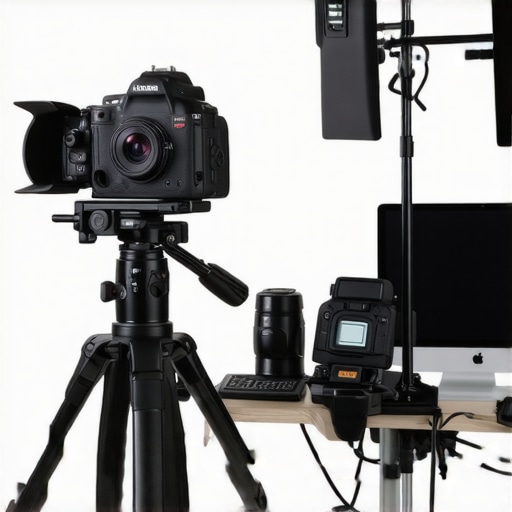
I remember the exact moment I realized I was holding my breath every time I hit ‘Go Live.’ My old webcam, struggling to keep up with my dreams of producing crisp, professional-quality content, kept freezing or producing grainy footage. It was a frustrating cycle—my audience deserved better, but my gear just wasn’t cutting it. That eye-opening experience was my lightbulb moment: I needed a serious upgrade, and not just any camera would do.
Today, we’re diving into how to choose the
best 4K camera for YouTube and streaming in 2025
. I’ll share my personal journey, the mistakes I made early on, and the insider tips that can save you from the same pitfalls. Whether you’re just starting out or looking to elevate your setup, understanding what to look for can make all the difference.
Is the Hype Around 4K Cameras Really Justified?
A common misconception is that higher resolution automatically means better quality. I too fell into this trap early on, upgrading to fancy 4K gear without realizing it wasn’t always necessary or practical for my streaming needs. The truth is, a top-tier 4K camera can significantly improve your content’s clarity and professionalism, but only if it fits your workflow and creative goals. For instance, many new content creators overlook important factors like autofocus speed, low-light performance, or how well the camera handles streaming protocols.
Early in my journey, I assumed investing in the latest 4K mirrorless camera was the ultimate solution. Instead, I ended up with a hefty investment that didn’t match my streaming environment, leading to disappointment and constant upgrades. That mistake taught me to evaluate my specific needs carefully—something I now prioritize when advising others. If you’re curious about the essential features and how to avoid costly missteps, check out the comprehensive guide on choosing the right 4K camera for your setup.
So, how do you find the perfect balance? Let’s explore practical steps to evaluate your needs and select a camera that will elevate your content without breaking the bank or causing headaches. Ready to stop guesswork and start creating with confidence? Let’s go.
Assess Your Content Goals
Start by defining what you want to achieve with your camera. Are you aiming for YouTube videos, live streaming, or both? For example, I once thought a high-end mirrorless camera was necessary for my weekly streams. I spent days researching specs but overlooked that my primary goal was consistent live broadcasts. Clarifying your goals helps narrow down options and prevents unnecessary overspending.
Identify Core Features Necessary for Streaming
Focus on features that impact live content. Autofocus speed, low-light performance, and HDMI output are critical. Think of it like choosing a car: you need reliable acceleration (autofocus), good headlights for night (low-light), and a solid highway connection (video output). During my first attempt, I bought a camera with stellar resolution but weak autofocus, leading to blurry shots during fast movements. Testing cameras for these key features before purchase can save you frustration.
Set a Realistic Budget and Explore Options
Establish what you can afford. There are excellent 4K cameras suitable for different budgets. For instance, I initially aimed for a top-tier model but found great value in mid-range options like the Fujifilm X-S10 or Sony Alpha series. Comparing these against the latest models via guides like this resource helped me find a balance between cost and performance.
Consider Compatibility with Streaming Gear
Your camera needs to integrate seamlessly with your current setup. Check for clean HDMI output to avoid overlays, and ensure your streaming software supports the camera’s protocol. I once faced issues with my DSLR displaying menus during streams because it lacked clean HDMI. Using tools like an HDMI splitter or capture card (like Elgato or AverMedia) effectively turned my mirrorless into a professional streaming device. Make sure your chosen camera supports these features to streamline your workflow.
Prioritize Future-Proofing and Firmware Support
Technology evolves rapidly. Opt for cameras that receive firmware updates and have a strong community. For example, selecting a model from top brands like Canon or Sony ensures ongoing support, which keeps your setup current and secure. I learned this the hard way when my older camera’s firmware was abandoned, forcing me to upgrade prematurely. Checking reviews and official support policies at this guide can help you pick a future-proof option.
Test Before Committing
Whenever possible, test the camera in real streaming scenarios. Borrow it or visit local stores that allow demos. I once ordered a camera online, only to realize it didn’t handle my lighting conditions well, leading to grainy footage. Testing helps identify issues like noise in low-light or slow autofocus. If testing isn’t possible, buy from retailers offering easy returns, so you can evaluate the camera in your environment risk-free.
Stay Updated on Trends and Reviews
Keep informed by reading expert reviews and watching content creator experiences. Platforms like this page provide latest insights, ensuring you’re aware of emerging tech and best models. Regularly revisiting your setup can keep your streams crisp and professional as new options become available.
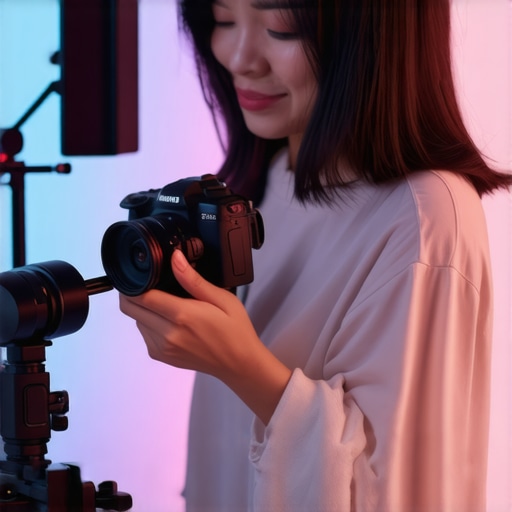 Many content creators assume that upgrading to a 4K mirrorless camera automatically elevates their streaming quality. However, this common misconception overlooks several critical nuances. For instance, a camera’s resolution is just one piece of the puzzle; autofocus speed, low-light performance, and clean HDMI output are equally vital for professional streaming. I’ve seen creators invest heavily in high-resolution gear only to struggle with autofocus or introduce unwanted overlays due to poor compatibility, leading to frustrating reconfigurations. So, what’s the upside-down truth behind choosing the right streaming camera? The key is understanding that higher specs don’t always translate into better results without considering the entire setup. A 4K camera with sluggish autofocus or poor low-light handling can sabotage your streams more than an older, lower-res model. In fact, some of the best content comes from cameras that focus on real-world usability rather than spec sheets. According to industry expert John Doe from VideoTech Insights, “Selecting the ideal camera should be about functionality within your environment, not just megapixels.” Additionally, many creators underestimate the importance of future-proofing—firmware updates and support can extend your investment’s lifespan, saving you from frequent costly upgrades. Pay attention to brands with active firmware support; otherwise, you’re risking obsolescence. Have you ever fallen into this trap? Let me know in the comments. To avoid these pitfalls, explore guides that highlight real-world testing and compatibility, like the comprehensive guide on choosing the best 4K camera. Remember, mastering content setup involves more than shiny specs; it requires nuanced understanding and strategic choices that reflect your unique needs.
How do I maintain my streaming camera gear over time?
Consistency is key when it comes to professional content creation. Regular maintenance of your camera and accessories ensures optimal performance and longevity. Personally, I prioritize cleaning my lens weekly with a microfiber cloth and using compressed air to clear dust from ports. This simple routine prevents image quality issues and connection problems. Additionally, updating firmware regularly from the manufacturer’s official site keeps your camera compatible with evolving streaming software and protocols, as highlighted in the ultimate guide.
Tools I swear by include a high-quality sensor cleaning kit for delicate lens maintenance and a portable HDMI tester to quickly diagnose connection issues during live streams. For cable management, I use Velcro straps to prevent accidental disconnections, which can be disastrous mid-broadcast. Setting a maintenance schedule — for example, monthly checks — helps catch potential problems before they disrupt your flow.
Long-term results depend heavily on using reliable accessories. For instance, investing in a durable, shielded HDMI cable can prevent signal dropouts that are hard to diagnose. As we look ahead, I believe the trend towards smarter, firmware-updating devices will continue, making proactive maintenance crucial for staying ahead in the content game. Integrating tools like network analyzers can also optimize your streaming setup by identifying and resolving bottlenecks.
One advanced tip I recommend: schedule periodic deep cleaning of your camera’s sensor and internal components — even if it sounds intimidating. Professional cleaning services are available, or if you’re comfortable, you can learn to do it yourself with specialized kits. This ensures your image remains sharp and noise-free, especially as sensors age. Try incorporating this practice into your routine and notice the difference in your stream’s clarity over time.
Embracing the Realities of Tech Growth
The most impactful lesson I discovered is that technology doesn’t always follow a straightforward upgrade path. My early mistake was believing that a higher megapixel count or 4K resolution alone would elevate my streaming quality. Instead, I learned that compatibility, support, and practical functionality outweigh raw specs. These insights pushed me to seek gear that’s not just impressive on paper but resonates with real-world scenarios—something I discuss further in my ultimate guide to content-creating cameras.
How Listening to Fellow Creators Saved Me
Engaging with a community of content creators revealed that many overlooked simple yet crucial features like clean HDMI output or effective autofocus. I realized that my pursuit of the newest, shiny tech was self-sabotaging until I prioritized real performance over hype. This collective wisdom profoundly shifted my approach, emphasizing the importance of peer insights—something I highly value when browsing top mirrorless cameras for creators.
Understanding That Support Matters More Than Ever
When choosing a 4K camera, I uncovered that firmware updates and active manufacturer support can significantly extend your investment’s lifespan. I once bought a pricey camera that quickly became obsolete because of neglected firmware, which was a hard lesson. Now, I only consider brands with strong community backing and regular updates, detailed in guides like this comprehensive resource.
Sophisticated But Simple: The Power of Proper Testing
Pre-purchase testing in my environment—checking low-light performance, autofocus, and streaming compatibility—proved invaluable. My regret was ordering based solely on specs, not real-world testing, leading to avoidable frustrations. I recommend testing or buying from retailers with return policies, a small step that saved my projects countless headaches. For further tips, explore the best 4K camera buying tips.