
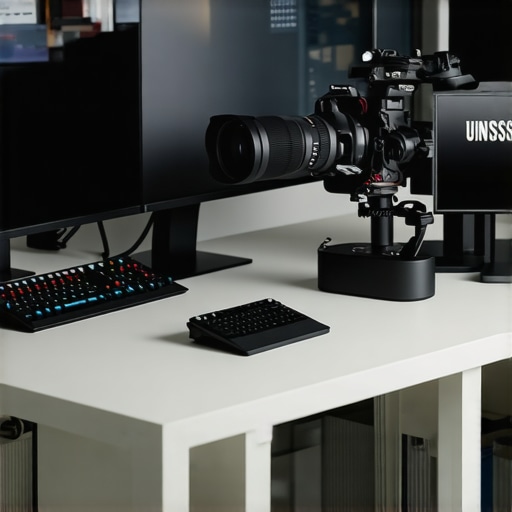
It was late at night, and I was staring at my camera feed, frustration boiling over. My streams looked good in theory, but somehow, they never captured the crispness and professionalism I craved. Then I realized—my camera just wasn’t up to the task anymore. I had been overlooking something crucial, and my content was paying the price. If you’ve ever faced that sinking feeling—knowing you need an upgrade but feeling overwhelmed by all the options—you’re not alone.
Why Settling for Less? The Need for a Top-tier 4K Streaming Camera
Picking the right camera isn’t just about flashy specs. It’s about creating a visual experience that pulls viewers in—a key in 2025, where competition is fierce and attention spans are short. I learned this the hard way when my early attempts at streaming with an average webcam left me disappointed. Viewers want clarity, color accuracy, and smooth motion—qualities that only high-quality 4K cameras can deliver. Plus, with most content consumption shifting to mobile and 4K screens, having a camera that can deliver a quality stream is more important than ever. According to a recent report, over 75% of viewers prefer watching content in 4K, emphasizing the need for creators to upgrade their visuals.
But with so many options on the market, where do you start? I’ll guide you through the essential features and picks that will transform your content in 2025. From mirrorless marvels to dedicated streaming cameras, you’ll learn what to look for and how to avoid common pitfalls. Trust me, a well-chosen camera will make your streams look professional and help you stand out in a crowded digital space.
Is a High-End Camera Actually Worth the Hype?
When I first started, I bought what I thought was a ‘good enough’ camera—only to discover that my inexperience cost me more in lost viewers and frustration. I remember making the mistake of ignoring the importance of sensor size and autofocus speed. Since then, I’ve learned that investing in the right gear is essential. For practical tips on how to choose the best 4K camera that suits your needs, check out this comprehensive guide.
Now, if you’re ready to elevate your streaming setup and create visuals that keep viewers glued, let’s dive into the details of what’s hot in 2025—and what you should avoid.
,
Choose the Right Camera for Your Content
Start by defining your streaming needs. Are you creating casual YouTube videos or professional live broadcasts? For quality content, focus on selecting a 4K camera that fits your style and budget. Think of it as choosing a vehicle: a compact car might be perfect for city driving, but a SUV is better for off-road adventures—so pick what aligns with your content terrain.
Invest in a Reliable Mirrorless Camera
Mirrorless cameras are a favorite among content creators because of their versatility and quality. When I upgraded to a mirrorless model, it was like switching from a bicycle to a sports car—much faster autofocus, better low-light performance, and superior video quality. For recent recommendations, check out top mirrorless options for 2025. These cameras excel at capturing vivid color and sharp details, essential traits for engaging streams.
Master Your Camera Settings for Flawless Footage
Knowing your settings is key to professional-looking streams. Dial in your aperture, shutter speed, and ISO—think of these as a chef adjusting ingredients for the perfect dish. During my first live test, I left autofocus on and forgot to adjust exposure, resulting in blurry, dark footage. After reconfiguring auto-focus for face tracking and tweaking exposure manually, my streams looked crisp and vibrant. For detailed guidance, explore mastering camera settings.
Optimize Your Lighting and Background
Even the best camera can’t compensate for poor lighting. Think of your setup as a stage: adequate lighting highlights your performance while shadows hide your brilliance. Use softbox lights or ring lights to evenly illuminate your face, reducing harsh shadows. Additionally, clean and uncluttered backgrounds ensure viewers focus on you, not distractions. Position yourself to avoid backlighting, which can cause silhouettes. Remember, the goal is to make your camera’s job easier by providing the best possible environment.
Test and Tweak Before Going Live
Never assume your setup is perfect without testing. Record short clips, then review the footage for clarity, color balance, and stability. During my initial trials, I faced issues with jittery video—later resolved by switching to a tripod with better stabilization. Use software like OBS to monitor your feed and make real-time adjustments. Consistent testing ensures your live streams will run smoothly and look professional, helping retain your audience.
Leverage Resources and Community Support
Engage with online communities and review guides to stay updated on the latest tech and techniques. The creator community is a goldmine for tips and troubleshooting. For ongoing support and the latest gear reviews, visit our contact page or browse dedicated review articles such as top 4K streaming cameras 2025. Sharing experiences accelerates your learning curve and keeps you ahead in a competitive landscape.
Many content creators assume that buying the latest 4K camera or a high-end mirrorless model automatically guarantees professional-looking streams, but this is a misconception. A common myth is that resolution alone determines quality. In reality, factors like sensor size, color science, and autofocus precision play more significant roles in the final output. For instance, an undersized sensor might produce grainy footage even in 4K, especially in low light—a trap many fall into when selecting equipment primarily based on specs.
Another overlooked nuance is the importance of consistent framing and stabilization. Investing in a premium camera won’t help if your footage is shaky or poorly composed. Effective use of stabilization accessories and understanding your camera’s field of view can be game-changers. Moreover, many creators underestimate the impact of proper lighting—a well-lit shot can make even a modest camera look professional. Lighting enhances detail, color accuracy, and depth, compensating for some hardware limitations.
There’s also a widespread misconception regarding autofocus technology. While autofocus is crucial, not all autofocus systems are equal. Some rely heavily on contrast-detection, leading to focus hunting during movement, which can be distracting. Choosing models with reliable face-tracking or eye-autofocus, like those discussed in the top mirrorless options for 2025, ensures your live streams stay sharp and professional.
A critical trap to avoid involves overemphasizing camera resolution at the expense of other essential features. Content quality is affected by a blend of sensor quality, lens optics, lighting, and settings optimization. In fact, the mastering content with the right gear involves understanding these nuances rather than just chasing numbers.
From my experience, many creators get caught up in the hype of the latest hype-driven specs, neglecting fundamentals like framing, audio, and lighting—elements that often have a more immediate impact on viewer retention. Believe me, refining these aspects consistently yields much better results than simply upgrading hardware.
And here’s a question—what should creators prioritize when upgrading their setups to genuinely enhance viewer engagement? The answer often surprises many: focus on your environment, learn your camera’s quirks, and refine your shooting technique before splurging on the perceived latest gear. As expert advice suggests, without a solid foundation, even the most expensive camera won’t elevate your content as expected.
Lastly, avoid the pitfall of neglecting community and educational resources. Engaging with online forums and tutorials, like those found in our contact page, ensures you’re aware of the latest tech tips and common pitfalls—saving time, money, and frustration. Remember, the path to professional content creation isn’t solely paved with hardware but with knowledge and technique. Have you ever fallen into this trap? Let me know in the comments.
How do I keep my streaming setup reliable over time?
Consistency and upkeep are crucial to ensuring your content remains professional and engaging. First, investing in quality tools like a dedicated streaming camera can vastly improve your broadcast’s clarity and reliability. For example, using a high-end mirrorless camera ensures your footage stays crisp, even after months of use, thanks to better sensor durability and lens quality. ” alt=”High-quality camera gear setup” title=”Premium streaming gear for consistent content” />
Second, establish a routine maintenance schedule for your equipment. Regularly clean your camera lenses with microfiber cloths to prevent dust and smudges, which can degrade image quality. Make sure your cables and ports are free from wear and tear—replacing worn-out HDMI or USB cables prevents connection issues that could interrupt your stream. Keep your software and firmware up to date; manufacturers often release updates that fix bugs and improve stability, keeping your setup running smoothly for the long haul. I recommend setting a monthly reminder to check for updates, ensuring you don’t miss critical patches.
Another vital aspect is backing up your configurations. Save your camera profiles, scene setups, and streaming settings in a cloud service or external drive. This way, if hardware fails or needs replacement, you can quickly restore your settings without starting from scratch. For advanced users, some software like OBS Studio allows exporting your scene collections and profiles, making restoration swift and straightforward. To stay ahead, consider investing in a UPS (Uninterruptible Power Supply). It safeguards your gear from power surges and outages, avoiding those annoying interruptions during live sessions.
From a future perspective, automation tools and remote management will become more prevalent. Devices that can monitor your hardware health and alert you to potential failures will simplify long-term maintenance. Additionally, integrating AI-powered diagnostics may soon identify issues proactively, reducing downtime even further.
Start by implementing a simple, consistent cleaning and updating routine today. This foundational step will exponentially extend the lifespan of your equipment and ensure your content always looks its best. Want to explore more advanced maintenance strategies? Check out this comprehensive guide for expert tips on keeping your gear in top shape for years to come. Don’t wait—try scheduling regular check-ups and updates now to see immediate improvements in your streaming stability and quality.
The Hardest Lesson I Learned About Content Creation and 4K Tech
One of the most profound realizations I had was that gear alone doesn’t make a creator stand out. Upgrading to a top-tier 4K camera won’t automatically boost your engagement if you don’t understand your settings and environment. It took me countless hours experimenting with lighting, autofocus, and framing before I saw noticeable improvements—and that patience transformed my streams from amateurish to professional-looking. The key is mastering your tools rather than just owning the latest tech.
The Myth of the Resolution Silver Bullet
I used to believe that higher resolution equals better quality, but I learned that sensor quality, color science, and stabilization play bigger roles. A crisp 1080p feed with excellent lighting and stabilization will outperform shaky 4K footage from an entry-level camera. Don’t get caught up solely in megapixels; focus on what creates seamless, vibrant visuals. For actionable advice, check out this guide.
Why Auto-Focus Can Make or Break Your Stream
Autofocus isn’t just a convenience; it’s a necessity for professional-looking streams. Misfocusing or focus hunting can be distracting for viewers. I underestimated the importance of face tracking and eye autofocus until I switched to a camera that prioritizes these features. Now, my streams stay sharp, and I can move naturally without worrying about blurry shots. Investing in good autofocus technology is a game-changer for content creators looking to elevate their visual quality.
How Proper Lighting Elevates Your Video Quality
No matter how expensive your camera, poor lighting ruins the shot. I realized that soft, well-placed lights bring out your face’s best features and make colors pop—even in less-than-ideal environments. Experimenting with ring lights and softboxes was a turning point. Remember, the environment you craft sets the tone for your content. Bright, balanced lighting ensures your camera captures your true essence and helps viewers connect with you more authentically.
Learning From Other Creators Can Save You Time
Joining online communities and reading verified tutorials accelerated my growth. I found that sharing experiences and asking questions gave me practical insights that resolved problems faster. Platforms like our contact page are invaluable for ongoing support. Staying connected keeps you updated on tech advancements and prevents costly mistakes, making your journey smoother and more rewarding.