
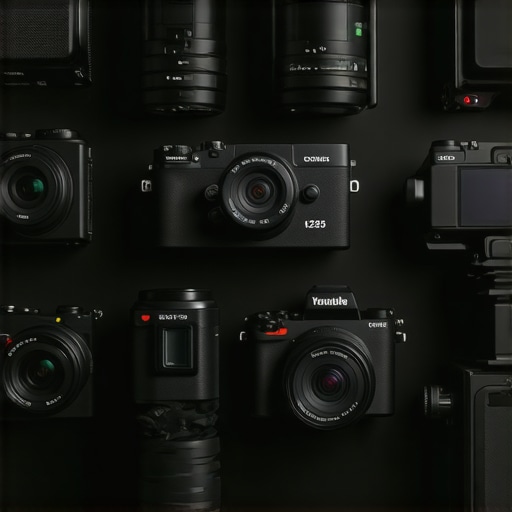
Ever spent hours trying to record a video only to realize the footage looks like it was shot on a potato? I’ve been there. One moment, I thought I was all set with my old camera; the next, my content felt flat, dull, and frankly, embarrassing. It hit me—without the right camera, my videos just wouldn’t stand out or look professional enough to grow my channel. That lightbulb moment made me realize that choosing the best camera isn’t just about specs—it’s about how well it helps you tell your story and connect with your audience.
Why Your Camera Choice Could Make or Break Your Content in 2025
In a world flooded with content, quality matters more than ever. Viewers are quick to scroll past videos that look cheap or blurry. According to a recent study by Wyzowl, 84% of people say they’ve been convinced to buy a product or service by watching a brand’s video. That’s huge! But here’s the catch: if your video quality isn’t up to par, your message gets lost. As a content creator, you need a camera that makes your videos pop, with crisp 4K resolution, smooth autofocus, and reliable streaming capabilities.
I made the mistake early on of investing in a shiny new camera just because everyone else was raving about it. Turns out, I chose a model that was great for photos but terrible for live streaming. I ended up spending more money on upgrades and workarounds than actually improving my content. That’s why I want to save you from my rookie error. Today, I’ll guide you through the top 10 cameras for YouTube and content creation in 2025, helping you find the perfect fit for your needs and budget.
Have You Faced This Problem?
Are you frustrated because your current camera doesn’t deliver the quality you envision? Or maybe you’re overwhelmed by all the options and unsure which features actually matter? If so, you’re not alone. Many creators struggle to find a camera that balances quality, ease of use, and affordability. But don’t worry—by the end of this guide, you’ll have a clear understanding of what to look for and which models are worth your investment.
Ready to see the best options for 2025? Let’s dive into what makes a camera great for content creation and how to choose the right one for your channel.
Select the Right Camera Type for Your Content Goals
Start by identifying your primary content style. Are you streaming live sessions, shooting high-quality videos, or creating TikTok Shorts? This determines whether you need a dedicated streaming camera, a mirrorless powerhouse, or a versatile 4K camera. For example, when I decided to upgrade my setup, I first asked myself if I needed a camera optimized for live streaming or one that excels in recording crisp, cinematic videos. This simple step saved me from buying a camera that didn’t fit my workflow. Check out the ultimate guide to cameras for YouTube for a comprehensive overview.
Pinpoint Your Must-Have Features
Next, identify essential features. Do you want 4K resolution for future-proofing? Is autofocus crucial for dynamic shots? How about low-light performance if you plan to stream in dim environments? I made the mistake of overlooking autofocus early on, which resulted in blurry shots during fast movements. To avoid this, prioritize cameras with reliable autofocus like those reviewed in the best 4K cameras for streaming. This focus on core features ensures your camera supports your creative style without unnecessary extras.
Match Camera Specs with Your Budget
Set a realistic budget. High-end cameras like the top mirrorless models can cost over $2,000, but there are excellent options under $1,000 that still deliver great quality. I found that choosing a mid-range mirrorless camera, like a Sony Alpha series, balanced quality and affordability perfectly. For detailed comparisons, visit top mirrorless cameras for Shorts. Remember, the best camera is the one that fits your needs and budget, not just the most expensive one.
Test and Fine-Tune Before Going Live
Once you’ve picked your camera, test it thoroughly. Set up your scene, check lighting, and record sample footage. During my first trial, I discovered that my camera’s default settings caused overexposure in bright conditions. I fixed this by adjusting ISO and exposure settings, which improved my video quality significantly. Familiarize yourself with your camera’s manual and settings, especially if you’re using advanced features like 4K recording or streaming via HDMI. For expert tips, see mastering content with mirrorless and 4K cameras.
Configure Your Streaming Setup
Properly connect your camera to your streaming platform. Use a capture card if necessary, and ensure your software recognizes the device. I initially struggled with inconsistent feeds, but after switching to a dedicated streaming camera with clean HDMI output, my live sessions became more professional. For specific gear recommendations, explore streaming camera spotlight and live broadcast equipment in 2025.
Many content creators fall into the trap of oversimplifying what makes a camera ideal for YouTube and live streaming. A prevalent myth is that the most expensive or highest resolution camera automatically guarantees success. In reality, this isn’t always true. For example, a lot of creators assume that investing in a top-tier 4K camera like those reviewed in best 4K cameras for streaming will instantly elevate their content, but without proper lighting, audio, and framing, even the priciest gear can fall flat.
Another common misconception is that mirrorless cameras are only suitable for professional videographers. While these cameras, as discussed in top mirrorless cameras for content creators in 2025, do offer superior quality and versatility, they require understanding nuanced settings like autofocus modes, picture profiles, and HDMI output configurations. Many beginners get overwhelmed trying to use auto mode, which often results in subpar footage. Mastery of manual controls can significantly improve your video quality.
Now, let’s talk about the trap of focusing solely on resolution. Some believe that 4K is the ultimate standard, but as I discuss in how to choose the best 4K camera for YouTube streaming, frame rate, sensor size, and low-light performance are equally critical. A camera with excellent low-light capabilities, like certain Sony models, will outperform a higher-resolution but less sensitive sensor in dim environments.
Finally, many overlook the importance of connectivity and ease of setup. For streaming, a camera with clean HDMI output and reliable autofocus can make your live sessions look more professional. As highlighted in streaming camera spotlight, investing in a camera that supports seamless connection to your streaming software saves time and reduces frustration.
Are you guilty of any of these misconceptions? Let me know in the comments, and remember—choosing the right camera is about understanding your specific needs, not just chasing the latest specs.
How do I keep my camera gear performing flawlessly over time?
Maintaining your camera equipment is crucial to ensure it continues delivering top-notch quality for your content. I personally swear by a few key tools and routines that extend the lifespan of my mirrorless and 4K cameras. First, investing in a high-quality blower brush and microfiber cloth is essential for cleaning lenses and sensors without scratching. Regularly wiping your lens with a microfiber cloth prevents dust and smudges from ruining your footage, especially in outdoor shoots.
Next, using a silica gel pack inside your camera bag helps control humidity, which can cause fogging and corrosion. I keep a few in my gear case to prevent moisture buildup, especially during long shoots or in humid environments. For more detailed cleaning, I rely on sensor cleaning kits like the Arctic Butterfly, which safely remove dust from sensors—an underrated step, but crucial for maintaining image clarity over years of use.
Software updates are another vital aspect. Manufacturers frequently release firmware updates to fix bugs, improve autofocus algorithms, and enhance compatibility with streaming platforms. I make it a habit to check for updates monthly via the manufacturer’s official site or app, ensuring my camera benefits from the latest improvements. This is especially important for mirrorless models that rely heavily on software for their advanced features.
Using reliable storage media is equally important. I recommend using high-speed SD cards or NVMe SSDs and regularly backing up footage to a dedicated drive. This prevents data corruption and keeps your workflow smooth, especially when handling 4K or higher resolutions. I also use a portable hub with multiple ports to connect my camera to different devices seamlessly, saving time during editing and live streaming.
For long-term performance, consider environmental factors. Avoid exposing your camera to extreme temperatures or direct sunlight for extended periods. When not in use, keep it in a padded case, and always turn off the camera before changing lenses or disconnecting accessories to prevent damage.
Prediction for the future: As technology advances, I believe integrated AI-driven maintenance alerts and self-cleaning sensors might become standard in high-end content creation cameras, reducing manual upkeep and ensuring peak performance longer.
Try implementing a weekly cleaning routine and upgrading your storage management—these small steps can significantly improve your camera’s longevity and the quality of your content. For more detailed maintenance tips, explore mastering content with mirrorless and 4K cameras.
The Hardest Lesson I Learned About Camera for YouTube, Streaming Camera, Mirrorless Camera, 4K Camera, Content Creator
Over the years, I realized that investing in the most expensive gear doesn’t guarantee success. It’s the understanding of your specific needs that truly matters. For example, I once bought a top-tier 4K camera, only to discover it lacked reliable autofocus for my fast-paced shooting style. That taught me to prioritize features like autofocus and low-light performance over pure resolution. Now, I focus on honing my skills and understanding my equipment better, which has significantly improved my content quality.
3 Myths About Camera for YouTube, Streaming Camera, Mirrorless Camera, 4K Camera, Content Creator That Held Me Back
One common myth is that higher resolution always equals better quality. In reality, sensor size, frame rate, and low-light performance can be more impactful. Another misconception is that mirrorless cameras are only for professionals; actually, many models are accessible and user-friendly for beginners. Lastly, many believe that more megapixels mean better footage, but oversampling can sometimes reduce image quality in practical scenarios. Separating fact from fiction helps in choosing equipment that truly serves your creative goals.
What Experts Won’t Tell You About Camera for YouTube, Streaming Camera, Mirrorless Camera, 4K Camera, Content Creator
Experts often emphasize megapixels and brand reputation, but they might overlook the importance of ecological factors like durability and ease of maintenance. I’ve learned that a well-maintained camera with regular sensor cleaning and firmware updates performs better and lasts longer. Also, the connectivity options—like clean HDMI output and reliable autofocus—can transform your streaming experience, making your content look more professional and polished. Remember, the best camera is one that complements your workflow and helps tell your story authentically.
Curated Recommendations
For sourcing your gear, I highly recommend The Ultimate Guide to Cameras for Content Creators because it offers comprehensive reviews tailored to creators’ needs. I trust this resource for up-to-date comparisons on 4K cameras, ensuring you pick the right model. Additionally, Top Mirrorless Cameras for Shorts in 2025 helps me discover versatile options that balance quality and affordability. These sources help me stay informed and confident before making a purchase.
Your Turn to Try
Choosing the right camera for YouTube, streaming, or content creation is a journey of discovery. Focus on features that support your style, maintain your gear diligently, and stay curious about new technology. Remember, the most important thing is to tell your story authentically. Keep experimenting, keep learning, and your audience will notice your passion and improvement. What’s your biggest challenge right now in selecting or using your camera? Let me know below, and I’ll be happy to share more insights!