
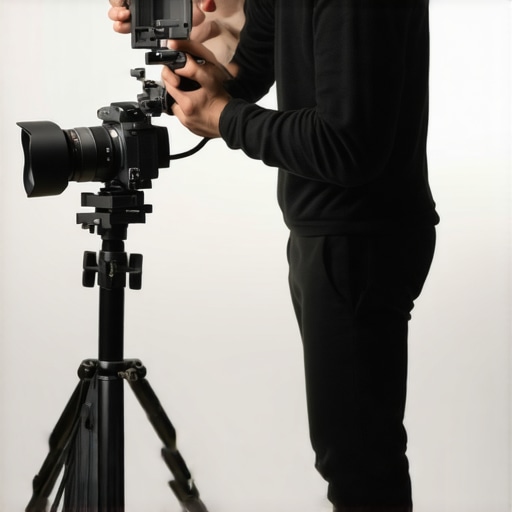
Ever had that sinking feeling of staring at your camera gear, frustrated because your videos just don’t look sharp enough or the quality doesn’t match your vision? I’ve been there—scrambling with old gear, hoping a new lens or camera upgrade would magically fix everything. It’s a common story among creators, and honestly, I spent way too long chasing the perfect setup before realizing that choosing the right camera isn’t about the latest gimmick but about matching your needs.
Why Your Camera Choice Could Make or Break Your Content
In 2025, the landscape of content creation has exploded. With platforms like YouTube pushing for higher standards—think 4K resolution, crisp audio, and seamless streaming—the camera you use becomes more crucial than ever. A bad camera can turn viewers away faster than a bad script. But here’s the truth I’ve learned firsthand: the best camera isn’t necessarily the most expensive or the newest model. It’s the one that aligns with your goals, workflow, and budget.
When I first started, I bought a mirrorless camera because everyone said it was the best. Turns out, I was overwhelmed by its features and didn’t utilize it properly. That mistake slowed me down and made me question if I should even keep going. It was only after I refined what I needed—like good autofocus, decent low-light performance, and 4K recording—that I found a camera that truly worked for me. This journey led me to research and test more options, which I’ll share with you today.
So, what are the key factors to consider? What models are actually worth your investment? And how can you avoid the common pitfalls that many creators fall into? Stick with me, and I’ll guide you through the top picks and practical tips to help you find your perfect match.
Is the hype around 4K and mirrorless cameras really justified?
I used to think so—until I realized that chasing higher resolution and latest tech often means overspending on features I didn’t need. Early on, I bought a 4K camera that was marketed as “the best” but found out it struggled in low-light scenarios and was a pain to set up for streaming. That mistake taught me to prioritize what truly matters for content creation—like reliable autofocus, decent battery life, and easy streaming capabilities. For a deeper dive into how to choose the best 4K camera, check out this comprehensive guide.
Now, I focus on models that balance quality and usability, ensuring I can produce content without hassle. This approach saves time and money, letting me focus on creating rather than troubleshooting. If you’ve faced similar dilemmas, you’re not alone. The right camera can elevate your content and make your life easier, but only if you pick wisely.
Next, we’ll explore the specific features to look for and I’ll share my top recommendations for 2025. Ready to make your camera choice smarter and more effective? Let’s get started.
Pick the Right Camera for Your Content Goals
Start by clearly defining what you want to achieve. Are you focusing on live streaming, shooting high-quality videos, or creating Shorts? For versatile YouTube content, a mirrorless camera with solid autofocus and 4K recording is ideal. I once bought a high-end 4K mirrorless expecting flawless results but was disappointed because it struggled in low-light situations. That experience taught me to prioritize low-light performance and autofocus over megapixels. Check out this top mirrorless options for content creation in 2025.
Evaluate Essential Features
Focus on features that impact your workflow. Autofocus speed and accuracy are critical for dynamic videos; think of it as your camera’s ability to keep you sharp without constant manual adjustments. For streaming, HDMI output and clean HDMI feed are non-negotiable, ensuring your live feed is smooth and professional. Battery life matters too—longer shoots mean fewer interruptions. For detailed specs, see this gear guide.
Set Up Your Camera for Optimal Quality
Once you’ve selected a model, optimize your settings. Use manual focus to avoid focus hunting during recordings. Adjust ISO to match your lighting—keep it low in bright conditions, and increase it cautiously in low light. Set your resolution to 4K for future-proof quality, and choose a frame rate that matches your content style—either 24fps for cinematic look or 60fps for smooth motion. Remember, good lighting can compensate for less expensive cameras, so invest in softboxes or ring lights. For lighting tips, consult this lighting guide.
Use External Microphones and Accessories
Audio quality can make or break your videos. Use an external microphone—like a shotgun or lavalier—connected via the camera’s mic input. Position the mic close to you to capture clear sound and reduce background noise. For streaming, ensure your camera supports clean HDMI output to send both video and audio to your streaming software. Additionally, consider a multi-camera setup if you want variety in your shots, using a switcher for seamless transitions. Find the best gear options in this comprehensive gear guide.
Test and Tweak Your Setup
Before going live or recording, do test runs. Check your framing, focus, audio, and lighting. Record short clips to review quality and make adjustments. Use this feedback to fine-tune your camera settings, lighting angles, and audio levels. I remember one time I forgot to disable autofocus noise, which caused distracting focusing sounds during my stream. Small details like this matter. Keep iterating until everything feels natural and professional. For troubleshooting tips, visit contact page.
Stay Updated on New Tech and Trends
Camera technology evolves rapidly. Regularly check for updates on the latest models and features that can enhance your content. Follow expert reviews and comparisons—like those in 2025 reviews—to stay ahead. Upgrading your gear at the right time can boost your production value without overinvesting. Remember, a good setup is about matching your tools to your workflow, not just chasing the newest tech.
Many content creators fall into the trap of thinking more expensive or newer gear automatically means better quality. However, the real nuance lies in understanding how to optimize your camera setup for your specific needs. One of the biggest misconceptions is that high resolution or the latest mirrorless models will instantly elevate your content without considering other critical factors. In fact, many creators overlook the importance of correct settings, lighting, and audio, which can undermine even the most advanced camera.
For example, a common mistake is focusing solely on resolution—believing 4K is always the best choice. While 4K offers future-proofing and sharp images, it also demands more from your hardware, and if your setup isn’t optimized, it can introduce issues like dropped frames or increased file sizes. It’s essential to match your camera’s capabilities with your workflow. A high-end 4K camera like those recommended in this guide might be perfect, but only if you also have proper lighting and streaming hardware in place.
Another myth is that mirrorless cameras are inherently better than DSLR or camcorders for streaming. While mirrorless models often provide excellent autofocus and compact form factors, they’re not universally superior. Your choice should depend on features like clean HDMI output, battery life, and ease of use—features that are sometimes overlooked in marketing hype. For a comprehensive look at top models, check out this expert buying guide.
Beware of the trap of over-purchasing accessories or upgrading prematurely. More gear doesn’t mean better content unless it’s integrated thoughtfully. For example, external microphones and proper lighting often have a more immediate impact on perceived quality than upgrading your camera. A good rule of thumb is to master your current setup first. When you do decide to upgrade, ensure the new gear aligns with your content goals, whether that’s live streaming or cinematic videos.
What advanced creators get wrong about camera settings and calibration?
Many content creators don’t realize that mastering camera settings and calibration is a game-changer. Simple tweaks like adjusting ISO manually, setting the right white balance, and configuring picture profiles can significantly improve your video quality. Additionally, proper focus calibration ensures sharpness across different shooting conditions. According to industry experts, neglecting these details can lead to inconsistent footage, which diminishes professional appearance and viewer trust. For detailed tips on fine-tuning your camera, explore this mastering content guide.
In conclusion, the key to avoiding costly mistakes is understanding the nuances of your gear and focusing on holistic setup—lighting, audio, and settings—rather than just hardware upgrades. Have you ever fallen into this trap? Let me know in the comments.
Keeping your camera gear and streaming setup in top shape requires more than just initial investment; it demands ongoing maintenance and smart tools to ensure longevity and optimal performance. As a content creator, I’ve learned that a proactive approach to upkeep saves time, money, and frustration down the line.
Why Regular Maintenance Is Critical for Content Creators
Just like any high-tech equipment, cameras and streaming gear need routine checkups. Dust, fingerprints, and even humidity can degrade image quality and damage sensitive components over time. For example, cleaning your mirrorless camera’s sensor and lenses with specialized tools prevents dust spots from appearing in your videos, maintaining professional quality. I personally use a sensor cleaning kit from VisibleDust because it’s gentle yet effective, and I avoid touching the sensor with bare fingers, which can cause permanent damage.
 comprehensive guide.
As technology evolves, future-proofing your setup means investing in modular components that are easy to upgrade or replace. For example, choosing cameras with interchangeable lenses and HDMI output ensures compatibility with new accessories and streaming standards. Don’t forget to maintain your lighting and audio gear as well—cleaning and testing regularly will keep your entire production system running smoothly.
In conclusion, proper maintenance is an ongoing process that extends the life of your investment and guarantees consistent content quality. Start by incorporating simple routines like sensor cleaning, firmware updates, and software backups into your schedule. Try one advanced tip today—like calibrating your autofocus with manufacturer tools—and see how it improves your video sharpness. Staying vigilant with your gear will keep your content looking professional and your workflow stress-free for years to come.
Lessons That Changed My Perspective About Content Creation Gear
- One of the most eye-opening lessons was realizing that investing in the latest camera tech isn’t a shortcut to perfect content. Instead, understanding how to optimize your existing gear often yields better results than chasing upgrades.
- Early in my journey, I thought a 4K camera would automatically make my videos look professional. I learned that proper lighting and sound are far more impactful than resolution alone.
- Another hard-earned insight was the importance of calibration and settings mastery. Fine-tuning autofocus, white balance, and exposure can transform your footage from average to outstanding.
- I’ve also discovered that regular maintenance of gear, like sensor cleaning and firmware updates, prolongs equipment life and maintains quality, saving me costly repairs down the line.
- Lastly, staying updated with industry trends and new tech helps me make smarter decisions on when and what to upgrade, avoiding unnecessary expenses and disruptions.