
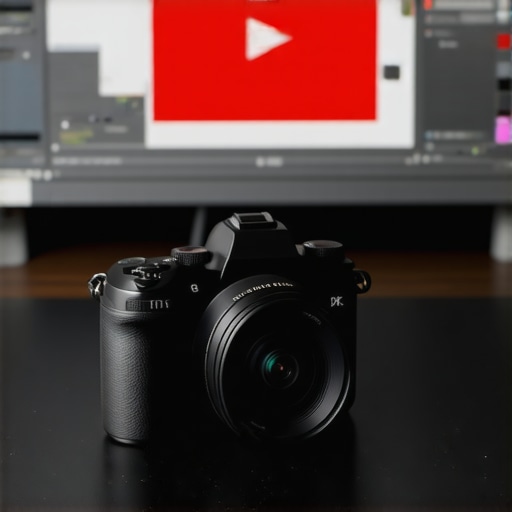
Ever spent hours filming your latest YouTube video, only to realize your camera’s limitations are holding you back? I’ve been there. That frustrating moment when your footage looks good but the camera just doesn’t match your creative vision—sound familiar? It’s a common pain point among content creators, especially as the competition gets fiercer and expectations for quality soar. But here’s the truth: choosing the right mirrorless camera can transform your content, making it more engaging and professional without draining your wallet or causing endless tech headaches.
Why Picking the Perfect Mirrorless Camera Matters More Than Ever
In 2025, the landscape of content creation is more competitive than ever. With platforms like YouTube Shorts and TikTok emphasizing quick, eye-catching videos, you need a camera that’s fast, reliable, and delivers stunning visuals. The right mirrorless camera isn’t just a fancy gadget; it’s your partner in storytelling. It can enhance your footage’s clarity, color accuracy, and overall production quality—traits that help you stand out in a crowded feed. Plus, with advances like 4K recording and improved autofocus, these cameras make it easier than ever to produce content that looks like it was shot by a pro.
But here’s the thing—many creators jump into the market without a clear plan, leading to costly mistakes and frustration. I made that mistake early on, rushing into a purchase without understanding what really matters for YouTube and Shorts. I bought a camera with impressive specs but overlooked its weight and usability, which made filming on the go a nightmare. That experience taught me that it’s not about the latest hype but about matching your gear with your specific needs. Want to avoid my missteps? Stick around, because I’ll guide you through how to choose a mirrorless camera that truly elevates your content.
Is the Hype Around Mirrorless Cameras Justified?
It’s a fair question. I used to think all cameras were pretty much the same—until I wasted money on models that didn’t meet my workflow. The truth is, a well-chosen mirrorless camera can be a game-changer, but only if you understand what features matter most. For example, a common mistake I made was focusing solely on resolution rather than considering low-light performance or autofocus speed. If you’re skeptical, I get it. That’s why I’ll break down what to look for, so you don’t fall into the same trap.
Ready to discover how the right gear can boost your YouTube game? Let’s dive into the essentials and find the perfect mirrorless camera for your content creation journey in 2025. And if you’re still unsure which camera suits your needs, feel free to reach out for personalized advice. Now, let’s get started with understanding what makes a great camera for YouTube & Shorts today.
Define Your Shooting Priorities
Before you even look at models, ask yourself what kind of content you create. Do you film mostly indoors or on-the-go? Need fast autofocus for action shots or excellent low-light performance for night videos? I once bought a camera with stunning resolution but ended up frustrated because it was bulky and cumbersome for my quick outdoor shoots. Clarifying your priorities helps narrow down your options and prevents costly mistakes.
Set Your Budget and Expectations
Determine how much you’re willing to spend. Remember, a higher price tag doesn’t always mean better for your needs. For example, I initially gravitated toward premium models like the top mirrorless cameras for Shorts in 2025 but realized that a mid-range camera with good autofocus and 4K is often enough for most creators. Keep your expectations realistic and focus on features that directly impact your videos.
Research Key Features That Matter
Focus on essential specs: autofocus speed, video resolution (preferably 4K for flexibility), stabilization, and battery life. I made the mistake of prioritizing megapixels, thinking it would improve my video quality, but I found that good stabilization and autofocus made a bigger difference. Use resources like streaming camera guides to compare models side by side.
Test Drive Your Options
If possible, handle the cameras in-store or rent a few to test their usability. I went to a local camera shop and played with a few models, noting how comfortable they felt in my hands and how intuitive the menus were. This step is crucial because a camera might look great online but feel awkward in real life, hampering your filming speed and creativity.
Evaluate Compatibility and Ecosystem
Check if the camera integrates well with your existing gear—microphones, tripods, lights—and whether it supports your workflow. For instance, some models have better live streaming capabilities, which is vital if you do live sessions or Shorts. Review options like best 4K content gear to see what complements your new camera.
Make Your Final Decision
Once you narrow down your choices, compare prices and warranty options. I recommend reading reviews from other creators and watching sample footage. When I finally chose a mid-range mirrorless camera, I saw immediate improvements in my videos’ clarity and autofocus speed, which boosted viewer engagement. Remember, the right camera is an investment in your craft, not just a purchase.
For personalized advice tailored to your content style, don’t hesitate to reach out. Now, with your gear selected, it’s time to master your setup and unlock new levels of creativity in 2025!
Many creators fall into a trap when selecting their mirrorless camera, often based solely on hype or superficial specs. Let’s clear up some misconceptions and reveal the hidden nuances that can make or break your content quality in 2025. One widespread myth is that higher megapixel counts automatically mean better video quality. In reality, this is a misconception. High megapixels can actually hinder your video performance, especially in low-light conditions, due to increased sensor noise. Focus instead on sensors optimized for video, such as larger sensors with good pixel size, which provide better light sensitivity and color accuracy. For more insights, check out our ultimate guide to cameras for YouTube content.
Another common error is neglecting autofocus performance. Many creators assume all autofocus systems are equal, but in practice, fast and reliable autofocus is crucial for dynamic shooting scenarios. Cameras with outdated or overly complex autofocus systems can cause missed shots or blurry footage, especially during quick movements or when filming in unpredictable environments. I’ve seen creators lose valuable filming time because they relied on autofocus that struggled with subject tracking. To avoid this, prioritize cameras with proven autofocus technologies, like phase-detection or advanced contrast-detection systems. A good choice can be found in models recommended in our top mirrorless cameras for Shorts in 2025.
Overlooking stabilization is another mistake that can sabotage your content. Many assume that post-production editing can fix shaky footage, but stabilization hardware in-camera is a significant time-saver and quality booster. Optical or sensor-shift stabilization, especially in handheld shooting, ensures smooth footage that looks professional. When I first ignored stabilization features, my footage often looked amateurish, forcing me to spend extra hours stabilizing clips in post. Now, I always consider in-body stabilization as a must-have feature, particularly for vlogging or outdoor shoots. For detailed comparisons, see our best 4K cameras for YouTube streaming in 2025.
Why Do Some Creators Still Overlook Battery Life?
Battery life is often underestimated, yet it plays a crucial role, especially if you film outdoors or during long sessions. The myth is that all mirrorless cameras have similar battery performance, but in reality, battery life varies widely. Powerful features like 4K recording, high frame rates, or live streaming capabilities drain batteries rapidly. I once went on a day-long shoot with a camera that had a weak battery, forcing me to carry multiple spares or cut my session short. To prevent this, always check real-world battery performance and consider models with larger batteries or external power options. Our top mirrorless cameras streaming gear for YouTube in 2025 include excellent options with extended battery life.
Have you ever fallen into this trap? Let me know in the comments. Remember, mastering these nuances ensures your investment truly elevates your content, making your videos stand out in 2025 and beyond.
Once you’ve chosen the perfect mirrorless camera to elevate your YouTube and Shorts content, the work doesn’t end there. Keeping your gear in top shape and leveraging the right tools ensures your investment continues to pay off over time. In this section, I’ll share some specific maintenance routines, recommended software, and tips for scaling your setup as your content evolves.
How do I maintain my camera setup over time?
Regular maintenance is key to longevity. I personally schedule monthly cleanings using a soft, lint-free microfiber cloth to wipe down the lens and body, preventing dust and smudges from affecting footage quality. For deeper cleaning, I use a blower brush to remove debris from sensor and ports, which I learned from expert guides like this resource. Additionally, I check and update firmware regularly, as manufacturers often release improvements that enhance autofocus, stabilization, and overall performance. Staying current with firmware updates ensures your camera runs smoothly and leverages the latest tech advancements.
Another crucial aspect is battery health management. I keep spare batteries charged and store them in a cool, dry place, avoiding extreme temperatures that can degrade their lifespan. When not in use, I remove batteries from the camera to prevent slow discharge, which is a tip I picked up from industry experts to extend battery life and maintain optimal performance.
Which tools do I recommend for content creators
Beyond physical maintenance, software tools significantly impact your long-term content quality. I rely heavily on editing programs like Adobe Premiere Pro, which offers advanced stabilization features and color grading capabilities that surpass what in-camera stabilization can achieve. For managing footage and backups, I use external SSD drives such as the Samsung T7, which provides fast transfer speeds—crucial for handling large 4K files efficiently.
For remote troubleshooting or firmware updates, I connect my camera via USB to my computer, using dedicated software provided by the manufacturer. This ensures I can perform updates safely and troubleshoot issues without needing to send the camera in for repairs. For example, this guide recommends specific tools for maintaining your camera’s firmware and software ecosystem effectively.
Prepare for future growth with scalable tools
As your channel grows, so will your production needs. I suggest investing in modular accessories like external microphones, lighting, and even portable power banks that can handle multiple devices. These additions let you adapt to different filming environments and scale your setup without massive overhauls. Additionally, cloud storage solutions such as Google Drive or Dropbox help me archive raw footage securely and access it from anywhere, facilitating collaboration or remote editing.
Looking ahead, I predict that AI-powered editing tools and remote camera control apps will become standard, further streamlining production workflows. Staying updated with these innovations means regularly exploring new software and hardware integrations, which can save you time and elevate your content quality beyond what you thought possible.
Don’t wait to implement these maintenance routines and tool upgrades. Regular care and strategic tool use will keep your setup running smoothly and help you scale effortlessly as your content ambitions grow. Ready to optimize your workflow? Check out this detailed guide for more expert tips on maintaining your content creation system.
The Hardest Lesson I Learned About Choosing Cameras for Content
- Investing in high-megapixel cameras without considering low-light performance led me to grainy footage at night. It taught me that sensor size and pixel quality matter more than sheer resolution.
- Overlooking autofocus speed in fast-paced shoots caused missed moments. Reliable autofocus is essential for capturing spontaneous content without hassle.
- I underestimated stabilization, which resulted in shaky videos. In-camera stabilization has been a game-changer for producing smooth, professional-looking footage.
- Battery life often gets ignored until you’re mid-shoot and out of power. Always choose models with extended battery options for all-day filming.
- Matching your gear ecosystem saved me time and stress. Compatibility with your existing accessories makes your workflow seamless and efficient.
My Essential Toolkit for Content Creators
- Samsung T7 External SSD: Trusted for fast transfer speeds and durability, it keeps my footage safe and accessible.
- Adobe Premiere Pro: Its advanced stabilization and color grading tools elevate my editing quality beyond in-camera capabilities.
- Manufacturer Firmware Software: Regular updates improve autofocus, stabilization, and security, keeping my camera performing at its best.
- Cloud Storage Solutions: Google Drive and Dropbox streamline my backup process and facilitate collaboration from anywhere.
Your Turn to Try
Embracing the right mirrorless camera and maintaining it properly can truly transform your content creation journey. Every creator’s needs are unique, so take the time to select gear that complements your style and goals. Remember, consistent care and strategic upgrades will keep your channel evolving and thriving in 2025 and beyond. Ready to elevate your videos? Share your experiences or questions below—I’d love to hear how you’re planning to refine your setup and grow your channel with the latest tech!