
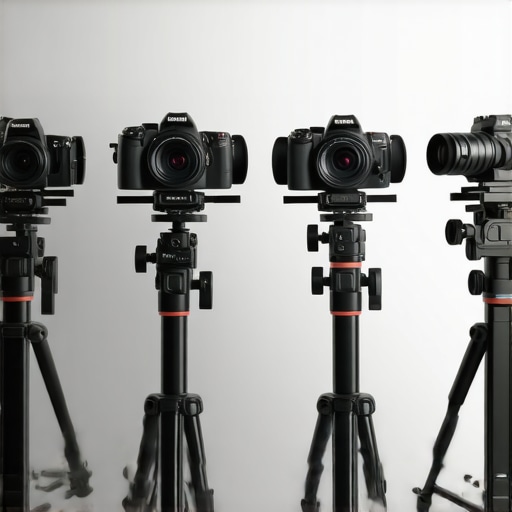
Ever spent hours trying to get your streaming setup just right—only to be disappointed by blurry images, laggy footage, or awkward angles? I remember the frustration all too well. I thought I could make do with my old camera, pushing it to its limits, only to realize my content was suffering because of outdated tech. That lightbulb moment hit hard: the right camera can make or break your online presence. And in 2025, with the sheer variety of options, choosing the best one can feel overwhelming. But trust me, I’ve been there, and I’ve learned a thing or two about cutting through the noise.
Why Upgrading Your Streaming Camera Matters More Than Ever
As content creators, we’re in a constant race to stand out. Viewers crave crisp visuals and seamless streams, especially when platforms like YouTube and Twitch keep raising the bar. According to a recent study, 75% of viewers will leave a stream if the video quality drops below 720p, and with 4K content becoming the new standard, it’s clear that investing in a top-tier camera isn’t just a luxury—it’s a necessity. But beyond just resolution, modern streaming cameras offer features like better autofocus, low-light performance, and built-in stabilization, making your videos look professional without needing a full studio setup.
Now, I’ll be honest—early in my journey, I made the mistake of choosing a camera based solely on specs. I bought a high-resolution camera that was great on paper but lacked good autofocus or decent low-light performance. My streams looked stunning in perfect conditions but turned into a nightmare when the lighting was off or I moved around. That mistake taught me that pixel count isn’t everything. Today, I want to help you avoid that pitfall and find a camera that truly elevates your content in 2025. If you’ve ever struggled with your camera’s quality or felt overwhelmed by the options, you’re not alone. Let’s explore what makes a streaming camera worth your investment and how to pick the perfect one for your needs.
Is 4K Streaming Cameras Actually Worth the Hype?
When I first considered upgrading, I wondered if all the hype about 4K was just that—hype. Honestly, I was skeptical. Did I really need that much detail for my streams? It turns out, yes. As I learned through trial and error, the clarity of 4K cameras helps when you’re editing clips or showing intricate details in your content. Plus, most viewers are now expecting higher quality, especially with the rise of 4K monitors and TVs. One mistake I made early on was underestimating how much a good camera could boost my credibility and viewer engagement. My advice? Don’t let skepticism hold you back. For more insights, check out this comprehensive guide on best 4K cameras for YouTube in 2025.
So, if you’re ready to ditch the guesswork and find a camera that actually helps you shine, keep reading. I’ll walk you through the top picks, what features matter most, and how to make sure your setup looks as good as your content deserves. Let’s get started!
Select the Right Camera for Your Needs
Start by assessing your specific requirements—whether you need a compact setup for vlogging or a more professional system for streaming. Focus on key features: resolution, autofocus, low-light performance, and stabilization. For detailed comparisons, check out this guide. Once you’ve narrowed your options, choose a camera that balances quality and budget.
Optimize Your Camera Settings
After choosing your camera, dive into settings. Set your resolution to 4K for maximum clarity; most modern cameras allow you to choose between 30fps and 60fps—go for the higher frame rate if your system supports it for smoother motion. Adjust exposure and ISO to suit your lighting conditions. Remember, a well-calibrated camera will drastically improve your stream quality. For step-by-step instructions, visit this resource.
Position Your Camera Effectively
Placement is crucial. Think of your camera as your visual handshake—make sure it captures your best angle. Use a tripod or a stable mount at eye level for a natural look. Consider lighting angles too; avoid harsh shadows by placing lights at 45-degree angles to your face. For an expert setup, see this review. Proper positioning ensures your viewers connect with you and your content seamlessly.
Enhance Your Stream with Accessories
Invest in quality microphones, lighting, and a good capture card. These accessories complement your camera and elevate your overall production. For recommended gear, explore this list. Remember, a well-rounded setup isn’t just about the camera—audio and lighting are equally vital to keep your viewers engaged and immersed.
Test and Tweak Your Setup
Before going live, perform test recordings. Look out for issues like lag, poor lighting, or audio mismatches. Use software like OBS or Streamlabs to preview your stream. Make adjustments in real-time—sometimes a slight change in lighting or camera angle can make a huge difference. To troubleshoot common issues, see this troubleshooting guide. Consistent testing ensures your live streams are smooth, professional, and engaging.
Many creators jump into upgrading their streaming setup with the assumption that the latest tech or the highest specs guarantee success. But in my experience, there are several misconceptions that can lead you astray, costing time and money. Let’s dig deeper into what most people get wrong about streaming cameras and uncover some hidden nuances that can truly elevate your content.
Why More Megapixels Don’t Always Mean Better Streaming Quality
It’s a common belief that a higher resolution camera automatically results in sharper, more professional streams. While resolution matters, it’s not the whole story. Many creators overlook factors like sensor size, autofocus accuracy, and low-light performance, which have a more significant impact on your live feed’s clarity. For instance, a 12MP camera with a large sensor and excellent autofocus can outperform a 32MP camera with a tiny sensor and poor autofocus in real-world conditions. The myth that pixel count is everything can lead you to overinvest in specs that won’t improve your actual streaming quality.
Beware of the Autofocus Trap
Another mistake is assuming that autofocus is a minor feature. In reality, good autofocus can make your streams look polished and professional, especially if you move around or change expressions. Many top-tier cameras now offer eye-tracking autofocus, which ensures your face remains sharp at all times. However, some creators get disappointed because they buy cameras with autofocus on paper but find that in practice, it’s inconsistent or slow. Do thorough research and look for reviews that test autofocus performance in real streaming scenarios. This nuance can make a dramatic difference in your viewer engagement.
Is 4K Really Necessary or Just a Trend?
This is a question I hear often. While 4K offers incredible detail and future-proofs your setup, it’s not always necessary for live streaming. 1080p at 60fps can be more than enough for most viewers and requires less processing power, reducing lag and technical issues. The key is to match your camera’s capabilities with your content style and audience needs. If you’re creating fast-paced gaming content, higher frame rates matter more than resolution. Conversely, if you do detailed tutorials or product showcases, 4K can be a game-changer. The trick is to understand that more isn’t always better—sometimes, optimizing your existing setup yields better results than chasing the latest trend.
In fact, many creators overlook the importance of lighting and audio, which often have a bigger impact on perceived quality than resolution. A well-lit, crisp audio stream paired with a modest camera can outperform a high-end camera with poor lighting or bad sound. For a detailed comparison, check out this comprehensive guide.
Have you ever fallen into this trap? Let me know in the comments. Remember, the goal isn’t just to have the latest gear but to understand how to use it effectively and avoid common pitfalls that can undermine your efforts. By focusing on the hidden nuances and debunking myths, you’ll be better equipped to choose a camera that truly enhances your content in 2025.
Once you’ve invested in the perfect camera setup for streaming, maintaining that gear becomes crucial to ensure consistent quality over time. I’ve found that having a reliable toolkit and a good maintenance routine can save you hours, money, and frustration in the long run. In this section, I’ll share the tools I personally rely on and the best practices to keep your equipment in top shape, so your live streams remain professional and smooth for years to come.
How do I keep my streaming gear functioning flawlessly?
First, I always keep a dedicated cleaning kit tailored for electronics and optics. A microfiber cloth, compressed air, and electronic-safe cleaning solutions help me regularly wipe down my camera lens and prevent dust buildup that can degrade image quality. I prefer using a lens cleaning pen for stubborn smudges, which I’ve found to be gentle yet effective. Regular cleaning not only preserves the clarity of your visuals but also extends the lifespan of your camera sensor and lens.
Next, I recommend investing in a quality surge protector and uninterruptible power supply (UPS). Power fluctuations and outages can cause abrupt shutdowns or damage to your expensive equipment. For example, I personally use the APC UPS, which provides clean power and protects my gear from surges, especially during stormy seasons. This small addition adds peace of mind, ensuring your setup survives unexpected electrical issues.
For software, I swear by OBS Studio for streaming management, combined with regular software updates. Keeping your streaming software up-to-date ensures compatibility with the latest camera drivers and security patches. I also use Camera Control Software provided by my camera manufacturer, which allows me to tweak settings remotely, saving me from physically accessing the camera during long streams. Regularly reviewing and updating these tools helps prevent bugs and improves performance over time.
Long-term, I suggest creating a maintenance schedule—monthly checks for firmware updates, quarterly deep cleans, and annual hardware review. This proactive approach keeps your setup running smoothly and minimizes unexpected breakdowns. Remember, your equipment is an investment; caring for it pays off in higher quality streams and fewer interruptions.
Looking ahead, trends suggest smarter, self-diagnosing hardware and AI-powered maintenance tools will become more common. These innovations will likely notify you of potential issues before they escalate, further reducing downtime. For now, sticking to proven routines and tools is the best way to ensure your streaming setup remains reliable and professional for years to come.
Don’t forget to check out this guide for more insights on maintaining your streaming gear effectively. And if you want to explore advanced equipment, consider trying out the latest mirrorless cameras that support remote control features—these make maintenance even easier and more precise.
By implementing these tools and routines, you’ll ensure your streaming quality stays high, your setup lasts longer, and you’re ready to scale your content creation effortlessly. So, pick one or two tips today—like investing in a good lens cleaner or setting a firmware update schedule—and watch how your streaming reliability improves.
The Hardest Lesson I Learned About Streaming Cameras
One of my biggest surprises was realizing that autofocus performance often trumps resolution. I used to believe that sharper images always meant better quality, but I found that a camera with poor autofocus would make my streams look unprofessional and distracting. Investing in a camera with face and eye-tracking autofocus transformed my setup more than upgrading to 4K.
3 Myths About Streaming Cameras That Held Me Back
I used to think that the most megapixels meant better streams, but I learned that sensor size and low-light capabilities are far more important. Also, I believed that the latest trend, 4K, was necessary for all content, but in reality, matching your resolution to your content style and audience needs yields better results. Finally, I thought price equated to quality — not always true, especially if you ignore essential features like stabilization and lighting compatibility.
What Experts Won’t Tell You About Choosing a Streaming Camera
Many top content creators focus on lighting, audio, and positioning before they upgrade their cameras. Good lighting can make a modest camera look stunning, while poor lighting hampers even the most expensive gear. Also, remote control features and software integration can save time and help maintain consistent quality, but these are often overlooked in reviews.
Curated Recommendations for Elevating Your Streaming Setup
My essential toolkit includes the latest mirrorless cameras with remote control features, which I trust for their reliability and image quality. For lighting, I rely on adjustable LED panels that provide consistent, flicker-free illumination. I also use a high-quality microphone to ensure my audio matches the clarity of my visuals. Lastly, this guide helped me select the right accessories to complete my setup.
Your Turn to Make It Happen
Now that you understand the hidden nuances of choosing a streaming camera, it’s time to put these lessons into action. Whether you’re upgrading your current setup or starting fresh, focus on features that truly matter for your content style. Remember, the right camera paired with good lighting and sound can elevate your streams from amateur to professional.
What’s the biggest challenge you’ve faced when trying to improve your streaming quality? Let me know below!
,