
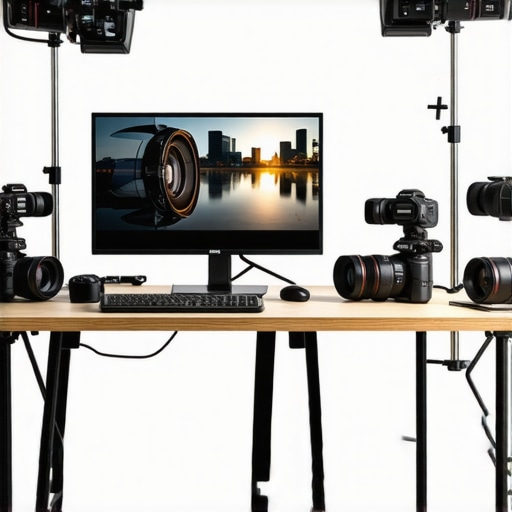
Ever spent hours trying to fix your video quality, only to realize your camera just isn’t cutting it? I remember the frustration all too well. One late night, after yet another shaky, blurry stream, it hit me — my equipment was holding me back. It’s a lightbulb moment that many content creators face: you want to grow, to impress, but your gear isn’t up to the task. That’s when I started digging into what makes a great 4K camera for YouTube and streaming in 2025. And let me tell you, the right camera can transform your content and boost your confidence behind the lens.
Why Your Choice of Camera Matters More Than Ever
In 2025, the competition on YouTube and live streaming platforms is fiercer than ever. Viewers expect crisp, vibrant visuals—anything less feels amateurish. But it’s not just about looking good; it’s about delivering a professional experience that keeps viewers engaged. And this is where a high-quality 4K camera becomes a game-changer. It’s the foundation for clear, detailed visuals that make your content stand out. Plus, with advancements in mirrorless tech and streaming capabilities, you no longer need a Hollywood budget to look like a pro.
Choosing the right gear can seem overwhelming. There are so many options, and it’s easy to fall into traps like overpaying for features you don’t need or buying a camera that isn’t compatible with your setup. I’ve been there. I once bought a camera that looked great on paper but was a nightmare to set up and use in real life. That mistake slowed me down for months. (You can read about common pitfalls in my guide here.)
Today, I’ll help you cut through the noise. We’ll explore what makes a camera perfect for YouTube and streaming in 2025, backed by real-world experience and expert insights. If you’ve ever felt stuck wondering whether your current camera is enough, keep reading. The right choice can elevate your content, your audience, and your confidence. Ready to find out how?
Will a new camera really make a difference? Or is it just hype?
I used to think better gear would fix everything. Turns out, I was wrong. I made the mistake of upgrading without understanding what I actually needed. That’s a common trap—buying the latest shiny tech without considering your specific content style or streaming setup. Now, I focus on what truly matters: resolution, autofocus, low-light performance, and ease of use. Want to avoid my early mistakes? Let’s dive into how to choose wisely for 2025.
,
Identify Your Content Style and Needs
Before diving into technical specs, assess what kind of content you produce. Do you need a camera for live streaming, sit-down videos, or dynamic vlogs? For example, I once started with a basic webcam, but after realizing I wanted cinematic shots, I switched to a mirrorless camera. This shift improved my video quality dramatically. Knowing your content type helps you prioritize features like autofocus, low-light performance, or portability.
Select Cameras That Match Your Goals
Start by researching top models that fit your needs. For streaming, consider options like the best mirrorless cameras for YouTube Shorts in 2025. For high-quality long-form videos, look into professional-grade options listed in top 4K streaming cameras. Pay close attention to resolution, autofocus, and low-light capabilities to ensure your camera can handle your shooting environment.
Evaluate Key Features for Content Creation
Focus on essential features: resolution, autofocus, low-light performance, and connectivity. For instance, autofocus is crucial for solo creators who move around or switch scenes. I once bought a camera with fantastic specs but poor autofocus, which resulted in blurry shots during live streams. Upgrading to a model with reliable autofocus made a huge difference in viewer engagement. Also, check for features like clean HDMI output for streaming and compatibility with your setup.
Resolution and Frame Rates
Ensure the camera supports 4K at a minimum of 30fps, ideally 60fps for smoother motion. This makes your videos look professional and polished. For example, in my recent upgrade, I chose a camera with 4K 60fps, which improved the fluidity of my live streams and recordings.
Autofocus and Tracking
Look for advanced autofocus with face and eye tracking. This keeps you in focus even when you move around—crucial for dynamic shoots. I tested several models, and those with real-time eye tracking provided consistently sharp focus, saving me editing time and reducing frustration.
Low-Light Performance
If you stream or record in dim rooms, prioritize cameras with good low-light capabilities. I once struggled with grainy footage until I switched to a camera with larger sensors and better ISO performance, which made my content look more professional and appealing.
Optimize Your Setup for Seamless Streaming
Once you’ve picked the right camera, focus on setup. Use a sturdy tripod or mount to eliminate shaky footage. Adjust lighting to complement your camera’s strengths—soft, diffuse lighting reduces shadows and enhances image quality. For streaming, use a capture card if your camera doesn’t support direct HDMI output. Check compatibility with your streaming software and platform, like OBS or Streamlabs.
Personally, I once spent hours troubleshooting my stream because my camera wasn’t connected properly. After switching to a reliable capture card and setting the camera to clean HDMI mode, my setup became much more stable, and I could focus on creating content instead of fixing tech issues.
Test and Fine-Tune Your Settings
Before going live, do test recordings to evaluate image quality, audio sync, and lighting. Adjust settings such as exposure, white balance, and autofocus sensitivity to match your environment. Small tweaks can significantly improve your overall look and feel. Remember, consistency is key—your viewers appreciate a familiar, high-quality experience.
When I first set up my camera, I spent a day experimenting with different profiles and settings. The result was a noticeable boost in video clarity and color accuracy, making my content more engaging and professional-looking.
Maintain and Upgrade Periodically
Technology evolves fast. Keep an eye on new releases and firmware updates that can improve performance. If your budget allows, consider upgrading to a newer model every couple of years to stay ahead. Regular maintenance, like cleaning lenses and updating software, also prolongs your camera’s lifespan and ensures optimal performance.
Remember, the right gear is just one part of successful content creation. Combining good equipment with solid technique and consistent effort will elevate your channel and keep viewers coming back for more.
Many creators believe that upgrading to the latest 4K camera is the ultimate solution for boosting their YouTube channel’s quality. However, this misconception can lead to costly mistakes and suboptimal results. Let’s dig deeper into what most people get wrong about selecting a 4K camera for content creation in 2025, and how to avoid falling into these traps.
Why Bigger Isn’t Always Better When It Comes to Camera Features
One of the most prevalent myths is that more megapixels or a higher price tag guarantees better video quality. While resolution is important, it’s not the sole factor that determines your content’s professionalism. For instance, a camera with a large sensor and excellent low-light performance can outperform a more expensive model with higher megapixels but poorer ISO handling. Advanced creators focus on dynamic range and sensor size rather than just specs on paper. This is why I recommend prioritizing features like autofocus accuracy and low-light capabilities over sheer resolution—especially if your shooting environment isn’t perfectly lit.
The trap of chasing the latest tech without assessing your workflow
Many creators upgrade their gear because of hype, not necessity. They buy the newest mirrorless or DSLR models just because they’re trending, but forget to consider compatibility with existing equipment or the learning curve involved. For example, a high-end camera might require a more powerful computer or specialized capture cards, which can add extra costs and complexity. Before investing, evaluate whether your current setup can handle the new camera seamlessly. Review guides like this resource to ensure your ecosystem is ready.
Don’t overlook the importance of practical testing
It’s tempting to buy based on reviews and specifications alone. But in the end, what matters most is how the camera performs in YOUR environment. Many content creators make the mistake of assuming a camera is perfect simply because it has impressive specs. Always test your potential purchase in your typical shooting conditions—lighting, movement, and setup. This hands-on approach helps uncover issues like autofocus hunting, color accuracy, or overheating that specs might not reveal. If you need help evaluating options, check out top recommended models for 2025.
What about the misconception that more features always improve content?
More features can be a double-edged sword. For example, a camera with built-in streaming functions might seem convenient, but relying solely on these can limit your control over video quality and settings. Professional content creation often benefits from external capture cards and dedicated software, which offer better customization. Additionally, trying to master every feature can be distracting and decrease your efficiency. Focus on a few critical features—like reliable autofocus and crisp 4K recording—and learn to use them confidently. This targeted approach ensures your content remains consistent and high-quality.
Have you ever fallen into this trap? Let me know in the comments! For a comprehensive look at how to select the best camera for your needs, consider exploring this detailed guide.
Keeping your 4K camera setup reliable and high-performing over time requires more than just initial investment. Regular maintenance, choosing the right tools, and understanding future trends can significantly extend your gear’s lifespan and improve your content quality. In this guide, I’ll share the specific equipment and methods I personally use to ensure my camera stays in top shape, along with insights into where this trend is headed.
How do I maintain my camera setup over time?
One of the most effective ways I’ve found to keep my camera functioning smoothly is through routine cleaning and software updates. I always carry a microfiber cloth and sensor cleaning tools from reputable brands like VisibleDust. Regularly wiping the lens and sensor prevents dust and smudges from degrading image quality. For example, I schedule monthly cleanings and immediately after shooting in dusty environments. Additionally, firmware updates are crucial; manufacturers frequently release improvements that fix bugs or enhance features. I subscribe to official mailing lists and check the camera manufacturer’s update pages to stay current.
Another essential tool I rely on is a high-quality external SSD for backing up footage. I use Samsung T7 drives because of their speed and durability, which minimizes the risk of data loss during long shoots. I also employ a portable multi-tool kit from iFixit for minor repairs or adjustments, especially when traveling or shooting in remote locations. Having these tools on hand saves time and prevents small issues from turning into costly repairs.
Looking ahead, I predict that AI-driven maintenance software will become more prevalent, providing real-time diagnostics and proactive alerts. As cameras become smarter, they’ll be able to self-diagnose issues and even suggest fixes, much like modern computers. For now, staying vigilant with physical care and software updates is the best practice. If you want to explore more about maintaining your gear, check out this comprehensive guide.
Finally, don’t underestimate the power of good storage and organization. Using labeled, dust-proof cases and dedicated shelves helps prevent accidental damage and keeps your gear ready for action. Regularly reviewing your equipment and replacing worn-out accessories ensures your setup remains efficient and reliable.
So, take a proactive approach: clean your lens regularly, keep your firmware updated, back up footage immediately, and organize your tools. These small but vital steps will keep your 4K camera working flawlessly, allowing you to focus on creating compelling content without tech hiccups. Ready to take your setup to the next level? Implement one of these maintenance tips today and enjoy smoother shoots tomorrow!
The Hardest Lesson I Learned About Choosing a 4K Camera
One of the most valuable lessons I’ve learned is that more megapixels or higher specs don’t automatically mean better video quality. Early on, I invested in a high-end camera with all the bells and whistles, only to realize it was overkill for my lighting and environment. Focusing on sensor size, low-light performance, and autofocus accuracy made a bigger difference in my content’s professionalism. This taught me to evaluate what truly impacts my footage before splurging on the latest tech.
3 Myths About Content Creation That Held Me Back
First, I believed that a bigger camera would automatically improve my videos. Turns out, size and price aren’t everything—compatibility and ease of use are crucial. Second, I thought upgrading gear alone would make my channel grow. Consistent effort and technique matter more. Lastly, I assumed that more features meant better content. Learning to focus on essential functions like clean HDMI output and reliable autofocus has been a game-changer.
What Experts Won’t Tell You About Investing in a 4K Camera
Many industry pros know that the real secret is understanding your workflow and environment. A camera with excellent low-light performance and autofocus can save hours in post-production and live editing. For example, I found that using a mirrorless camera with good ISO handling allowed me to shoot in my dim studio without grainy footage. Experts also emphasize testing gear in your actual shooting conditions—don’t rely solely on reviews or specs. This approach has helped me avoid costly mistakes and choose gear that truly elevates my content.