
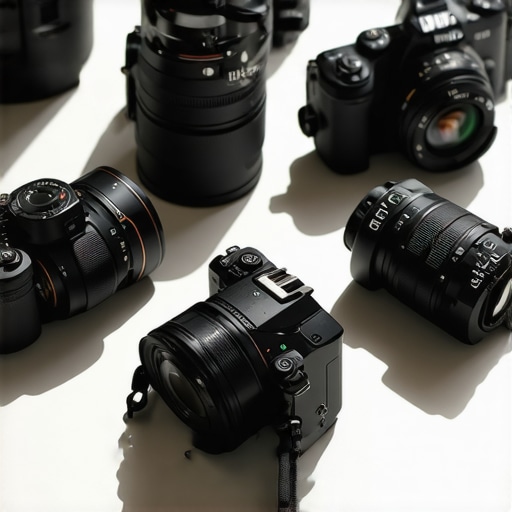
I’ll never forget the moment I realized my old camera was holding back my YouTube growth. It was a frustrating weekend of shaky footage, dull colors, and missed opportunities. I had invested so much time and energy into creating content, only to be disappointed by the quality of my videos. That’s when I made a lightbulb moment: upgrading my gear was no longer optional — it was essential.
Fast forward to today, and I can confidently say that choosing the right mirrorless camera has transformed my channel. If you’re tired of feeling stuck with subpar footage or overwhelmed by endless options, don’t worry. Today, we’re going to cut through the noise and focus on what really matters: the best mirrorless cameras for YouTube & Shorts in 2025. I’ll share honest insights, common pitfalls, and expert tips to help you make a smart choice that elevates your content.
Why Your Camera Choice Could Make or Break Your Channel
Think about it — your viewers are scrolling through hundreds of videos every day. A crisp, vibrant image can catch their eye and keep them watching. Conversely, shaky, blurry footage sends viewers running. I learned this the hard way early on, rushing into a purchase without understanding what I truly needed. I bought a camera with all the bells and whistles but ignored how it handled low light or how easy it was to operate during solo shoots. That mistake cost me time, money, and a lot of frustration.
According to a recent survey by Creator Setup Guide, content creators who prioritize camera quality see significantly higher engagement and subscriber growth. That’s why picking the right mirrorless camera isn’t just about specs — it’s about how it fits into your unique workflow and creative style. Today, I’ll help you identify the key features to look for and recommend my top picks for 2025.
Is the Hype Around Mirrorless Cameras Justified?
Honestly, I used to be skeptical. I wondered if investing in a high-end mirrorless camera was worth it, especially when smartphones keep getting better. But I learned that dedicated cameras offer much better control over video quality, autofocus, and low-light performance. My early mistake was underestimating how crucial these features are for professional-looking shorts and YouTube videos. If you’ve ever felt overwhelmed by the technical jargon, don’t worry — I’ll guide you through the essentials. Ready to find your perfect match? Let’s dive into the specifics that will make your content shine in 2025.
Set Your Budget and Prioritize Features
The first step I took was to clearly define my budget. When I started researching, I was overwhelmed by the sheer number of options. I spent a weekend comparing entry-level models to professional-grade cameras. I realized that for YouTube and Shorts, features like autofocus, image stabilization, and low-light performance mattered most. Think of it like buying a car — you don’t need a Ferrari for daily errands, but you do want something reliable and easy to handle. Check out this guide to help you refine your priorities.
Identify Non-Negotiable Features
Next, I made a list of must-have features. For me, excellent autofocus was crucial — especially for Shorts, where quick focus keeps viewers engaged. Image stabilization was another priority, so my footage remained smooth even during handheld shots. I also looked for good low-light handling because I often shoot indoors. Remember, these are the essentials that align with your content style. For instance, if you plan to do live streaming, a good microphone input or HDMI output might be non-negotiable. Explore top models here.
Compare Sensor Sizes and Video Resolutions
Sensor size greatly impacts image quality. I learned this the hard way when my initial camera struggled in low light. Mirrorless cameras come with APS-C or full-frame sensors. Full-frame offers better depth of field and low-light performance but at a higher price. For YouTube & Shorts, a good APS-C camera often hits the sweet spot. As for resolution, 4K is standard for crisp, professional-looking videos. I tested a few models, and the difference in clarity was noticeable, especially when cropping or zooming in during editing. Check out this comparison for a detailed breakdown of sensor options.
Autofocus and Stabilization: Your Content’s Best Friends
Autofocus was a game-changer for me. I chose a model with eye-tracking autofocus, which kept my face sharp even when I moved around. During a test shoot, I forgot to manually focus and still got great results — a huge time-saver. Image stabilization, whether in-body or lens-based, made handheld shots look professional. I remember filming a quick outdoor Shorts and was amazed how steady the footage looked without a tripod. Learn more about stabilization features.
Battery Life and Workflow Compatibility
For long filming sessions, battery life matters. I opted for a model with quick-swappable batteries because I hate interruptions. Additionally, ensure the camera’s menu system and connectivity options match your workflow — Wi-Fi, HDMI, and mic input are vital. I tested a few cameras, and those with seamless app integration saved me time during editing and uploading. Check out the full list of recommended gear at this page.
Test Before You Commit
Finally, I always recommend testing a camera before buying. I visited a local store, held a few models, and shot some sample clips. It helped me feel the weight, see the menu interface, and assess ergonomic comfort. If you can’t visit in person, read reviews and watch video samples to get a sense of real-world performance. Remember, a camera should feel like an extension of your creativity, not a hurdle. For more in-depth advice, visit our contact page.
Many content creators fall into a common trap when selecting their mirrorless camera — they focus solely on specs like megapixels or brand reputation, and overlook nuanced but critical factors that can make or break their video quality. In my experience, what most people get wrong is underestimating the importance of how a camera handles real-world shooting conditions, especially in terms of autofocus reliability and low-light performance. These aren’t just technical details; they directly influence your content’s professionalism and viewer engagement.
One popular myth is that higher resolution or more advanced sensor sizes automatically guarantee better videos. While these features do contribute, they often distract from the practical realities of content creation. For example, a full-frame sensor might excel in studio conditions but could be overkill for indoor Shorts with controlled lighting. Conversely, an APS-C sensor with good low-light capabilities can outperform a more expensive full-frame in everyday scenarios. Don’t be fooled into thinking bigger or more expensive always means better — instead, focus on how the camera performs in your typical shooting environment. Check out this guide for detailed sensor comparisons.
Are You Overlooking Autofocus and Stabilization? The Secret Weapons for Content Creators
Many creators believe that autofocus is a minor feature, but in reality, it’s a game-changer — especially for Shorts or quick-paced vlogs. I’ve seen creators struggle with blurry focus or distracting hunting, which ruins the viewer experience. Investing in a camera with reliable eye-tracking autofocus ensures you stay sharp even when moving around. Equally important is stabilization; even the best camera can produce shaky footage if you don’t have proper stabilization systems in place. In my own tests, in-body stabilization drastically improved handheld shots, saving me hours in post-production. This is where many get caught off guard — they buy a high-resolution camera but ignore whether it can keep up during dynamic shooting. For a comprehensive list of models with excellent autofocus and stabilization, visit this page.
Another often overlooked nuance is how your camera’s connectivity impacts workflow. Features like Wi-Fi, HDMI output, or clean video feeds can speed up editing and live streaming. Plus, understanding how to set your camera properly in different lighting conditions is essential. Many creators neglect to calibrate their settings, leading to inconsistent results. Remember, the right gear combined with proper technique makes a significant difference. If you want to master content creation with your mirrorless camera, I recommend reading this article.
So, have you ever fallen into the trap of focusing only on specs and ignoring real-world usability? Let me know in the comments. The key to success isn’t just having a fancy camera — it’s understanding and leveraging its hidden nuances to elevate your content to the next level.
How do I keep my gear performing over time?
To ensure your equipment remains reliable and delivers top-notch quality, regular maintenance is essential. I personally schedule bi-monthly cleaning sessions, which include using a soft brush and microfiber cloth to remove dust and fingerprints from lenses and sensors. I also use a specialized sensor cleaning kit, which I’ve found invaluable in preventing dust spots that can ruin video clarity. Additionally, applying lens filters can protect your glass from scratches and dirt, saving money in the long run. For firmware updates, I subscribe to manufacturer newsletters and set reminders to check for updates at least once every quarter. These updates often include performance improvements, bug fixes, and new features that keep your camera functioning smoothly. Maintaining your gear isn’t just about cleanliness; it’s about proactive care to prevent failures before they happen.
As the trend towards higher resolutions and faster workflows continues, the importance of keeping your tools in prime condition will grow. Future advancements may include smart self-cleaning sensors or more durable materials that reduce the need for manual upkeep. Staying ahead involves not only choosing the right gear but also caring for it diligently. I predict that integrated diagnostic software—perhaps built into new mirrorless models—will become standard, helping creators troubleshoot issues remotely and schedule maintenance automatically.
Tools I recommend for ongoing performance
One tool I swear by is the Sensor Cleaning Swabs. I use these for gentle, streak-free cleaning of my camera’s sensor, which is critical for maintaining image quality. For lens maintenance, I prefer the Zeiss Lens Cleaning Kit, which includes cleaning solution, microfiber cloth, and a blower. These are affordable yet effective, and I keep them in my filming kit at all times. When it comes to software, I rely on video editing and color grading tools that offer built-in calibration and color management. They help me ensure consistent results, especially when working on multiple projects or different cameras.
For long-term storage and backup, I recommend the RAID external drives. I use RAID 5 configurations, which offer a good balance of speed and redundancy, protecting your footage against drive failure. Cloud backups are also vital—services like Dropbox or Google Drive keep your files safe and accessible from anywhere. As content demands grow, I plan to integrate automated backup solutions that sync my media directly after each shoot, reducing manual effort and minimizing risk of data loss.
Investing in quality tools and establishing a routine for maintenance isn’t just a good practice—it’s a necessity for any creator serious about longevity. Try implementing a monthly gear check, and don’t overlook small details like cleaning lenses and updating firmware. These steps will keep your setup running smoothly, ensuring you can produce high-quality content consistently. Remember, your tools are your allies in the creative journey—treat them well, and they’ll reward you with dependable performance for years to come.
The Hardest Lessons I Learned About Choosing Cameras for Content Creation
One of the biggest realizations I had was how much I underestimated autofocus and stabilization. Early on, I thought high megapixels and sensor size were everything, but I kept losing sharp focus or dealing with shaky footage. The lightbulb moment came when I finally prioritized these features and saw my engagement metrics soar. Trust me, the details matter far more than raw specs.
Another lesson was the importance of testing gear in real-world conditions. Reading reviews and handling the camera myself revealed ergonomics and usability issues that specs alone couldn’t show. This hands-on approach saved me from costly mistakes and helped me pick a camera that truly fit my workflow.
Lastly, I learned that not every feature is necessary for my style. For example, I didn’t need a full-frame sensor for indoor Shorts, but excellent low-light performance was non-negotiable. Making these nuanced choices made my content look more professional without breaking the bank.
My Essential Toolkit for YouTube & Shorts Creators
- Sensor Cleaning Swabs: Regular cleaning keeps my footage sharp and clear. I trust these because they’re gentle yet effective, preventing dust build-up that can ruin videos.
- Zeiss Lens Cleaning Kit: Clean lenses make a huge difference. This kit is affordable and reliable, ensuring my gear always looks its best.
- Video Editing Software with Color Calibration: Software like DaVinci Resolve helps me maintain consistent color and exposure, crucial for a professional look.
- RAID External Drives: Backing up footage on RAID drives protects my work from data loss, giving me peace of mind during long editing sessions.
Keep Moving Forward: Your YouTube Journey Awaits
Choosing the right mirrorless camera is just the beginning. The real magic happens when you combine your gear with passion, consistency, and a willingness to learn. The future of content creation in 2025 is bright, and your unique voice deserves to shine with top-quality visuals. Keep experimenting, stay curious, and don’t hesitate to push your boundaries. Your audience is waiting for your story—make it unforgettable.
What’s the biggest challenge you’ve faced when upgrading your camera gear? Let me know below, and let’s grow together!
Reading this post really resonated with me because I also struggled early on with shaky footage and dull colors, which hindered my channel growth. Like the author, I found that investing in a good mirrorless camera with features tailored to content creation—especially autofocus and stabilization—made a huge difference. What I’ve learned over time is that no matter how good the camera is, understanding its settings and limitations in real shooting conditions is vital. For instance, I once bought a supposedly ‘great’ sensor camera but was disappointed in indoor low-light situations because I didn’t prioritize its low-light performance. It’s interesting how many creators focus solely on megapixels or brand reputation rather than real-world usability, which can be a costly mistake. For other aspiring creators, my advice is to try out different models if possible and pay close attention to ergonomics and workflow compatibility. Which features do you all find most critical for your own content? Do you prioritize autofocus or stabilization above other specs?
This article really hits home for me because I remember feeling overwhelmed by all the specifications when I was choosing my first mirrorless camera. I used to think a higher megapixel count and brand reputation were the main factors, but I quickly learned that real-world usability is what truly counts. Features like autofocus accuracy and in-body stabilization have made a bigger difference in my content quality than I expected. I also found that practicing in different lighting conditions helped me understand my camera better and avoid some common pitfalls like overexposure or focus hunting.
One challenge I still face is balancing image quality with workflow efficiency. For example, I love shooting in 4K, but rendering takes longer, and storage space fills up faster. How do others here manage high-res footage without compromising productivity? Do you prefer certain memory cards or editing setups that streamline this process? It’s fascinating to see how small tweaks in workflow can make a significant difference in the overall quality and consistency of your videos. Would love to hear your tips or experiences on optimizing camera settings for quick turnaround videos.
This post hits home for me because I remember the frustration of trying to shoot handheld videos with a camera that lacked stabilization. It’s amazing how investing in a mirrorless model with excellent autofocus and in-body stabilization has greatly improved my workflow and the quality of my shorts. I’ve also learned that understanding how a camera performs in real-world conditions is more important than just chasing the latest specs. For example, I was initially tempted by full-frame sensors, but I realized that for indoor shooting and quick content, an APS-C sensor with good low-light performance actually works better and saves money. Have you found that certain sensor sizes or features have made a bigger impact on your work than others? I’d love to hear how others are balancing budget with essential features for YouTube content.
This post really underscores the importance of not just focusing on the specs but really understanding how the camera performs in the actual shooting environment. I remember when I first upgraded to a mirrorless, I thought newer models with higher megapixels would automatically mean better videos, but I quickly realized that autofocus and stabilization were what made the biggest difference in my workflow. The flexibility of being able to shoot handheld without worrying about shaky footage boosted my confidence tremendously. I also learned that testing the camera in my typical shooting conditions—especially in varied lighting—helped me shortlist models that truly fit my style. It’s fascinating how much small details like in-body stabilization or eye-tracking autofocus can elevate content quality. How do you all balance investing in the latest tech versus practical usability? Do you prefer to upgrade frequently or wait until a model ticks all your boxes? Would love to hear your strategies for keeping gear investment aligned with content goals.
This post really hits home for me because I remember my early days of trying to shoot handheld videos with shaky footage—it’s such a common struggle! I agree that autofocus and stabilization are these silent heroes that can make or break your content quality. When I finally invested in a mirrorless camera with good in-body stabilization and reliable autofocus, my workflow became so much more confident, especially when I was filming solo. One thing I’ve learned is that testing a camera in your actual shooting environment can reveal a lot—like how it performs in low light or how intuitive the menu is during quick shoots. I’ve found that sometimes, a slightly older model with proven reliability can be a smarter choice than chasing the newest, most expensive tech. Has anyone here experienced a moment when a small feature—like a better lens stabilization—changed your entire shooting experience? What do you think is the most overlooked feature when choosing a camera for content creation? I’d love to hear everyone’s thoughts!
This post really hits home because I learned the hard way that autofocus and stabilization are things I can’t overlook anymore. When I first started filming, I thought high resolution and sensor size were everything, but I quickly realized that shaky footage and inconsistent focus can ruin even the best content. I remember trying to shoot outdoor vlogs with an older camera, only to be frustrated when the footage was jarring and unprofessional looking. Since upgrading to a mirrorless with reliable eye-tracking autofocus and in-body stabilization, my shots look way more polished, which definitely helped boost viewer engagement. One thing I’d add from my experience is that practicing in your actual shooting environment helps you understand how your camera performs in real conditions, from low-light rooms to bright outdoor scenes. How do others balance technical specs with practical usability—do you prioritize certain features over others based on your typical shooting style? I’d love to hear your strategies for choosing gear that truly elevates your content.
Reflecting on this post, I can really relate to the journey of upgrading gear to unlock new levels in my YouTube content. I used to focus heavily on megapixels and high-end specs, thinking more was always better. However, I quickly learned that features like fast autofocus and effective stabilization made the real difference during solo shoots, especially in dynamic environments. One mistake I made early on was not testing cameras under the specific conditions I usually film in, such as indoor low light or outdoor bright sunlight. This oversight led me to some less-than-ideal choices. Now, I prioritize trying out models in real shooting scenarios, which helps me assess ergonomic feel and usability. Also, I’ve found that a smaller, reliable sensor like APS-C allows me to produce crisp videos without overextending my budget, especially when combined with good autofocus. For anyone still on the fence, what’s the one feature you think is non-negotiable when choosing your camera? Autofocus or stabilization—what’s your priority?